Your home page as a Sales Rep or Cashier
The home page for people who sell, with big Add Sale and Sales Return buttons and sales totals for today, this week, this month and this year.
If your role does not include the full business dashboard, such as a Sales Rep or a Cashier, your home page is built for selling. It shows only what your role allows, and never any profit or margin.
What you see
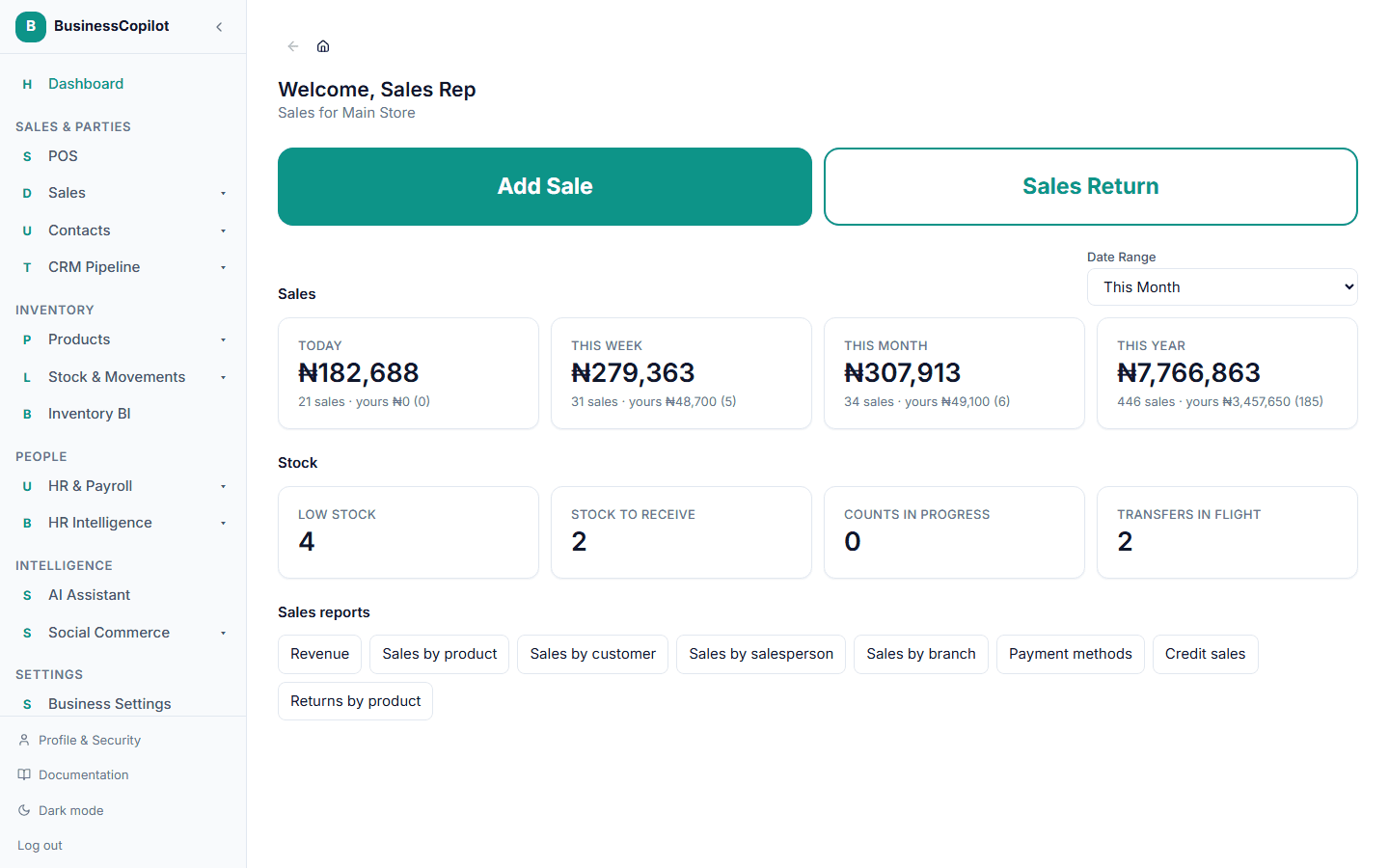
At the top, two large buttons:
- Add Sale opens the till so you can start a sale straight away.
- Sales Return opens the returns screen so you can take back an item.
Each button only appears if your role lets you do it.
Sales totals for Today, This week, This month and This year. They cover your branch, the branch your role is limited to or the one you work at. If you aren't tied to a branch, they cover the whole business. Under each total you also see your own sales, so you can compare what you sold with the branch.
My shift, for roles that use the till: when you opened it, your opening float and what you have sold this shift.
Sales reports, a row of links to the reports you can open (see below).
Choosing your own dates
Above the totals is the date picker. Choose a range, such as Last month or a custom start and end, and a fifth total appears for those dates. The four fixed totals stay where they are.
Stock roles
A Stockkeeper or Store Clerk sees stock instead: low stock, stock to receive, counts in progress and transfers in flight. A Receive Stock button appears for roles that may receive goods.
The mobile app
The mobile app shows the same page, with the buttons full-width at the top so they are easy to tap.
Related
Inactivity Security Lock
Automatically lock the app after a period of inactivity, protect sensitive data with a PIN passcode, and unlock from any device.
Sales reports for the people who sell
Open sales by product, customer, salesperson and more from your home page, for your branch, without any profit figures.