Deleting records and the reason log
Who can delete, why every delete asks for a reason, where deletes are recorded, and how the Owner restores one.
Deleting is limited to the people who are trusted with it, and every delete leaves a record of who did it, when, and why.
Who can delete
By default only three roles can delete records:
- Owner, everywhere
- Manager, everywhere
- HR Officer, on HR records only (employees, attendance, leave and the like)
Everyone else (Sales Rep, Cashier, Accountant, Store Clerk, Stockkeeper and Auditor) has no Delete button that works. If they try, the app tells them they don't have permission.
This is a default, not a fixed rule. As the Owner you can give delete to any role from Settings → Roles & Permissions. Open the role and tick Delete next to the area it should apply to. Your choice is kept.
Businesses that started before this rule had their seeded roles updated once when they were upgraded. A role you had already edited yourself was left exactly as you set it.
Every delete asks for a reason
When you delete something, a small box asks Why are you deleting this?
- Click Delete on the record, as you always have.
- Type a short reason, at least three characters, for example "Entered twice by mistake".
- Click Delete in the box.
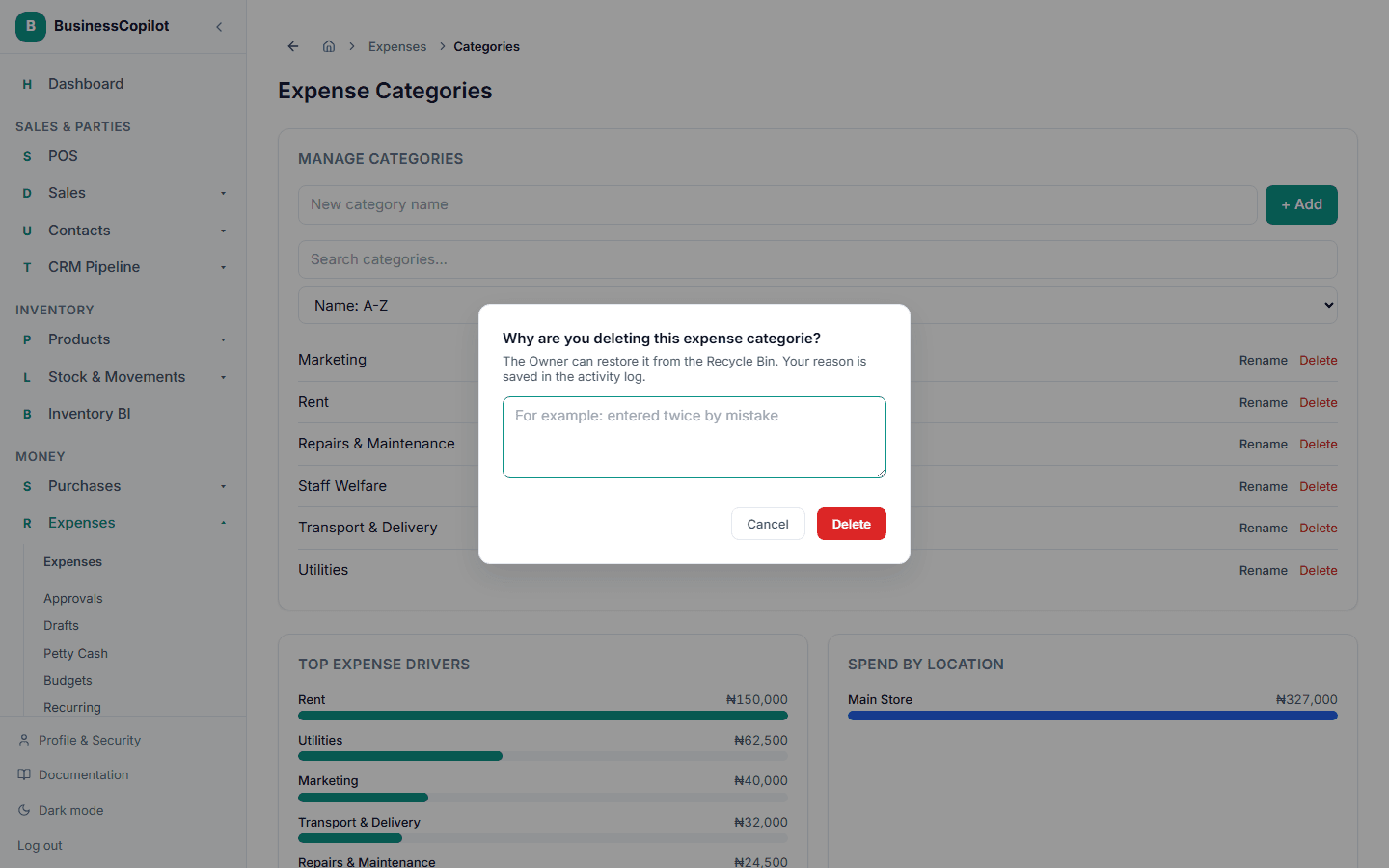
If you leave the reason out, nothing is deleted and the box tells you why it is needed. If you click Cancel, the record stays as it was.
The box also tells you whether the delete can be undone. Most records can be restored by the Owner from the Recycle Bin. A few, such as an uploaded file, are removed for good, and the box says so.
The same box appears on the web app, the desktop app and the mobile app.
Where deletes are recorded
Every delete is written to the activity log with:
- who deleted it
- what it was, with its name or number, for example "expense PO-0004"
- when
- why, in the person's own words
Records that cannot be restored are marked as critical, so they stand out when you review the log.
Restoring a deleted record
As the Owner, open Settings → Recycle Bin. Each deleted record shows who deleted it and the reason they gave. Choose Restore to bring it back, or Delete permanently to remove it for good, which also asks for a reason.
What does not ask for a reason
Some actions look like a delete but are not about your business records, so they do not ask:
- signing out a device or session
- revoking an invitation that has not been accepted
- removing your own screen-lock passcode
- cancelling a subscription
- clearing your own AI chat history or calculator history
- taking a line out of a review that is still being worked on