Reopening a closed period
What it takes to reopen a period once it's closed, and why.
A closed period isn't permanently out of reach — if something genuinely needs correcting, you can reopen it.
- Go to Accounting → Fiscal Years.
- Find the closed period.
- Select Reopen.
- Enter a reason — required; BusinessCopilot won't reopen a period without one.
- Select Confirm.
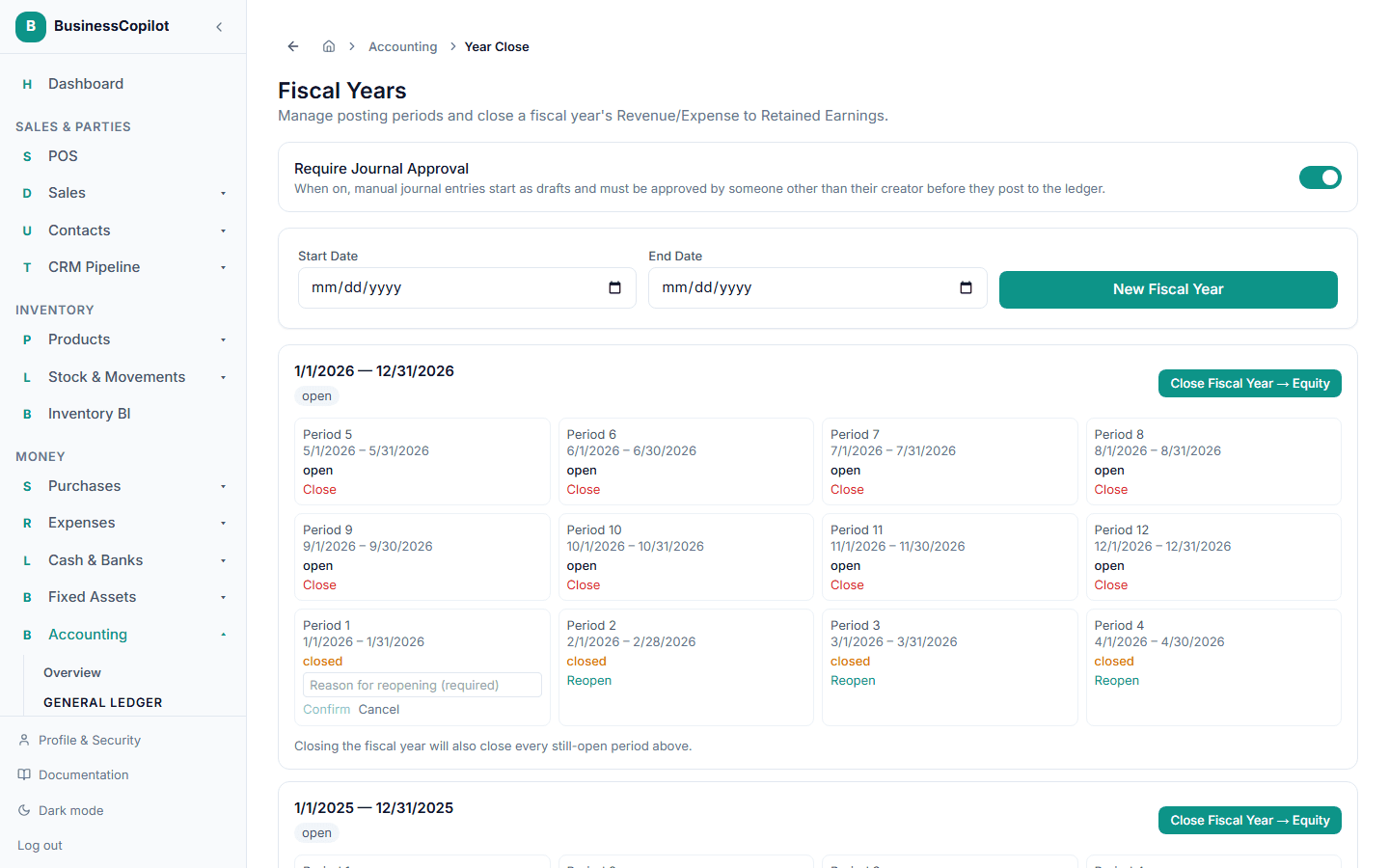
The reason you give is permanently recorded against that period, so anyone reviewing your books later can see exactly why it was reopened, by whom, and when — reopening is never a silent, unlogged action.
What reopening doesn't undo
Reopening a period lets new activity post to it again — it doesn't reverse anything that already happened. If the fiscal year itself was already closed to Equity, that closing journal stays in place; reopening one period underneath it doesn't unwind the year-end close. Correct a specific mistake with its own journal entry or reversal rather than expecting a reopen to fix it for you.