Recording a credit sale
Sell to a customer now and collect payment later.
A credit sale is for a customer you trust to pay later — they take the goods today, and the amount they owe is tracked against their name until they pay.
Before you start
A credit sale always needs a named customer — BusinessCopilot needs to know who owes the money. You can't run a credit sale for "Walk-In Customer."
Steps
- Go to Sales POS.
- Search for the customer in the customer field and select them. If they are not in your contacts yet, select the + beside the field to add them without leaving the sale.
- Add the items they're buying to the cart as usual.
- Select Credit Sale in the bottom action bar.
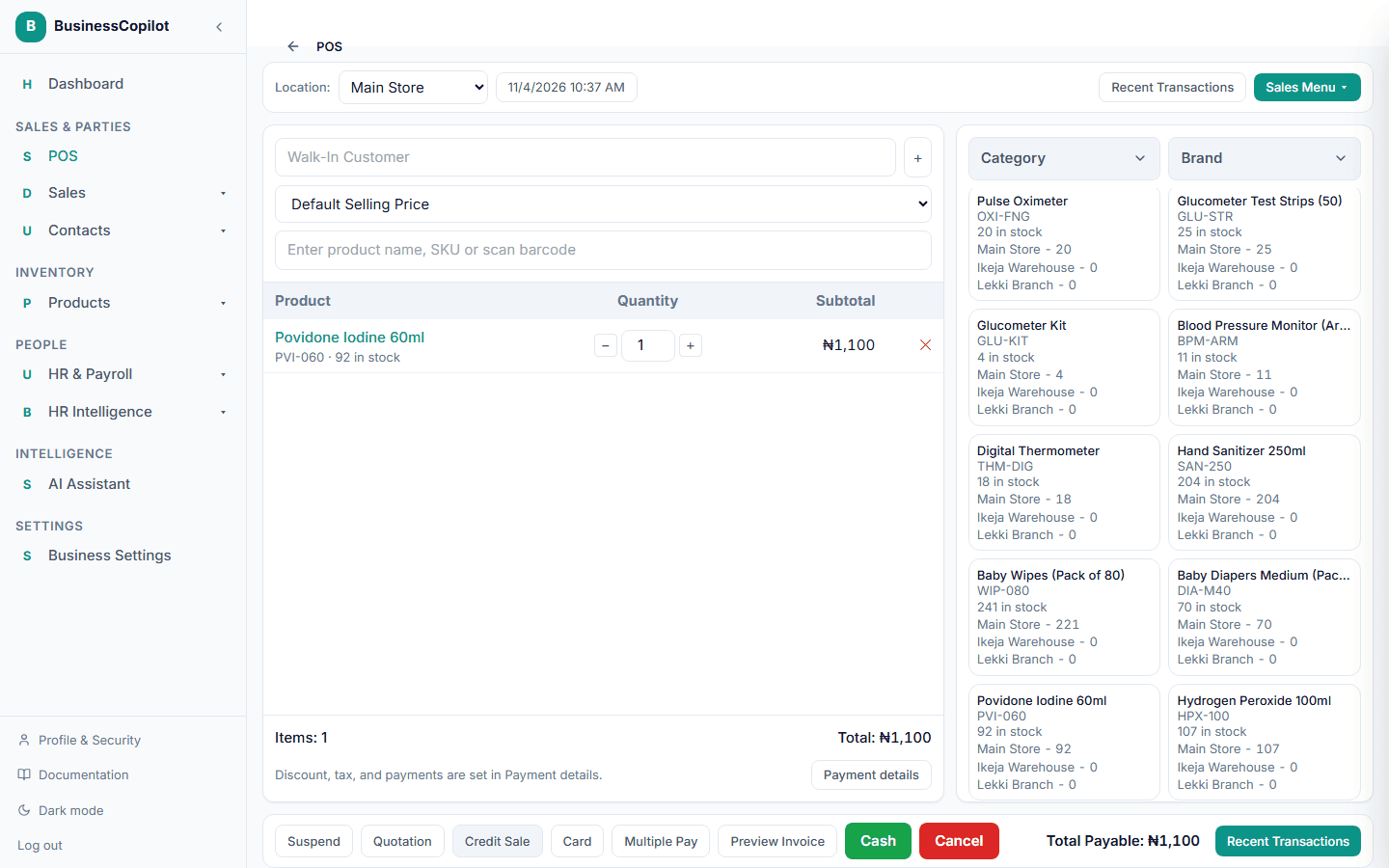
The sale completes and the stock is reduced right away, same as a cash sale — the only difference is no payment is collected at this moment. The amount owed shows up against that customer's record, and you can record their payment later from the sale's detail page.
Once an invoice is fully paid
When the customer has paid the full amount, the sale's detail page shows This invoice is fully paid. and the payment form is hidden, so no further payment can be recorded against it by mistake. Until then, record each payment as the customer makes it, and the balance still owed stays visible on the invoice.