Setting up your VAT rate
Turn on VAT for your business and let BusinessCopilot apply it for you.
VAT (Value Added Tax) is the tax you add to what you sell and may need to remit. BusinessCopilot can apply it for you automatically once it's set up — you don't have to calculate it by hand on every sale.
Setting it up
- Go to Accounting → Tax Codes.
- Select Add Tax Code.
- Give it a code and name (e.g. "VAT" / "Standard VAT").
- Choose the type — Standard, Zero-Rated, or Exempt, depending on what you're setting up.
- Enter the rate as a percentage.
- Choose which account it should be tracked against — if you're not sure, ask whoever set up your books; this is usually set up once and left alone.
- Save it.
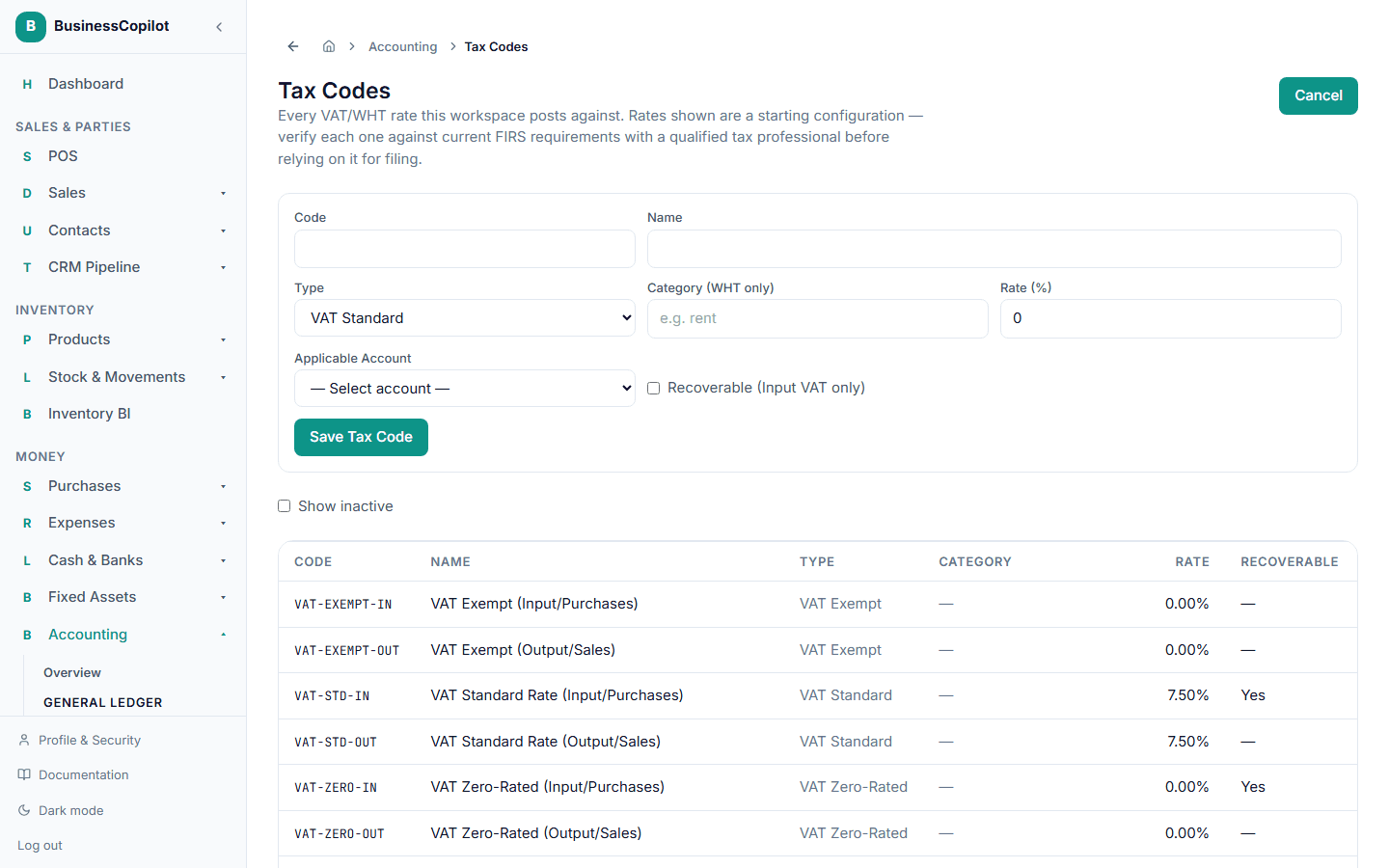
Once it's set up, it becomes available to apply on your sales.
Important: BusinessCopilot's starting VAT/WHT setup is a working configuration, not tax advice — check your rates against current FIRS requirements with a qualified Nigerian tax professional before relying on them for filing. The deeper mechanics of how VAT posts against your accounts, and how WHT (Withholding Tax) works, are covered in Understanding VAT and WHT posting in the Accounting Guide.