Connecting your social media accounts
Track your WhatsApp Business, Instagram, and TikTok Shop presence inside BusinessCopilot.
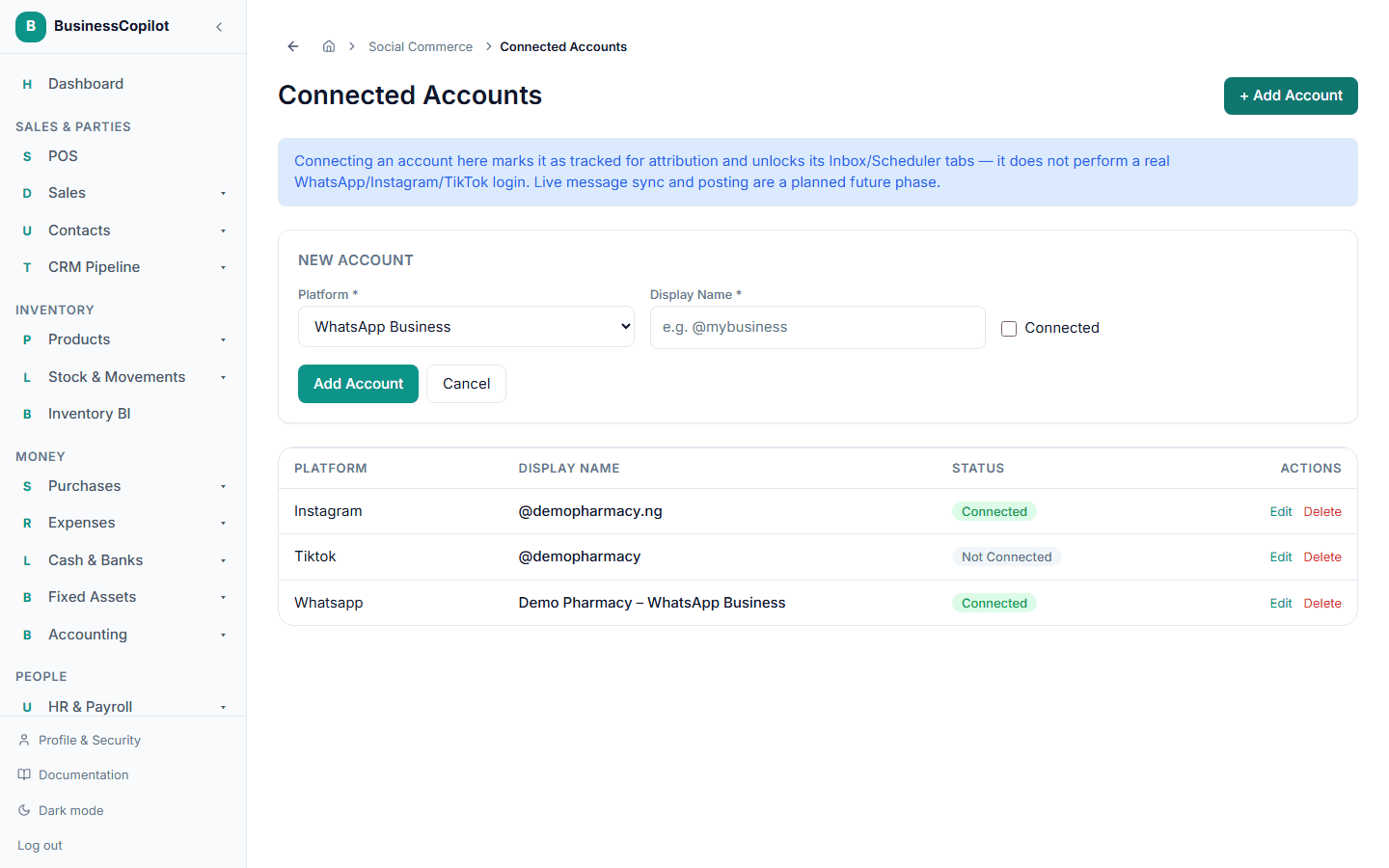
Go to Business Growth → Connected Accounts.
- Select + Add Account.
- Choose the Platform — WhatsApp Business, Instagram, or TikTok Shop.
- Give it a Display Name (e.g. your handle).
- Check Connected once you're actively using it, so it's available to attribute campaigns to.
- Save.
What "connecting" actually does right now
This is important to get right: connecting an account here does not log you into WhatsApp, Instagram, or TikTok, and it doesn't send or receive real messages. What it does is give you a real, trackable record you can attribute campaigns and sales to, and it unlocks the Inbox and Scheduler tabs for that account. Real, live messaging and posting to these platforms is a planned future capability, not something you can do from BusinessCopilot yet.