Viewing messages and scheduling posts
Keep a local record of conversations and plan your content calendar.
These two tools unlock once you have a connected account.
Inbox
Go to Business Growth → Inbox, select the account, and log a message as received or reply, with a short summary of the conversation.
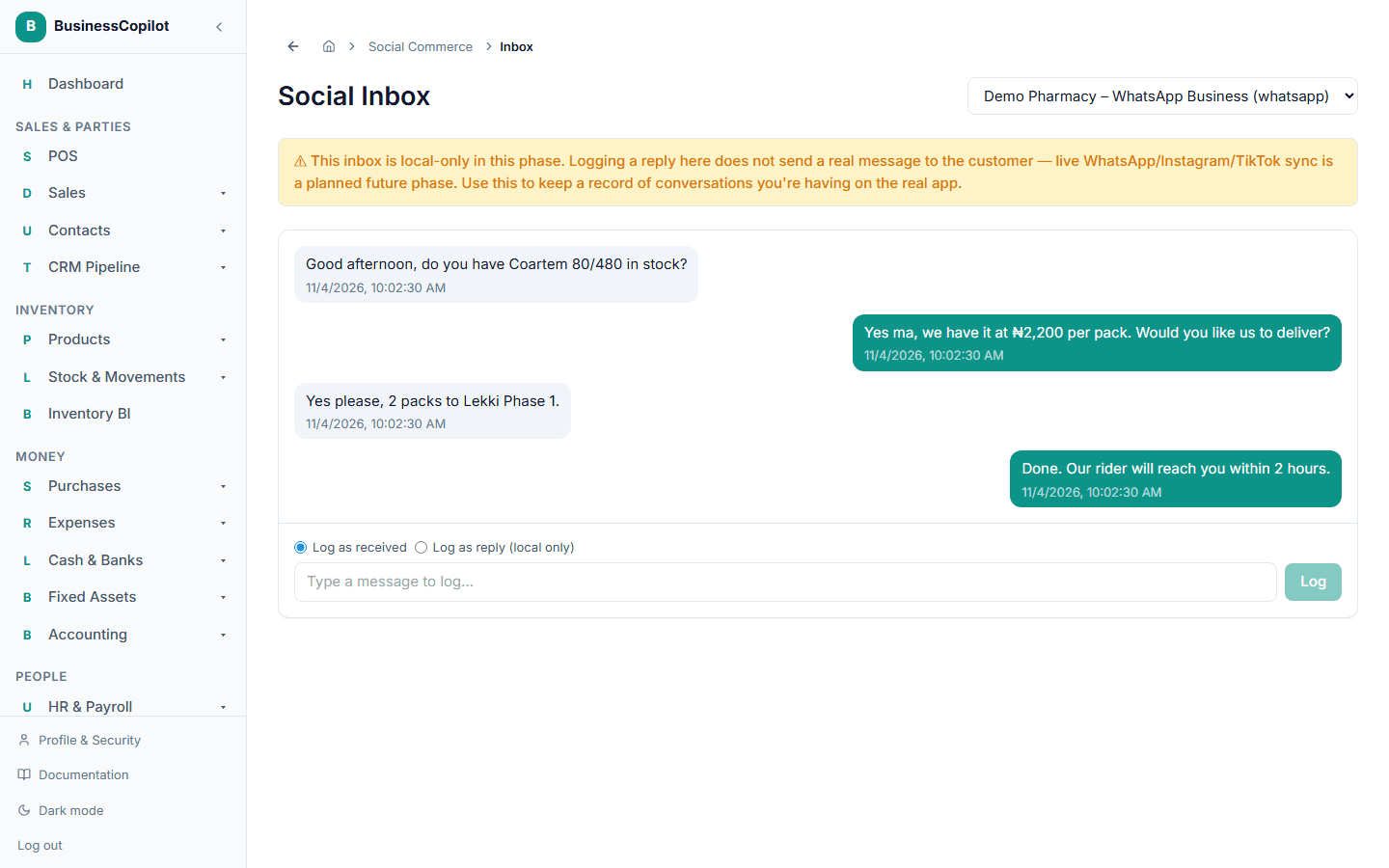
This inbox is local-only. Logging a reply here does not send a real message to the customer — it's a way to keep a record of a conversation you're actually having on the real WhatsApp/Instagram/TikTok app, not a place to message customers from directly.
Content Scheduler
Go to Business Growth → Scheduler, select the account, and select + Schedule Post. Write your content and set when you plan to post it.
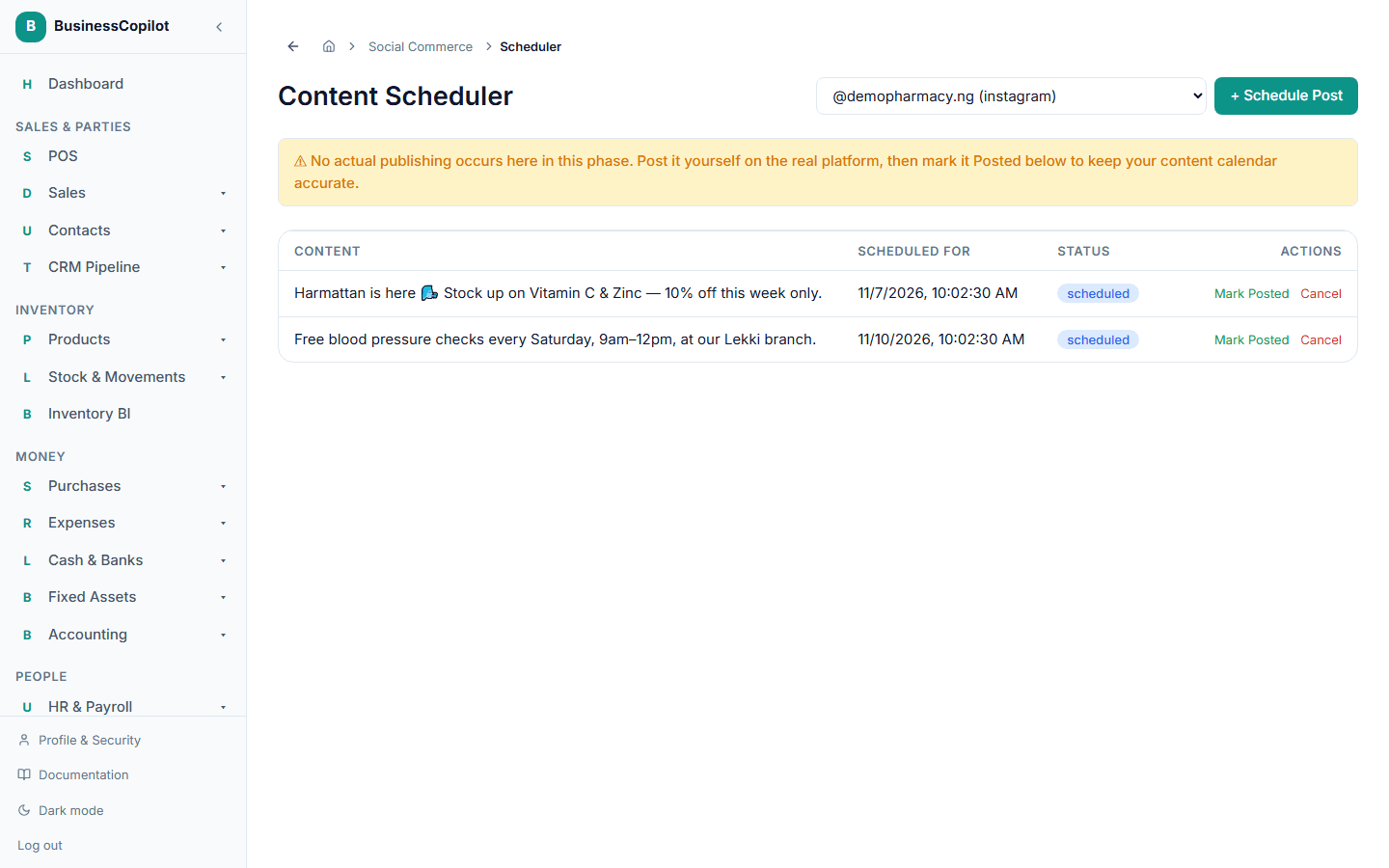
No actual publishing happens here either. You post it yourself on the real platform, then come back and mark it Posted so your content calendar stays accurate.