Units mode
Choose whether your business counts each item in one unit or in two, such as cartons and packs.
Units mode is one setting for your whole business. It decides how items are counted, bought and sold.
| Option 1: One unit per item | Option 2: Primary and secondary units | |
|---|---|---|
| Units on an item | One | A primary unit and, if you want, a secondary unit |
| Quantities | Whole numbers only, on every screen that takes a quantity | Decimals allowed |
| Prices | One sale price and one purchase price | A sale price and a purchase price for each unit |
| Sales and purchases | No unit choice | A unit dropdown on every line |
| Stock | One whole number | One count, kept in the primary unit |
Option 1 is how the app has always worked. Every business starts on it, and nothing changes until you choose Option 2.
Change the Units mode
Only the Owner can change this setting.
- Go to Settings → Product.
- Find the Units mode card at the top of the page.
- Select Option 1 or Option 2.
- Select Save Units mode.
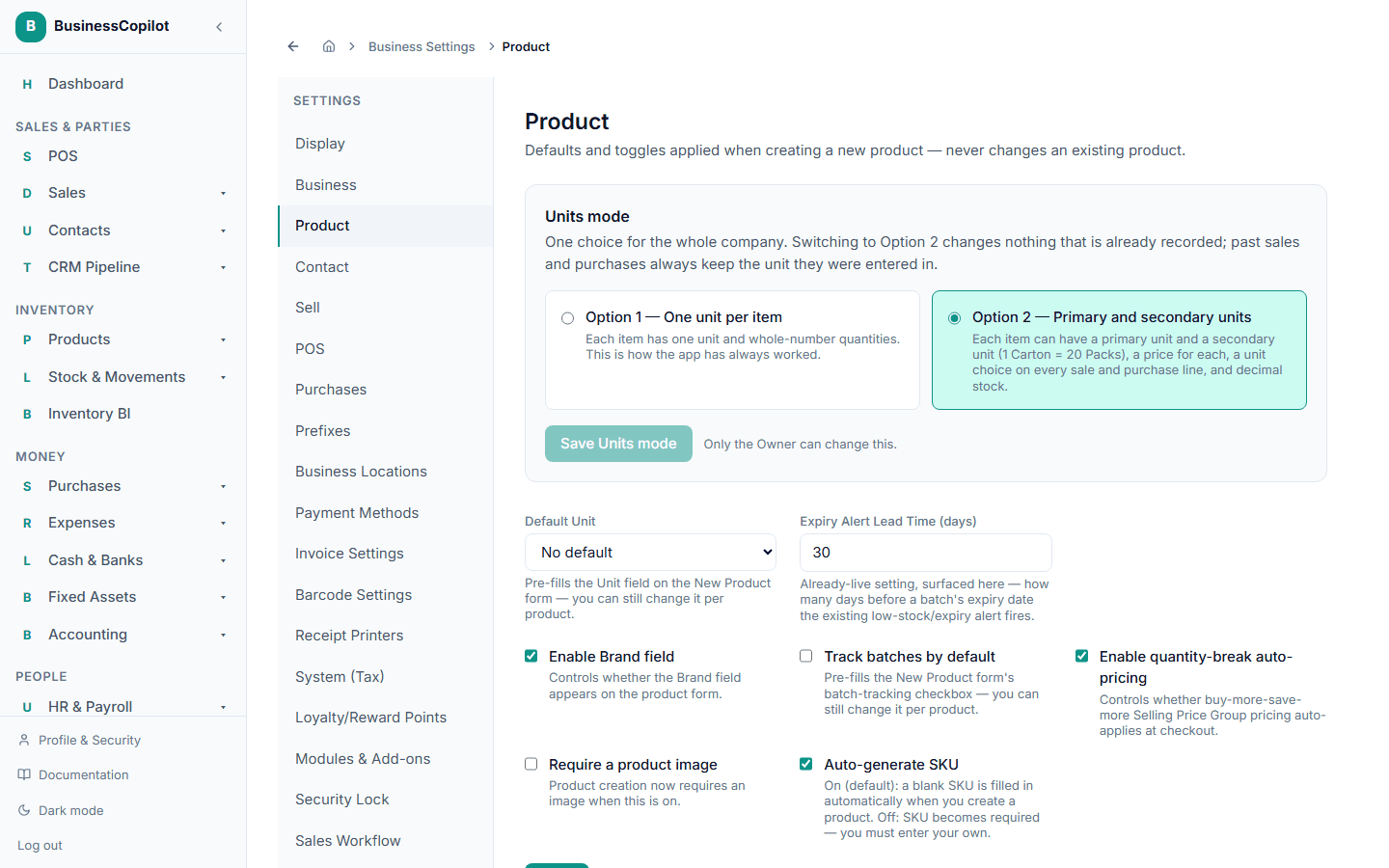
Switching from Option 1 to Option 2
This always works, and nothing you have already recorded changes. Your items keep their one unit. Each item can now be given a secondary unit. See Selling and buying in two units.
Switching back from Option 2 to Option 1
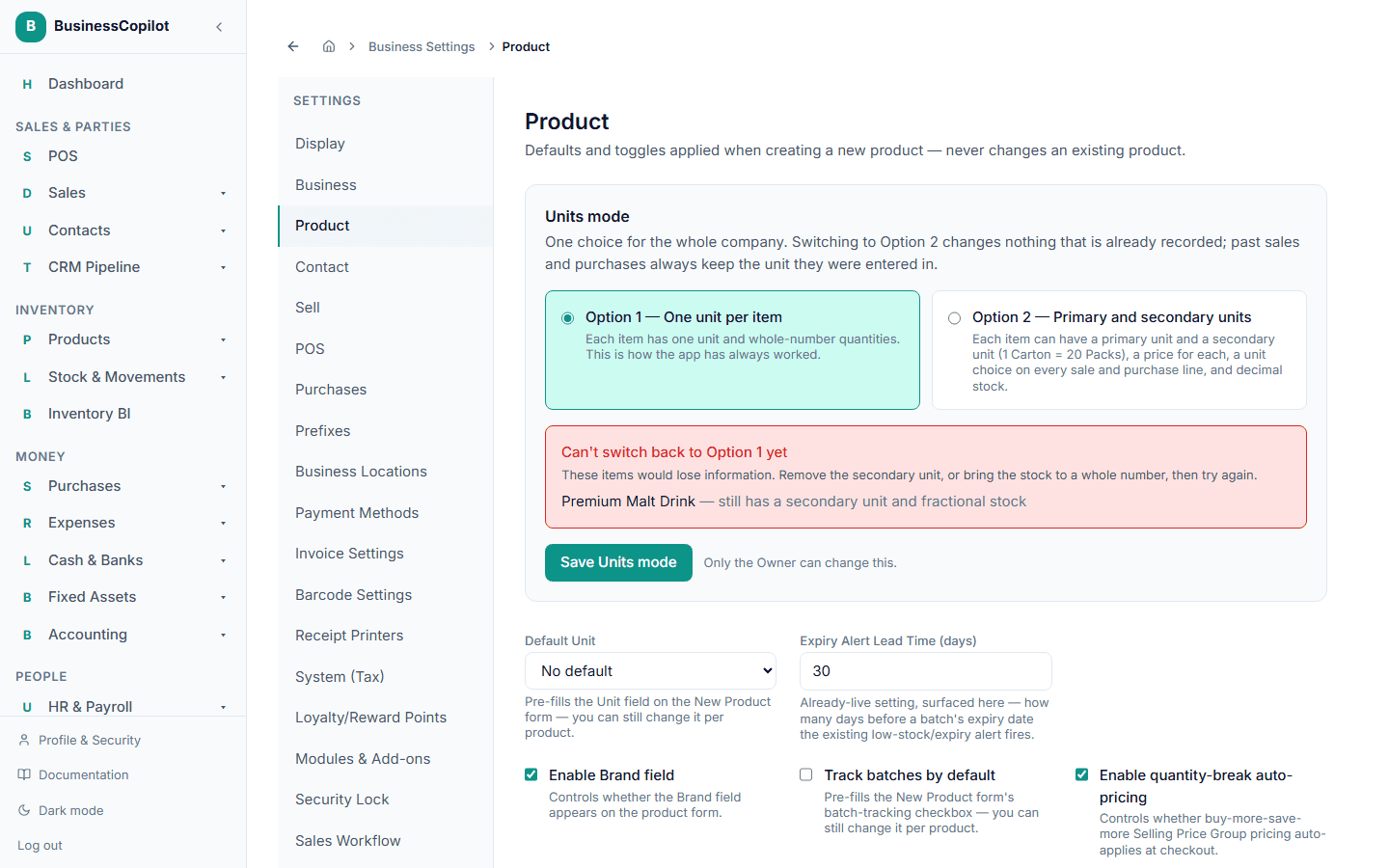
You can switch back only if no information would be lost. The switch is refused while any item:
- still has a secondary unit, or
- holds a fractional stock count, such as 12.25 cartons.
When it is refused, the page lists every item you need to fix, once each. Open the item and remove its secondary unit, or bring its stock to a whole number with a stock adjustment. Then save again.
You can remove a secondary unit even when the item already has stock or sales. Its stock stays in the primary unit, and past sales keep the unit they were entered in.
Sales and purchases you already recorded keep the unit they were entered in, whichever option you use later. A past sale of "5 Pack" still reads "5 Pack" after you switch back.