Running a marketing campaign
Create a promo code campaign and track how it performs.
- Go to CRM → Campaigns and select New Campaign.
- Fill in a Name and a Redeemable Code (e.g. "SAVE10") — customers use this code to get the campaign's discount.
- Choose the Discount Type (Percent or a Fixed ₦ amount) and the Discount Amount.
- Optionally target a specific Segment, note the Channel you're running it on (e.g. WhatsApp, Email), and add a Cost if you're tracking ad spend.
- Set a Start Date and End Date, and whether it's Active.
- Select Create Campaign.
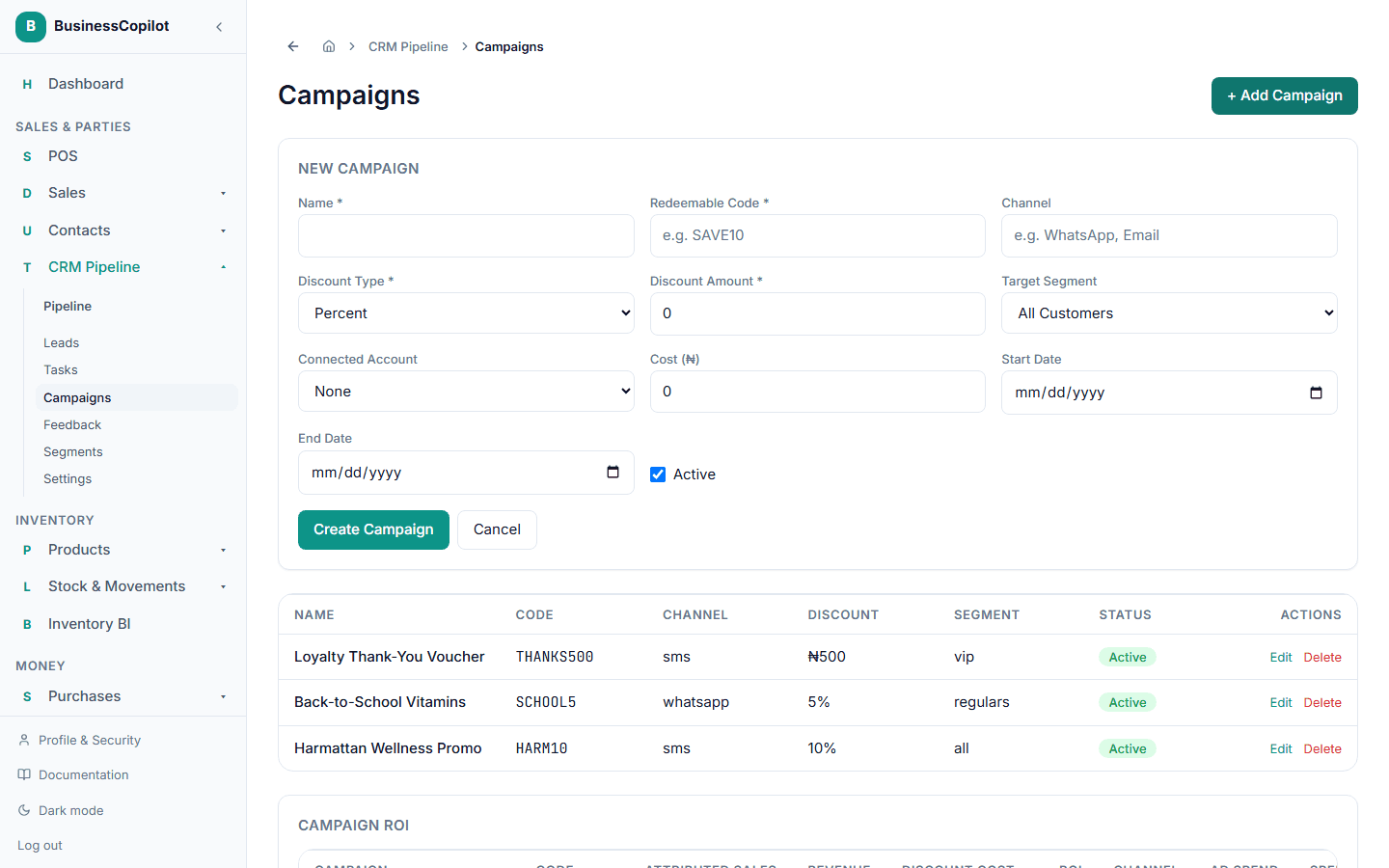
Once live, a customer's code is entered as the campaign code at checkout, and the discount applies automatically. The campaign list shows you how it's performing as codes get redeemed.
If you connect a real social media account to a campaign, deeper channel performance tracking lives in Business Growth — not yet covered in these docs.