Setting up loyalty tiers
Reward your repeat customers automatically as they spend more with you.
BusinessCopilot places every customer into a loyalty tier — Silver, Gold, or VIP — based on how much they've spent with you in total.
Setting your tier thresholds
- Go to Tier Settings (under Parties).
- For each tier, set the total spend (₦) a customer needs to reach it.
- Save.
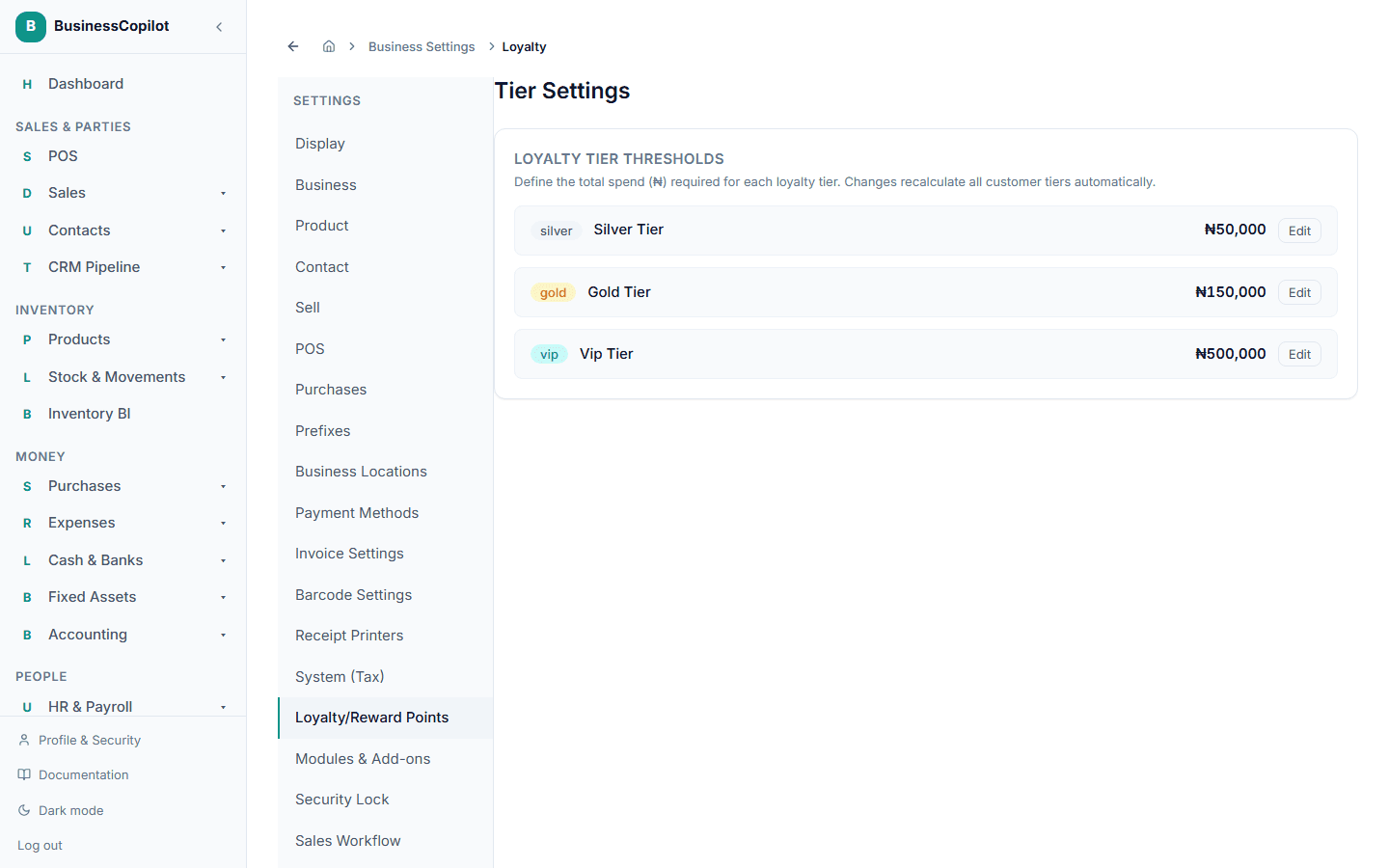
Changing a threshold recalculates every customer's tier automatically — nobody needs to be manually moved between tiers.
How a customer moves up
The moment a customer's total spend crosses a threshold, they move into that tier — there's nothing you or they need to do to trigger it. They're notified when this happens; see Customer loyalty notifications.
Giving a tier an automatic discount
Separately, you can give an individual customer a percentage discount that applies automatically at checkout, assigned from their own profile. This is a related but distinct feature from the spend-based Silver/Gold/VIP tiers above — don't confuse the two.
This part of the guide is incomplete: creating a new discount percentage to assign isn't available as a self-service step in the app yet — you can only assign one that already exists from a customer's profile. This guide will be filled in with real steps once that's in place.