Running payroll
Generate a payroll run, review it before it pays out, then process payment.
Payroll runs through three stages: a draft you can review, an approved run ready to pay, and a paid run once it's actually gone out. Nothing pays out automatically — you always review it first.
1. Generate a payroll run
- Go to HR → Payroll.
- Select + Generate Payroll Run.
- Confirm the pay period and pay date.
- Submit.
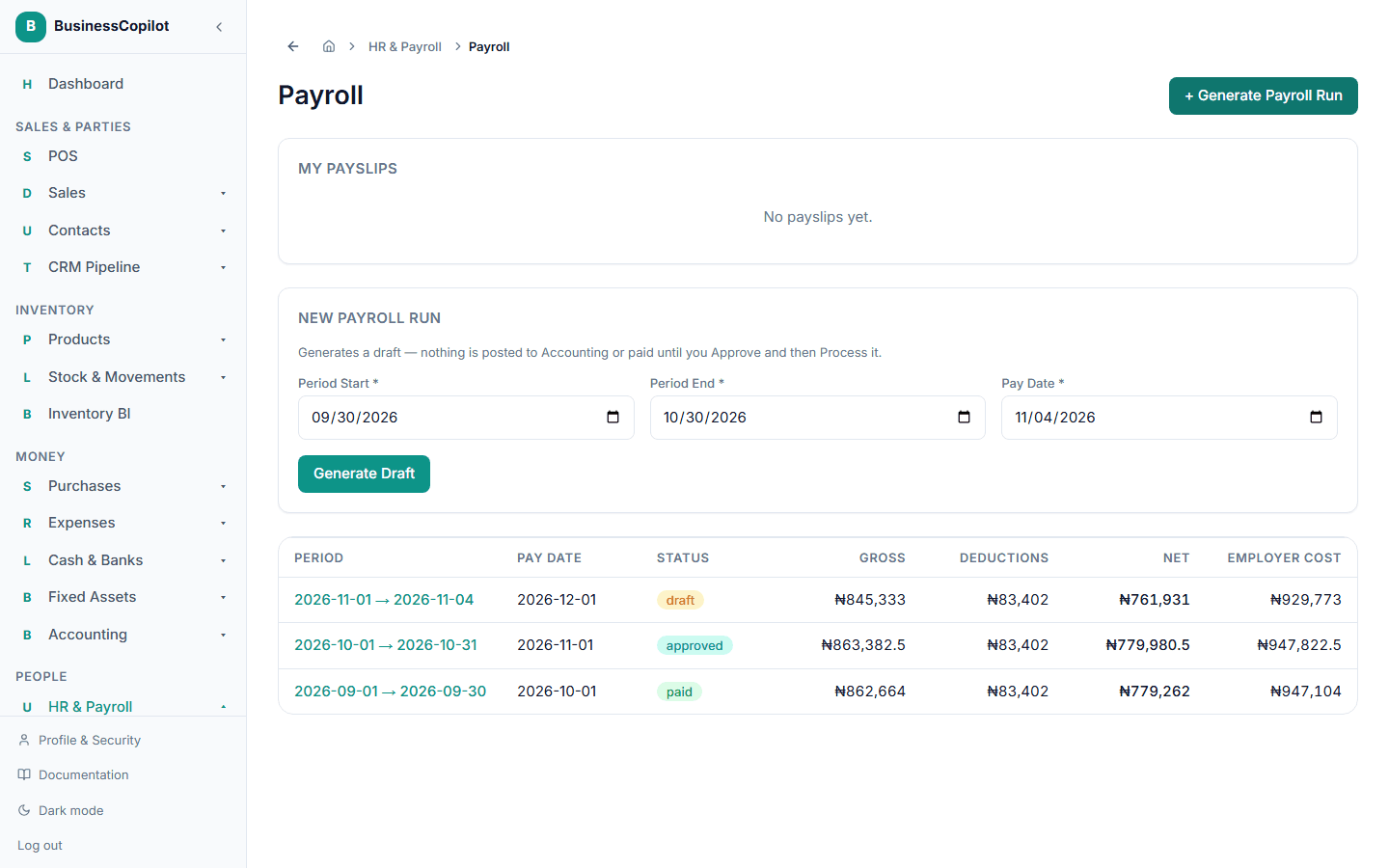
This creates a draft with a line for every staff member — nothing has been paid yet.
2. Review and approve
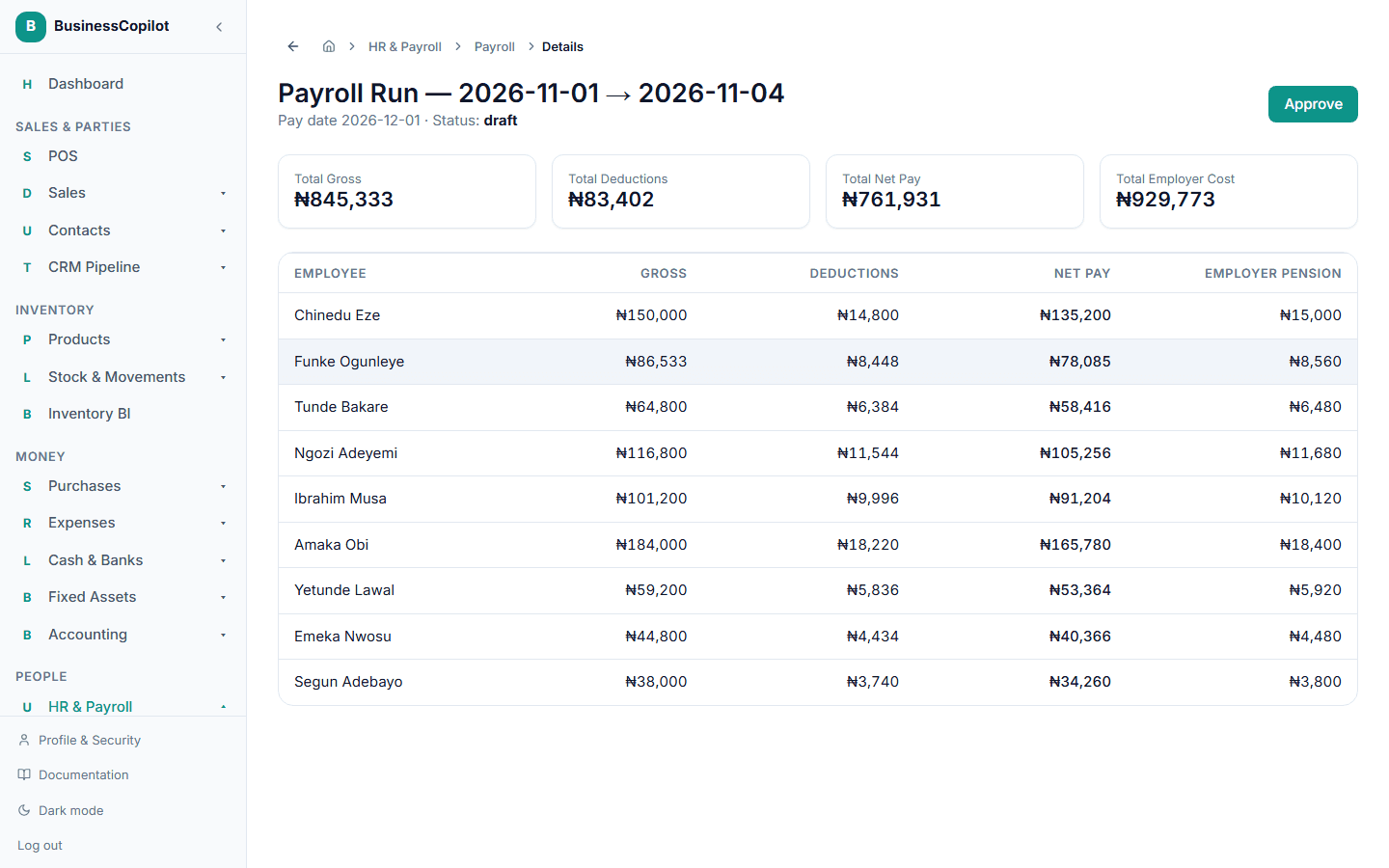
Open the run to see Total Gross, Total Deductions, and Total Net Pay, along with every staff member's individual line. Once you're satisfied it's correct, select Approve.
3. Process payment
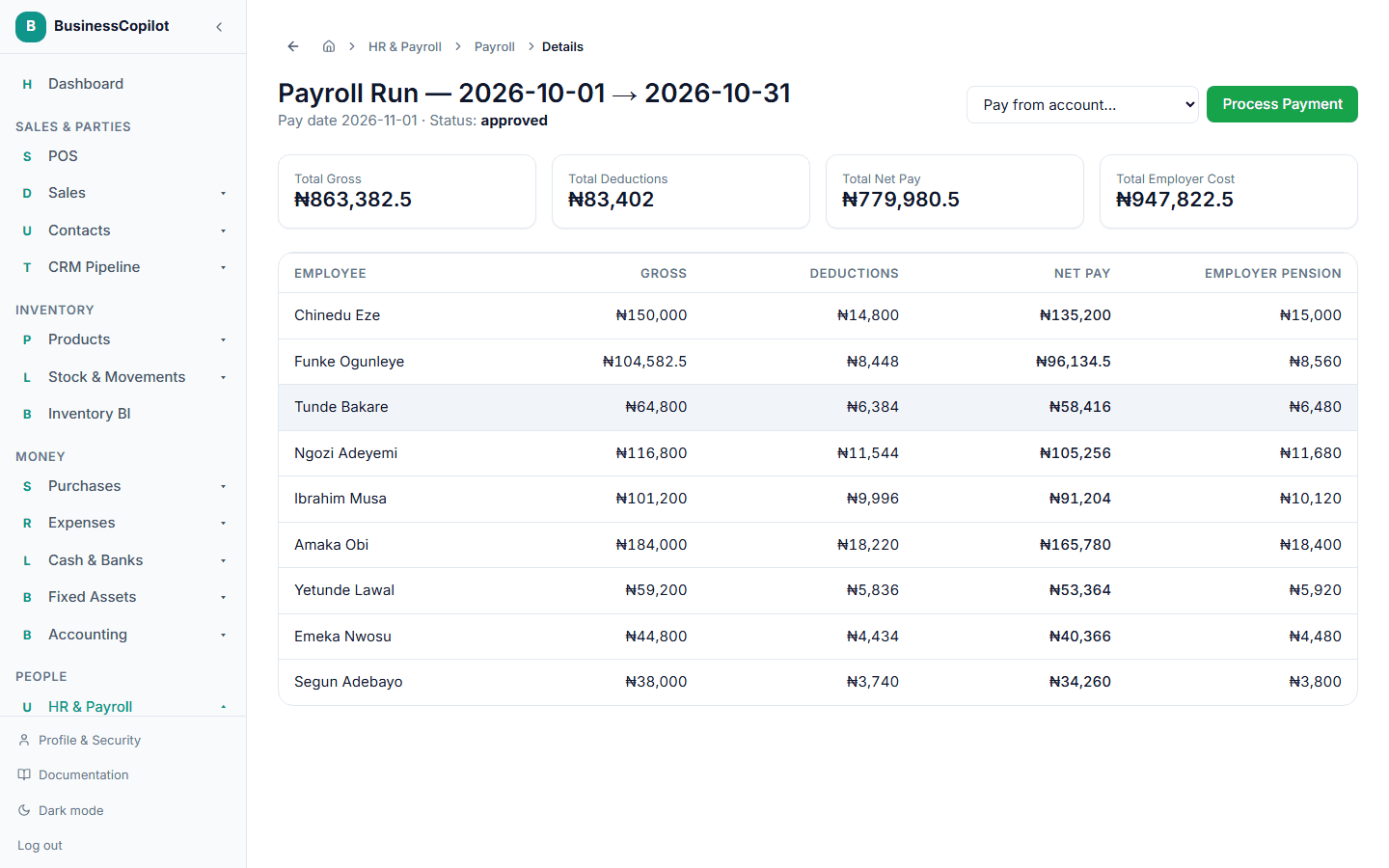
Once approved, choose which account to pay from and select Process Payment. This is the step that actually pays your staff and marks the run as paid.