Sales reports for the people who sell
Open sales by product, customer, salesperson and more from your home page, for your branch, without any profit figures.
Anyone whose role includes Sales → View can open the sales reports from their home page. They show sales for your branch (or the whole business if you aren't tied to a branch) and never show profit or margin.
Open a report
- On your home page, find Sales reports.
- Select the report you want.
- Pick the dates with the date picker at the top. The report follows the same date picker as every other report.
The reports
- Revenue: sales totals and how they are made up.
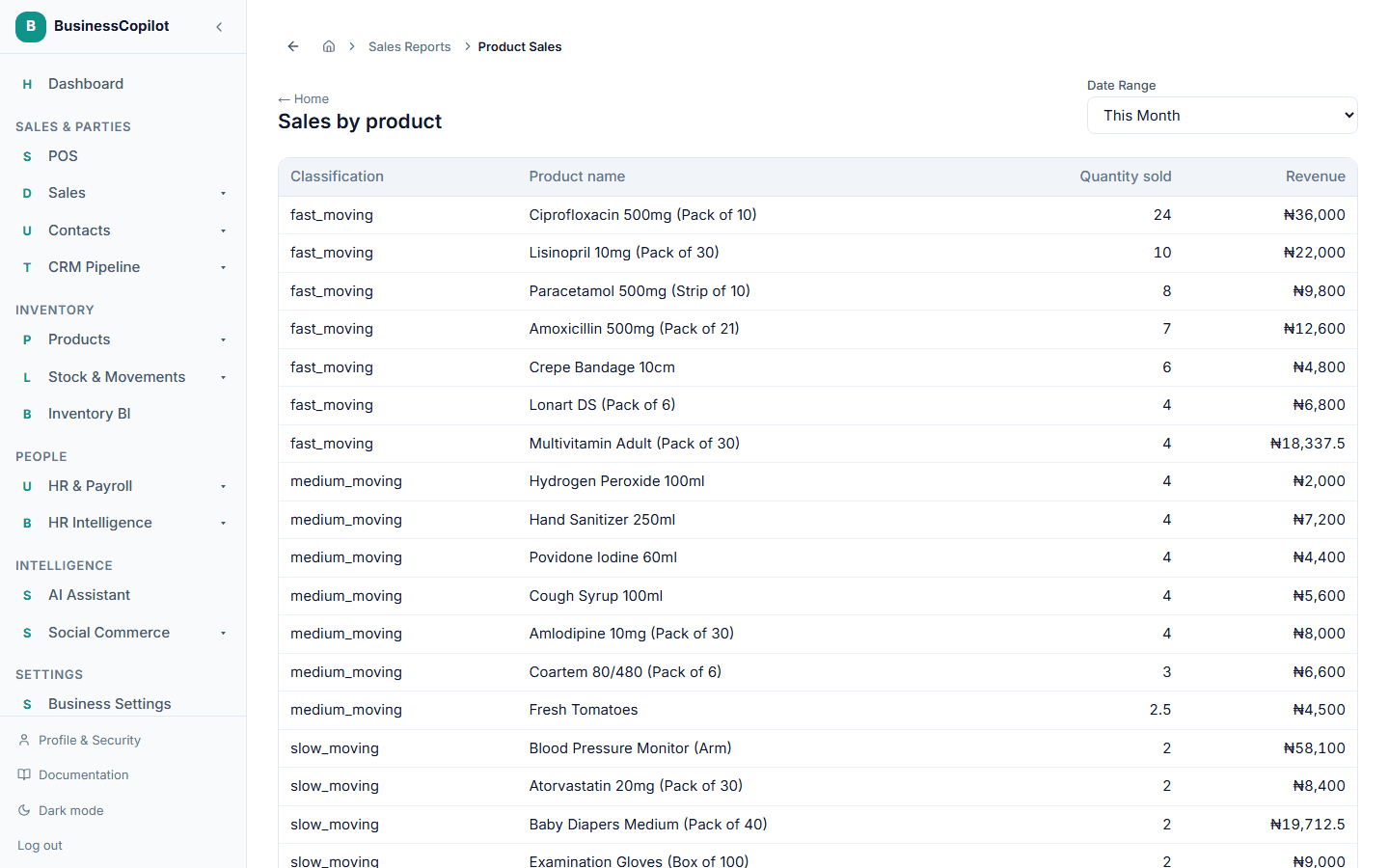
- Sales by product: what sold and how much of it.
- Sales by customer: who is buying.
- Sales by salesperson: sales per team member.
- Sales by branch: how the branches compare.
- Payment methods: how customers paid.
- Credit sales: sales not yet paid in full.
- Returns by product: what came back.
What is left out
Profit, margin and cost columns are removed before the report reaches you. If you need them, ask your Owner about profit access.
If your role is limited to a branch, you only see that branch, and choosing another branch is refused.
Exporting
A CSV export drops any profit columns too. Other export formats that include profit are not available without accounting access.
Related
Your home page as a Sales Rep or Cashier
The home page for people who sell, with big Add Sale and Sales Return buttons and sales totals for today, this week, this month and this year.
Understanding the POS/checkout screen
A tour of BusinessCopilot's checkout screen — the cart, the product browser, and the action bar.