Cash Flow Statement
Where your cash actually came from and went, reconciled against your real cash movement.
The Cash Flow Statement shows where your cash actually came from and where it went over a period — distinct from Profit & Loss, which can show a profit even in a period where cash on hand went down (a credit sale, for example, is profit before it's cash).
- Go to Accounting → Cash Flow.
- Choose a date range.
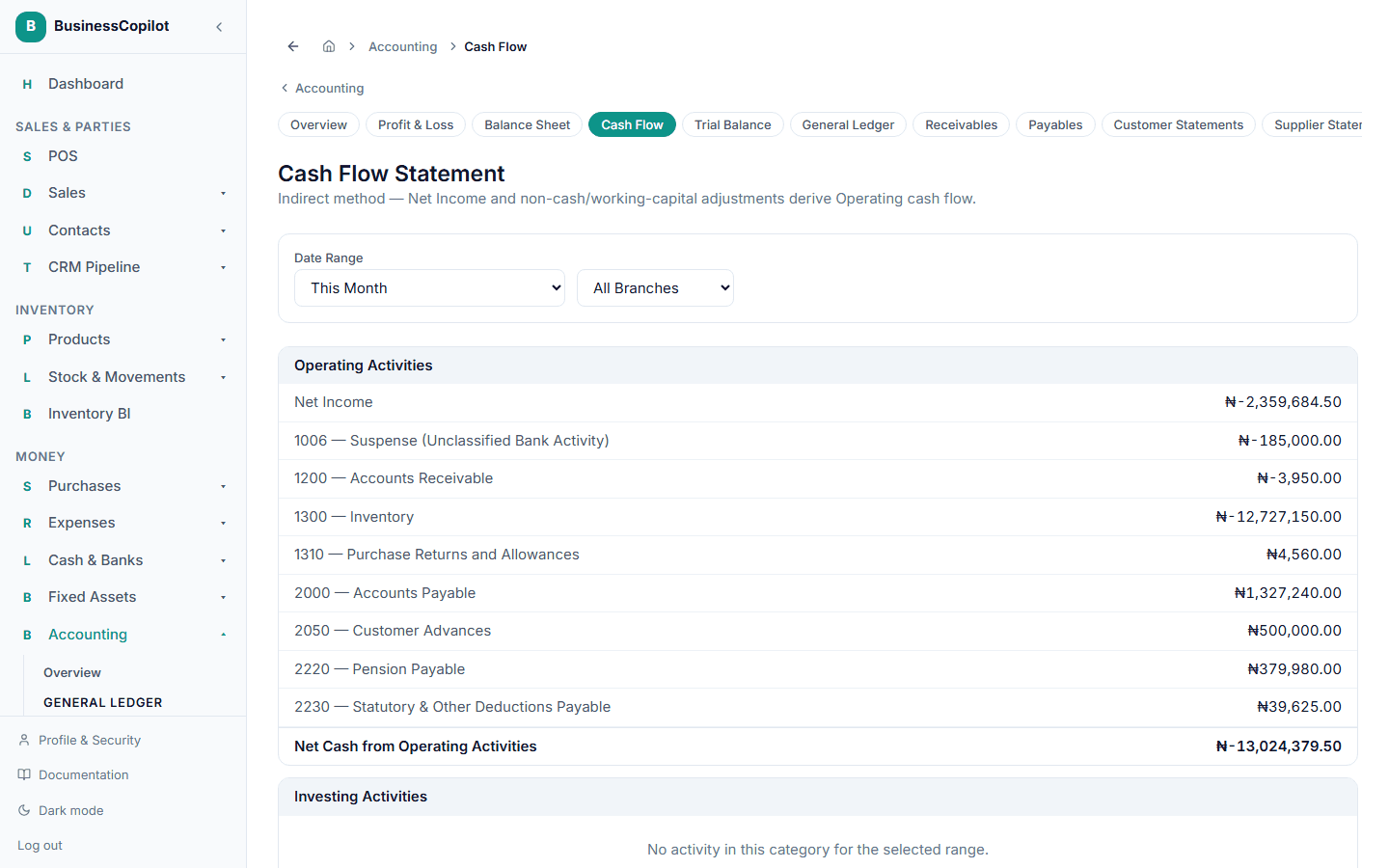
BusinessCopilot builds this using the indirect method — starting from Net Income and adjusting for non-cash and working-capital movements — broken into three sections:
- Operating Activities — cash from day-to-day business: Net Income plus adjustments like changes in receivables, payables, and inventory.
- Investing Activities — cash from buying or selling things like equipment.
- Financing Activities — cash from things like owner contributions or drawings.
If any custom account you've added doesn't have a cash-flow category set, its movement shows up in an Unclassified section rather than being silently dropped or guessed at.
At the bottom, BusinessCopilot confirms the statement reconciles — that your Beginning Cash plus the Net Change in Cash it just calculated actually equals your real Ending Cash balance — and tells you plainly if it doesn't.