Closing your financial year
What a year-end close means and why you'd do it — a guided process, not a scary one.
Closing your financial year locks your books for a completed year so nothing can be accidentally changed after the fact, and carries your year's results forward as a starting point for the next one. Most businesses do this once a year, once everything for that year is settled.
BusinessCopilot walks you through it step by step rather than expecting you to know what to check — you don't need to be an accountant to get through it.
Where to start
Go to Accounting → Fiscal Years. Find the year you want to close and work through its checklist:
- Bank Reconciliation Status and Uncategorized Transactions must be clear before you can close — BusinessCopilot won't let you close over these.
- Inventory Count Confirmed and Receivables / Payables Review are things you confirm you've checked — if you're closing knowingly over a gap, you can acknowledge it rather than being blocked.
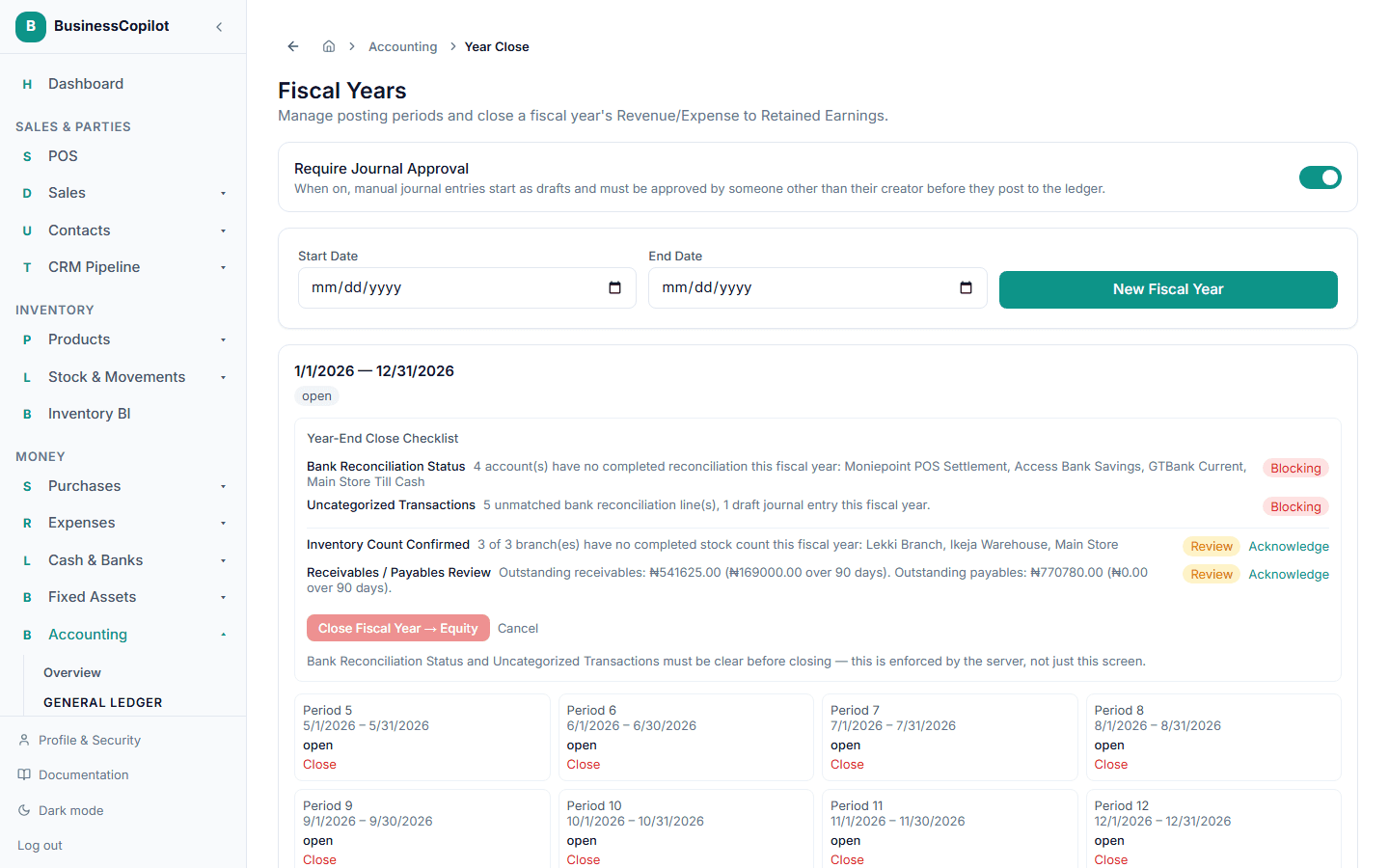
Once everything's ready, select Close Fiscal Year → Equity.
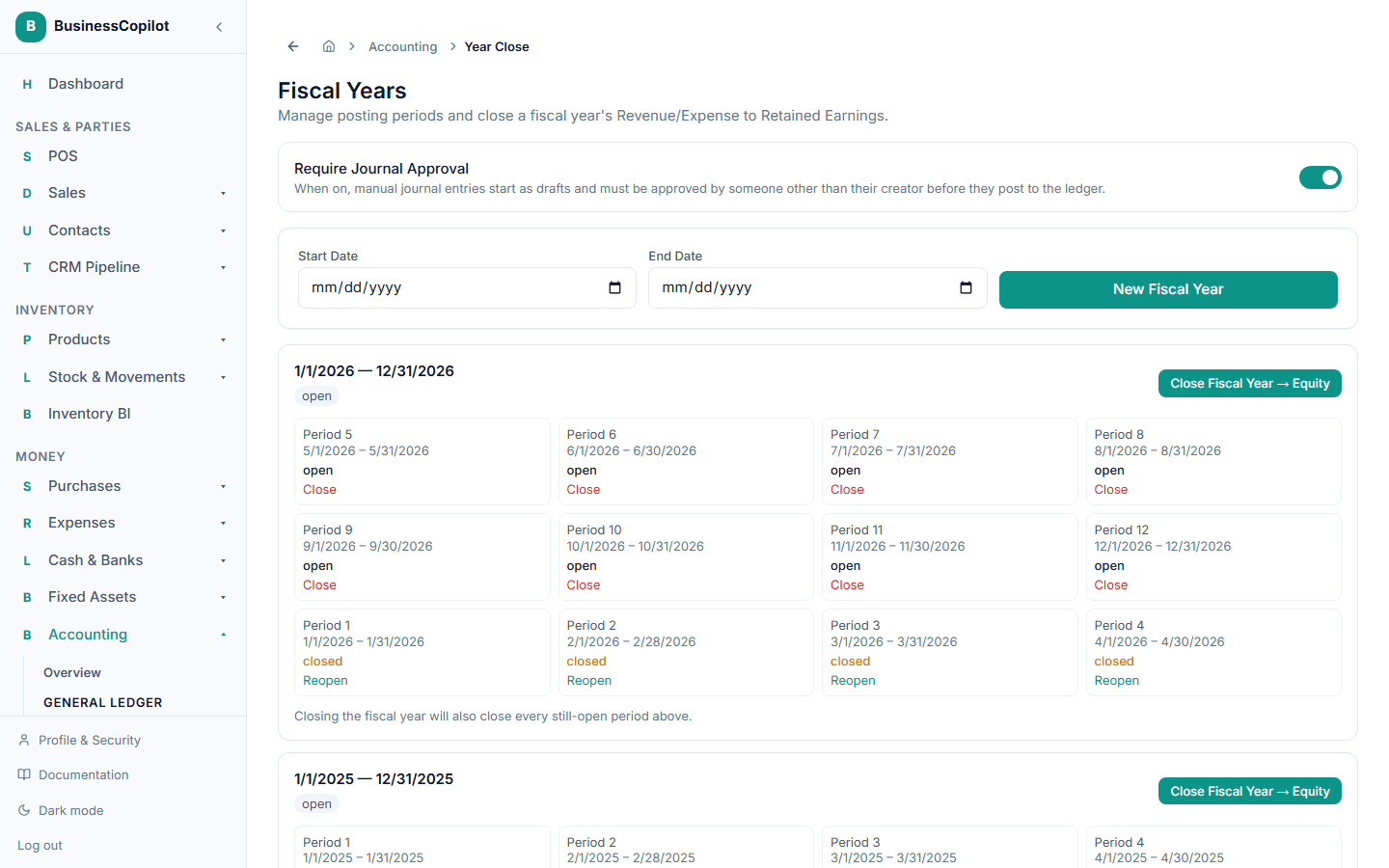
A closed year isn't permanently locked out of reach — it can be reopened with a stated reason if something genuinely needs correcting, which is itself recorded for your records.
For the full mechanics of what closing actually does to your accounts, and how to handle a real closing discrepancy, see Closing your fiscal year, in full in the Accounting Guide.