Applying a discount to a sale
Give a customer a discount at checkout, on the whole sale or a single item.
You can apply a discount two ways on the checkout screen, depending on whether it applies to one item or the whole sale.
Discounting a single item
- In the cart, select the product's name on the line you want to discount.
- In the window that opens, choose a Discount Type — Fixed (a ₦ amount) or Percentage.
- Enter the Discount Amount.
- Select Close.
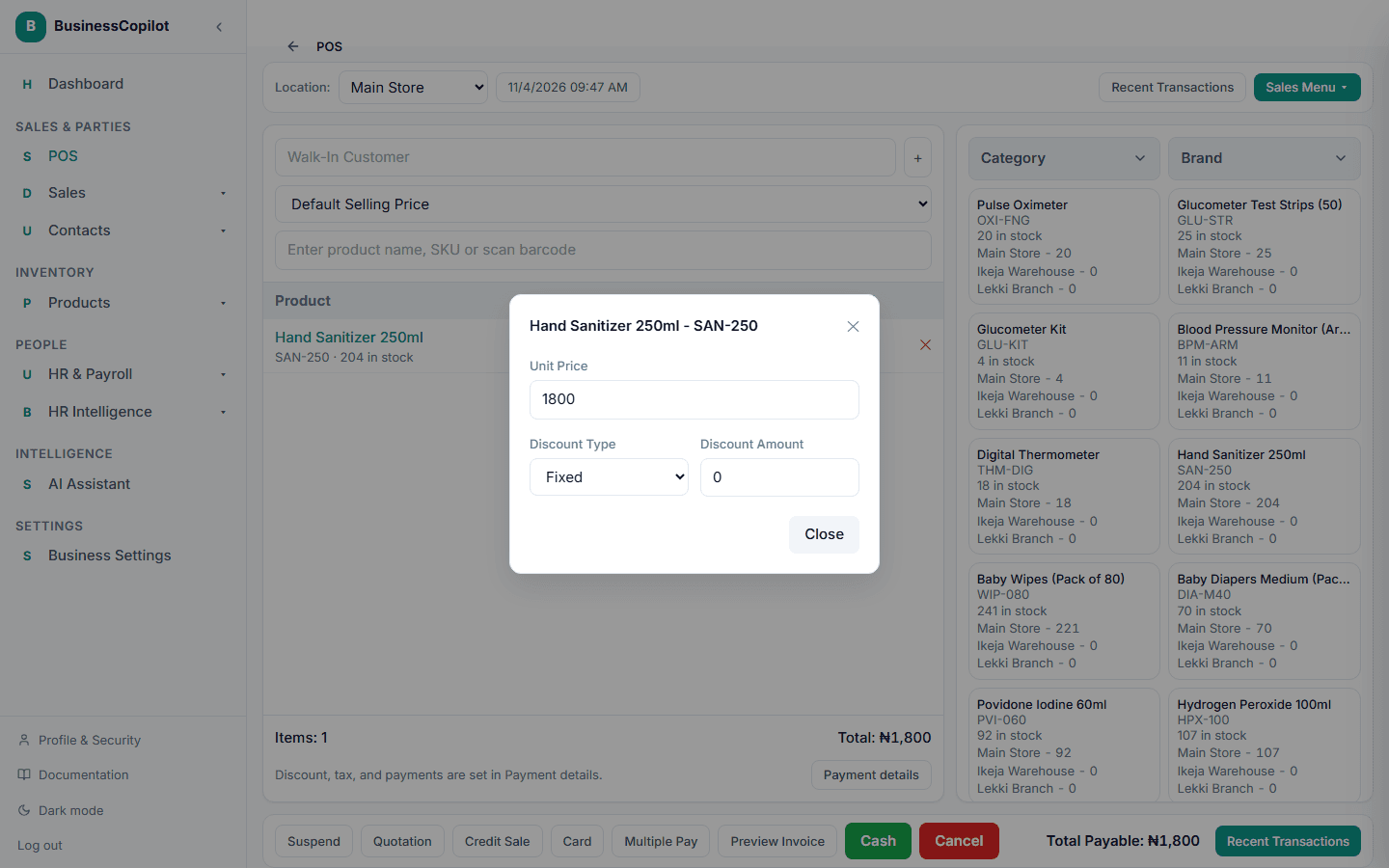
The line's subtotal updates immediately.
Discounting the whole sale
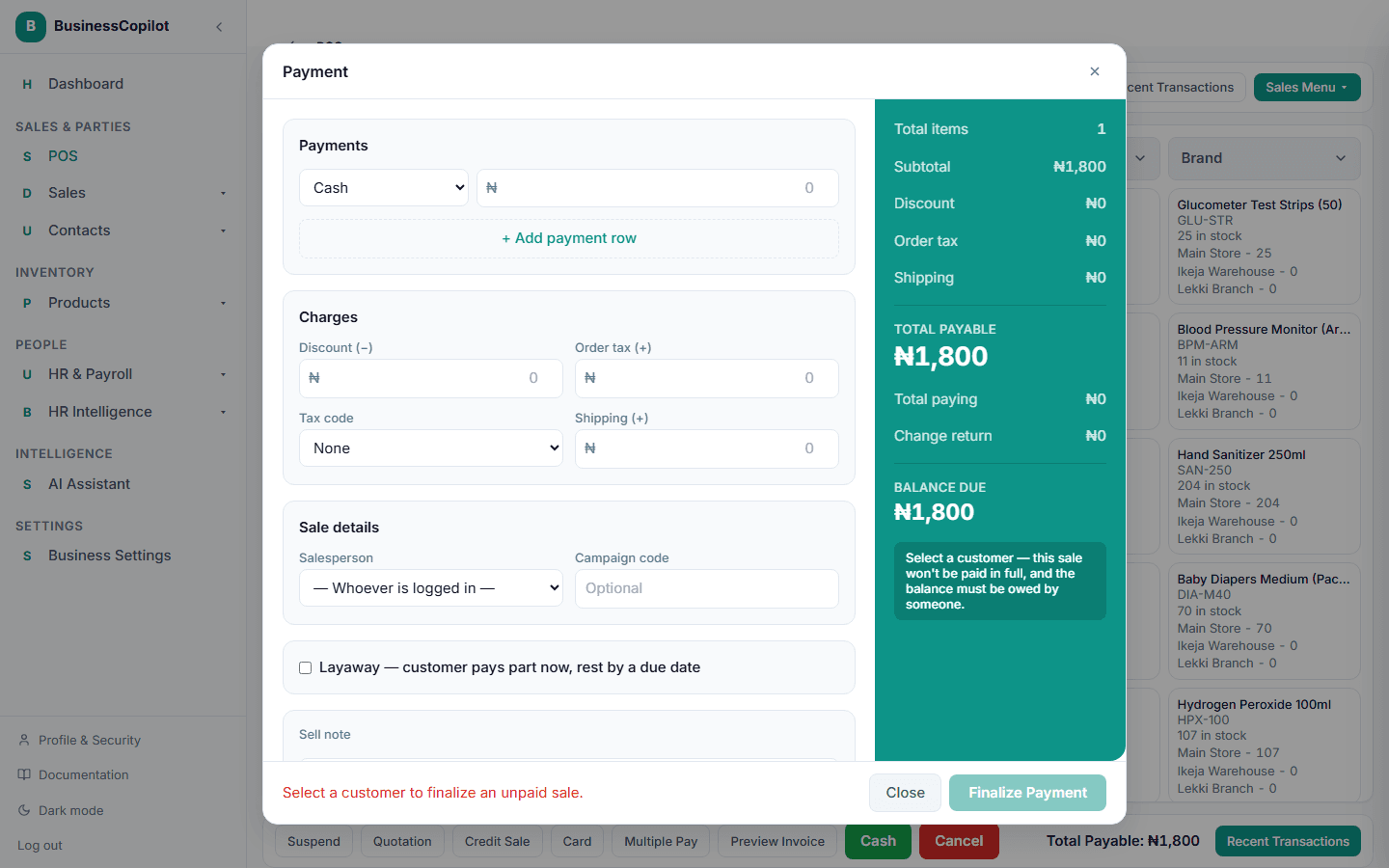
In the cart's totals section, select the Discount row and enter an amount. It's subtracted from the sale's total before payment.
Large discounts get reviewed
If a discount is large enough, your workspace may flag the sale for a manager to review after the fact — the sale still completes normally, and you'll see a note that it's been flagged for review. This doesn't block the sale or slow down the customer; it's a check that happens afterward, and your Owner or Manager sets what counts as "large enough" to flag.