Reconciliation & Accounting Integrity Exceptions
How BusinessCopilot cross-checks that your subledgers and your ledger genuinely agree, and what to do when they don't.
Several parts of BusinessCopilot keep two independent records of the same thing on purpose — a subledger (like your list of open customer balances) and a matching account on the Chart of Accounts. They should always agree; BusinessCopilot lets you check that they actually do, rather than assuming it.
The six checks
Go to Accounting → Reconciliation for one page listing all six, with live status:
- Receivables — open customer balances vs. Accounts Receivable
- Payables — open supplier balances vs. Accounts Payable
- Inventory Valuation — your stock's value vs. the Inventory account
- Fixed Assets — your asset register vs. the ledger
- Tax — VAT/WHT activity vs. the tax-payable accounts (see Understanding VAT and WHT posting)
- Treasury — Cash, Bank, and Undeposited Funds vs. the ledger (see Treasury Reconciliation)
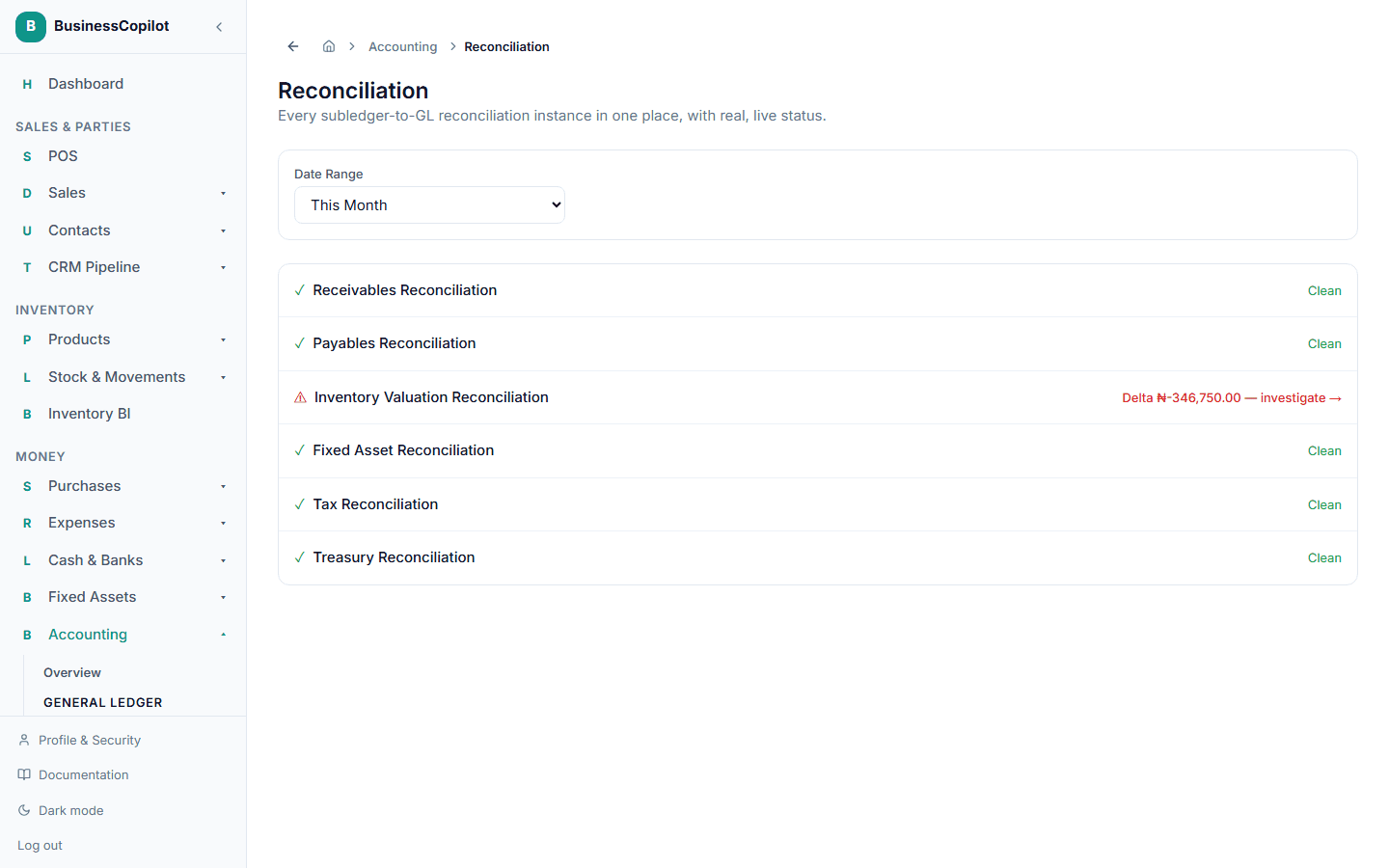
Each is also reachable from its own home — Receivables and Payables each have a Run Reconciliation button right on their own aging pages, alongside the customer/supplier balances they're checking.
Reading the result
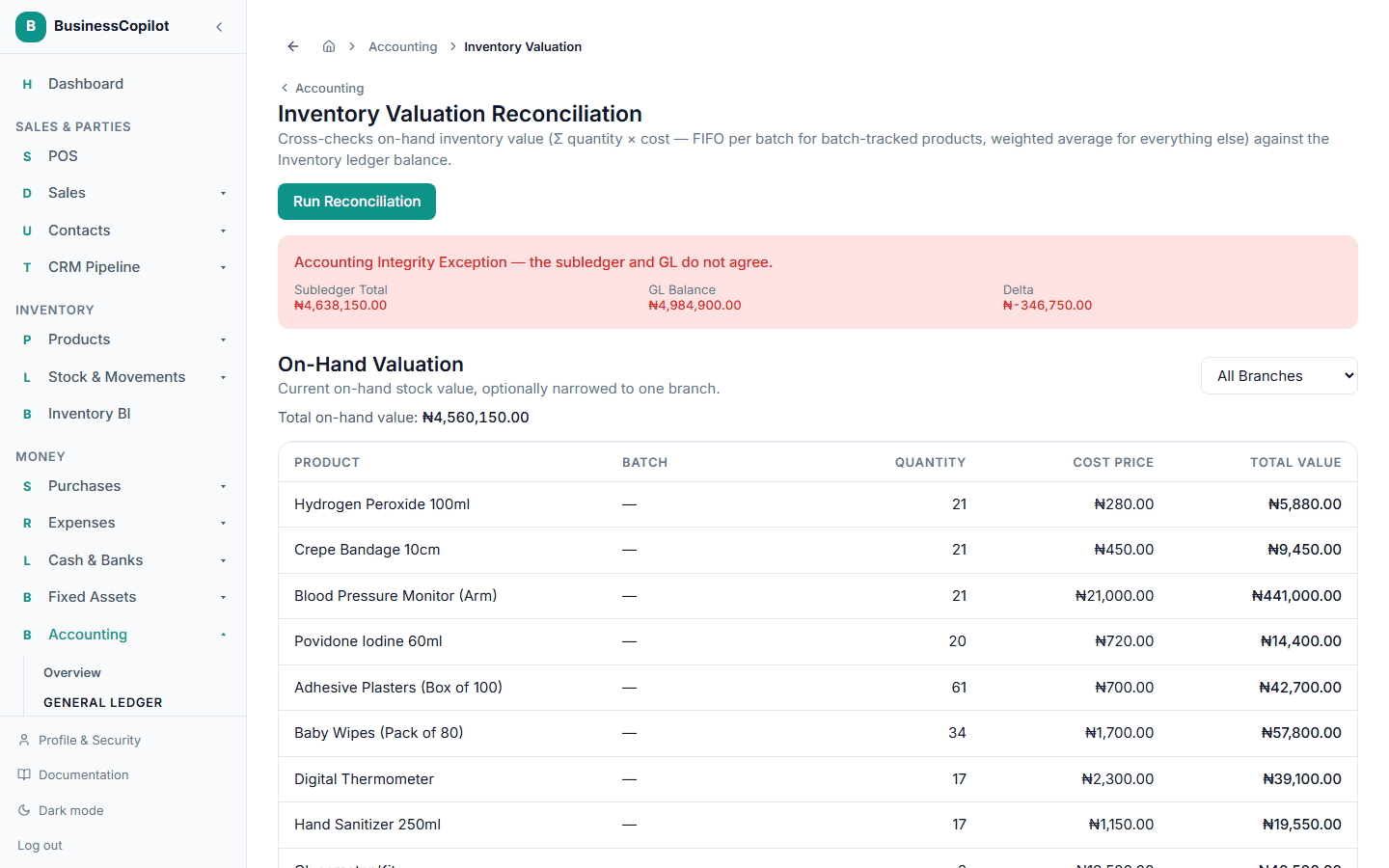
Every check shows the Subledger Total, the GL Balance, and the Delta between them.
- Clean — the two agree.
- Accounting Integrity Exception — they don't. This is the exact term BusinessCopilot uses on screen when a check fails, deliberately explicit rather than silently logging a mismatch.
What to do about one
An exception means something genuinely needs investigating — most often a data correction made outside the normal flow, or a bug worth reporting. Start with the General Ledger for the account in question to see its full activity, and compare it against the subledger's own detail (the receivables aging list, the payables aging list, and so on) to find where the two diverged.