Recording a business expense
Log what your business spent, with a receipt if you have one.
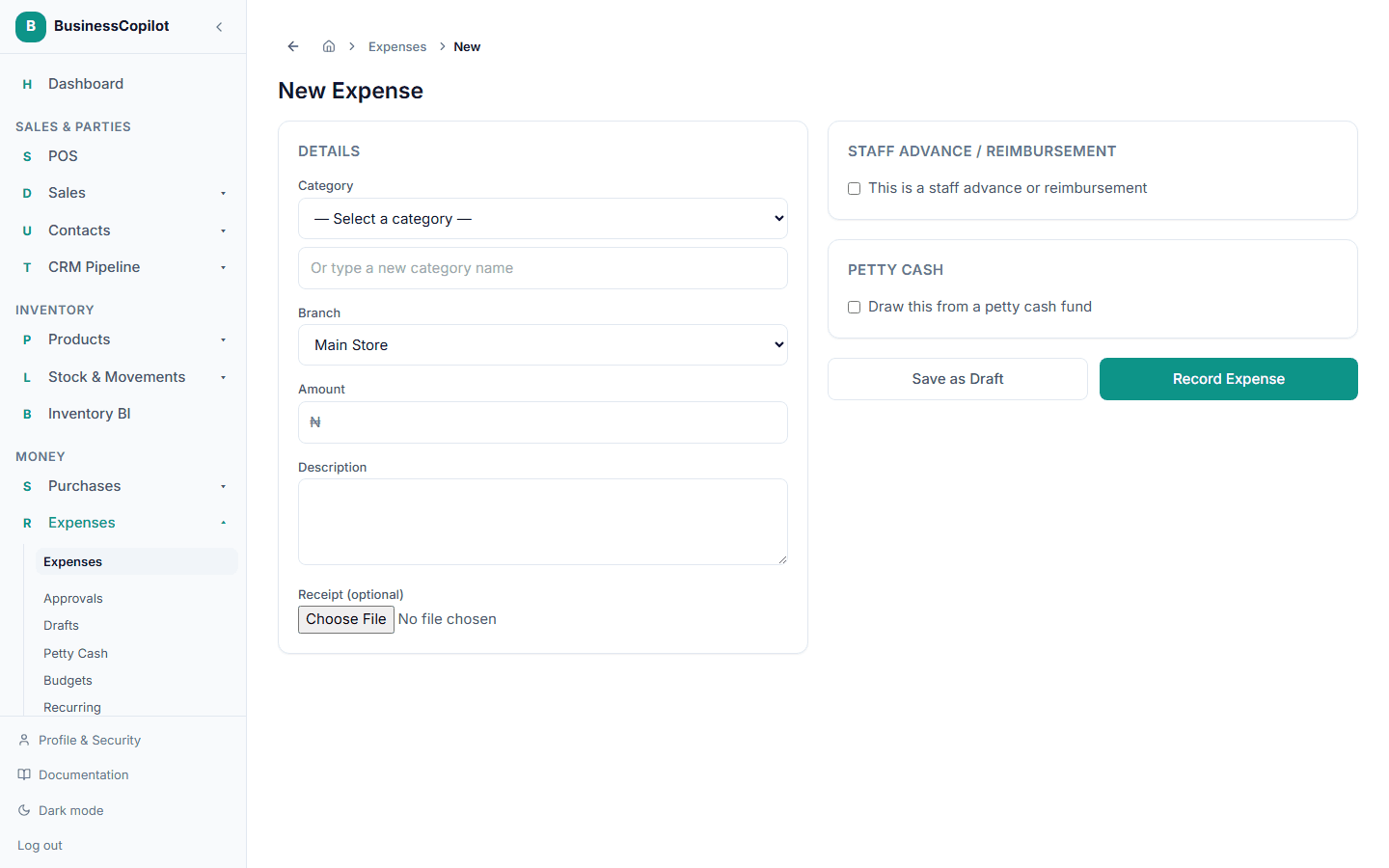
- Go to Expenses and select New Expense.
- Choose a Category (or type a new one if it doesn't exist yet).
- Choose the Branch it applies to.
- Enter the Amount and a Description.
- Attach a Receipt, if you have one.
- Select Save.
If it's a staff advance or reimbursement
Check This is a staff advance or reimbursement, pick the staff member, and choose whether it's an advance (money given ahead of time) or a reimbursement (paying someone back for something they already covered).
If it's coming out of petty cash
Check Draw this from a petty cash fund and pick which fund. See Petty cash if you haven't set one up yet.
Your full list of expenses (with an Export button) is under Expenses.