The confirmation link
How patients confirm or cancel their own appointment from an email or text — with no login — and what your team sees when they do.
Every appointment has its own private confirmation link. It's added to the messages your patient receives, and it lets them do exactly two things: confirm their appointment, or say they can't make it. That's all — they can't see anything else about your business or other patients, and they don't need an account.
Why it helps
- A confirmed appointment is easier to plan around. Your team can concentrate its phone calls on the ones who haven't confirmed.
- A patient who can't come can say so without phoning — and the slot is freed up early enough to offer to someone else.
Where the link appears
| Message | Contains the link? |
|---|---|
| Emails — booking confirmation, 24-hour and 2-hour reminders, reschedule notice | Yes, on every one — "Confirm this appointment — or use the same link if you can't make it." |
| Texts | Only the booking confirmation text ends with "Confirm or cancel: …" |
| Cancellation notices | No — there's nothing left to confirm. |
The 24-hour and 2-hour texts deliberately don't carry the link. Texts are charged by length, and a long link would push routine reminders into a second, charged message for little benefit.
If a reminder is sent by hand from Reminders to send, the wording is the same as would have been sent automatically, so the link is included exactly where it would have been.
What the patient sees
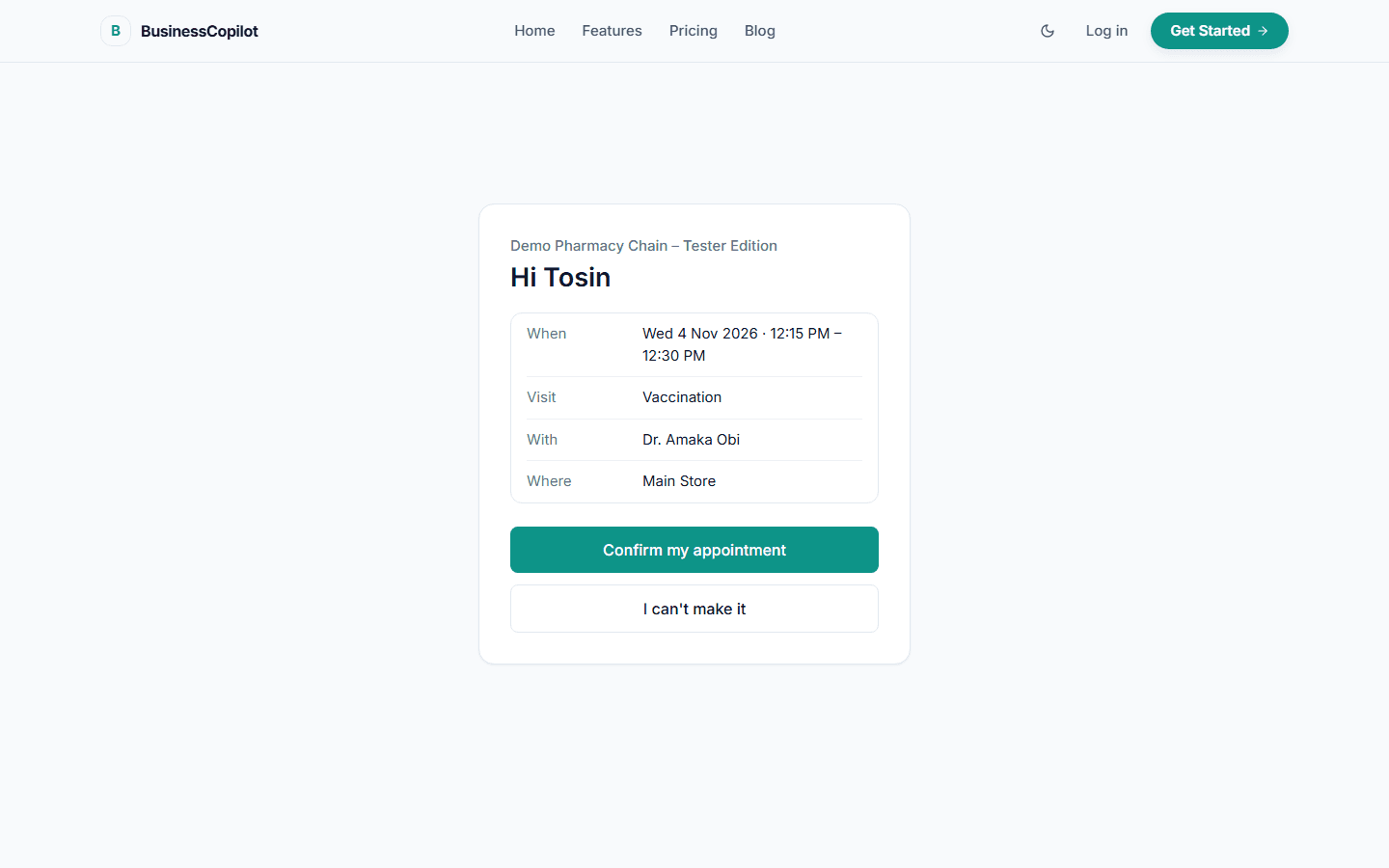
The patient taps the link and lands on a simple page that works well on a phone. It shows your business name and:
Hi Ngozi
When Tue 22 Sep 2026 · 10:00 AM – 10:30 AM Visit Consultation With Ade Bello Where Ikeja branch
with two buttons:
- Confirm my appointment
- I can't make it
Confirming
Tapping Confirm my appointment shows "You're confirmed — Thank you — we'll see you then."
Cancelling
Tapping I can't make it doesn't cancel straight away — it asks "Cancel this appointment?" with two buttons, Keep it and Yes, cancel. This two-step check stops an accidental tap from cancelling someone's appointment.
After Yes, cancel the patient sees "Appointment cancelled — Your appointment has been cancelled. Please contact GreenPharm if you'd like to book another time."
Other things the patient may see
| Situation | What the page says |
|---|---|
| Already confirmed | "This appointment is already confirmed. Nothing more to do." |
| Already cancelled | "This appointment has been cancelled. Please contact [your business] to book another time." |
| The time has passed | "This appointment time has already passed, so it can no longer be changed here." |
| Can't be changed here any more | "This appointment can no longer be changed here. Please contact [your business] if you need help." |
| Link isn't valid | "Link unavailable" — "This link is not valid." |
The link stops working when the appointment starts. There's no separate expiry date — the appointment's own start time is the deadline.
What your team sees
- Confirming sets the appointment to Confirmed, exactly as if a staff member had pressed Confirm. The appointment shows a note: "Confirmed by the patient through their online link."
- Cancelling cancels it, with the reason recorded as "Patient declined via confirmation link". Its unsent reminders are withdrawn, and waiting patients are matched — see The waitlist. The appointment shows: "Declined by the patient through their online link — worth a follow-up call to rebook."
- An alert appears in your Alert Center: "A patient declined their appointment via the confirmation link — worth a follow-up call to rebook." There's one per patient. It clears itself as soon as that patient is booked again.
- Insights counts how many were confirmed online and how many were declined online — see Insights.
Things to know
- One link per appointment. If you reschedule, the new appointment gets a new link, sent in the reschedule notice.
- Anyone with the link can use it. It's a long, random link meant for one patient — but it isn't a password. Encourage patients not to forward it.
- It's protected against abuse. The confirmation page limits how often it can be used from one place, so nobody can guess links by trying many.
- No link in emails? The link only appears when your account's web address has been set up. If patients' emails have no link, contact support.