Adding a staff member
Create a profile for someone who works for you.
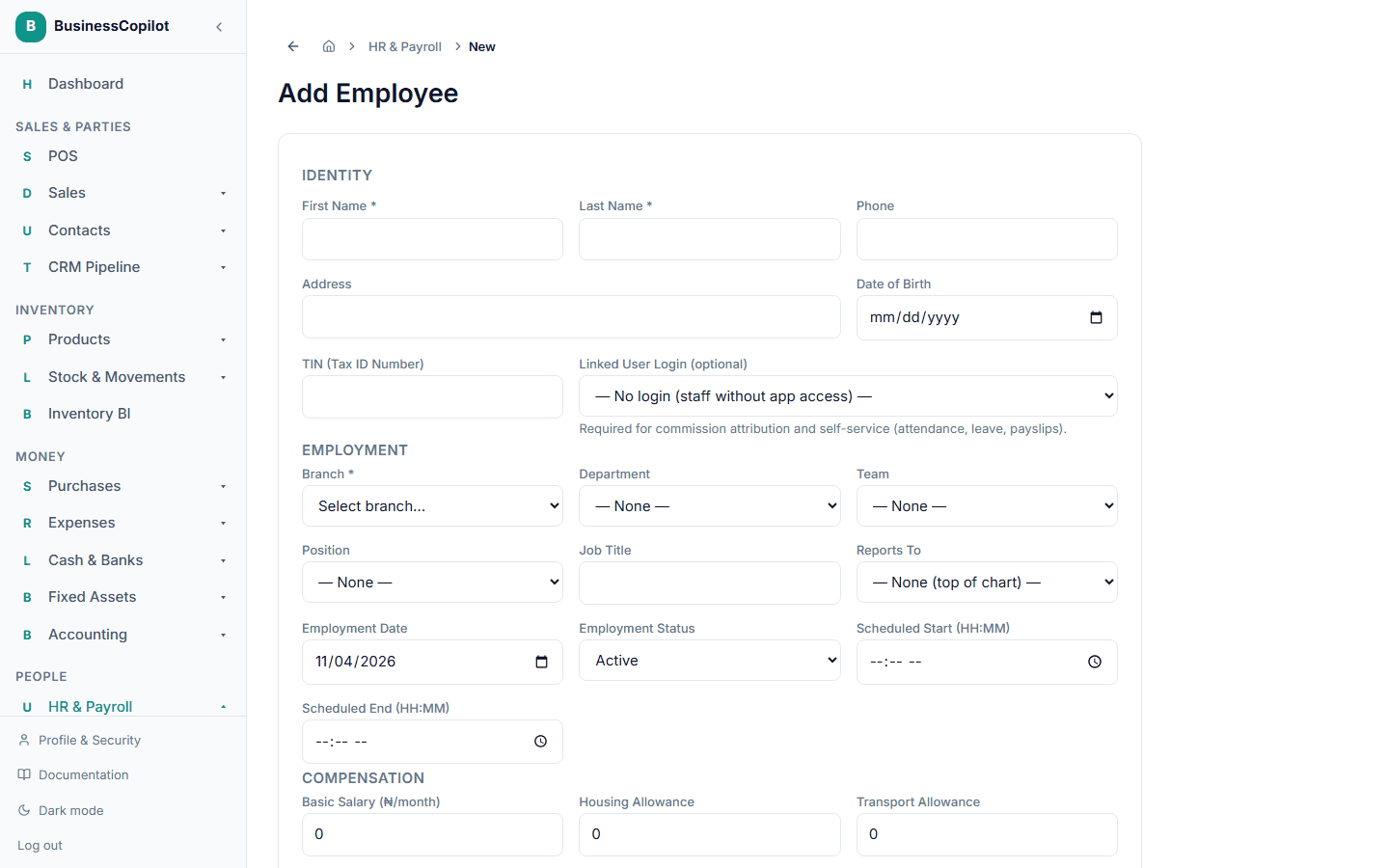
- Go to HR and select Add Employee.
- Fill in their First Name, Last Name, Phone, Address, and Date of Birth.
- Choose their Branch (required), and their Department, Team, and Position if you've set these up.
- Set their Employment Date and Employment Status.
- If they work fixed hours, set a Scheduled Start and Scheduled End time.
- Fill in their pay details — Basic Salary, and any Housing, Transport, or Other Allowance. If they earn commission, see Setting up commission for sales staff.
- Add their Bank Name, Account Number, and Account Name for payroll payouts.
- Optionally add an emergency contact.
- Select Save.
Giving them a login
A staff profile is separate from having an actual login to BusinessCopilot. If this person needs to log in and use the app themselves, select their name under Linked User Login — or if they're not in your team list yet, invite them first. What they're able to see and do once logged in comes entirely from their role, not from anything on this HR profile.