Recording a bank deposit
Batching card and cash receipts into a real bank deposit.
Some payments — card payments especially — don't land in your bank account the moment a sale happens. They sit waiting until your payment provider batches them together and actually deposits them, often a day or more later. A bank deposit is how you match what's waiting against what really showed up at the bank.
Recording one
- Go to Cash & Banks → Deposits.
- Select which account the money landed in.
- Select every waiting payment that showed up together on your bank statement — the running total updates as you check them off.
- Optionally set the deposit date, if it wasn't today.
- Select Record Deposit.
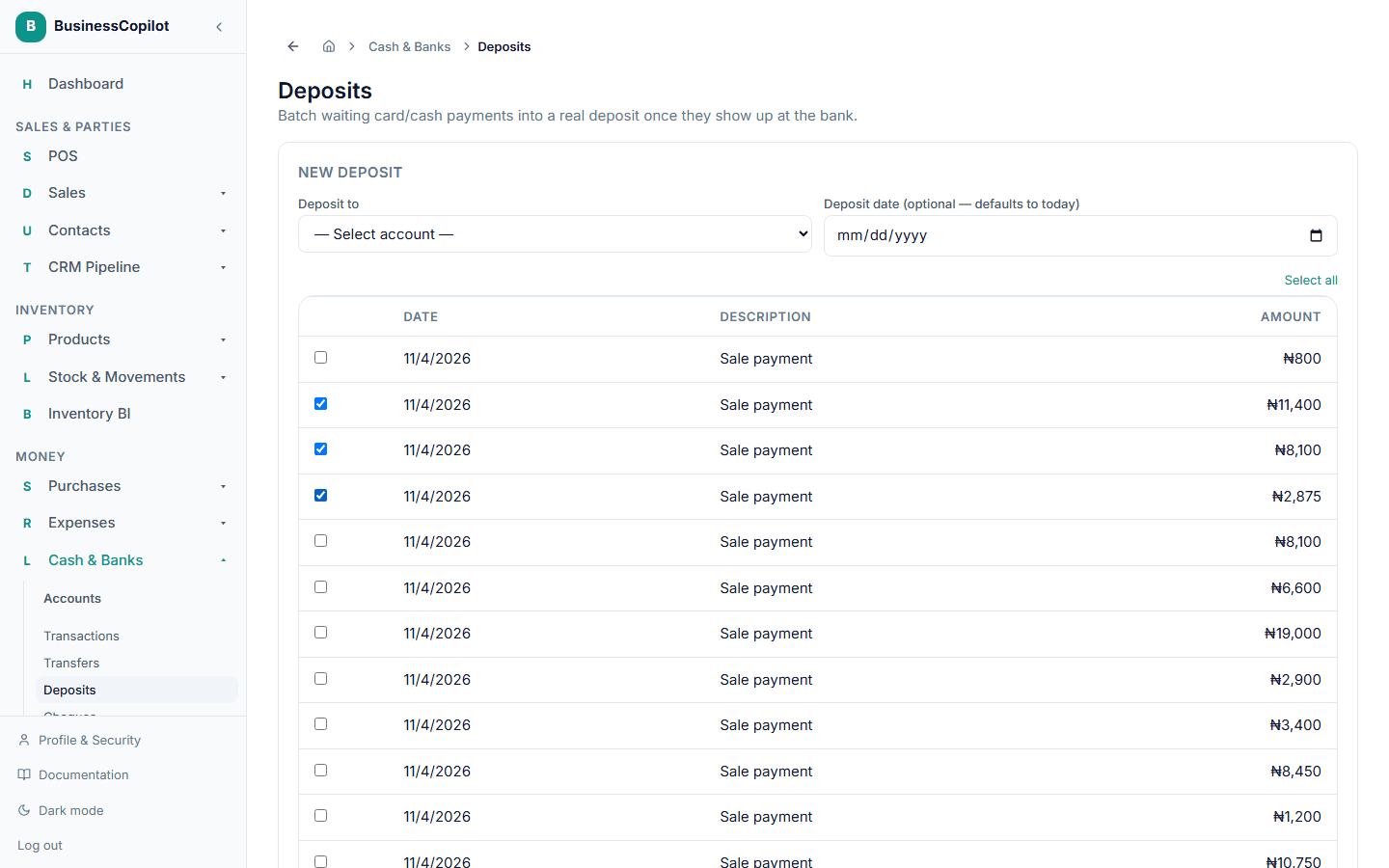
The payments you selected move out of the waiting list and into the account you chose, all in one step. You'll see them reflected in that account's balance right away.