Understanding your plan and what's included
What you see on the Plan & Billing page, and what each part means.
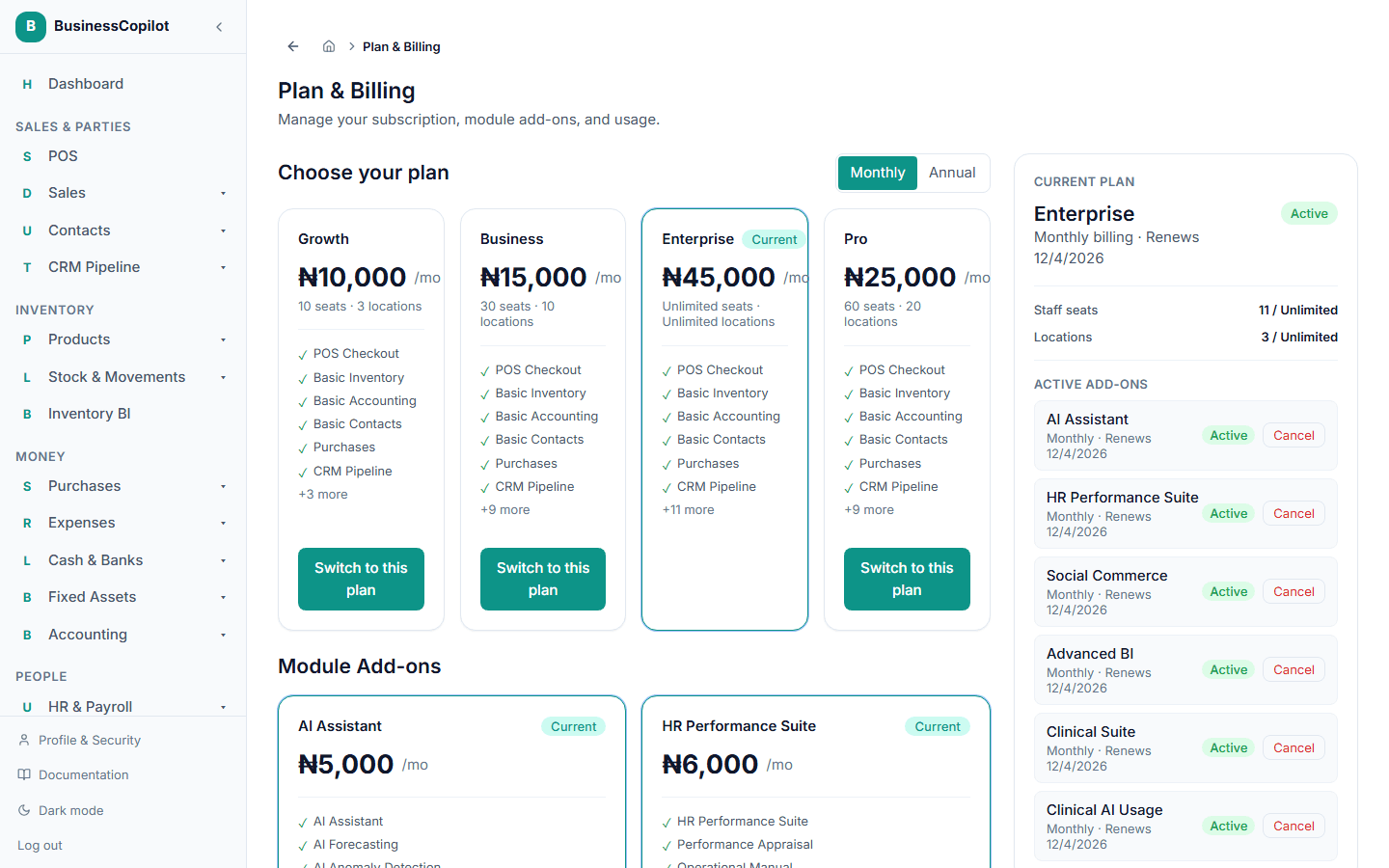
Go to Plan & Billing in your dashboard (Owners only — this page manages the whole workspace's subscription). This is where you see and manage everything about your subscription.
For what each plan costs and includes, see Plans & feature limits — this page covers the practical layout instead.
Current Plan
Shows your base plan's name, whether you're billed monthly or annually, your next renewal date, and its status (Active, Renewal overdue, or Expired — see Paying for your subscription for what those mean). Below that are usage bars for your staff seats and locations against what your plan includes, and — if you have the AI Assistant add-on — your AI query usage for the month.
Active Add-ons
Any add-ons you've turned on, each with its own billing cycle and renewal date.
Workspace
Your workspace's name and domain, for reference.
Choose your plan
The main part of the page — every available plan, with a Monthly/Annual toggle. Your current plan is marked Current; select any other plan to upgrade or downgrade.
Module Add-ons
Below the plan grid, the optional add-ons you can turn on independently of your base plan.
Related
- Plans & feature limits — pricing and what's included
- Your workspace, explained