Trial Balance
Every account's debit and credit totals for a period, and the self-check that confirms your books are in balance.
The Trial Balance lists every account's total debits and total credits for a chosen date range — the foundational check that your books actually balance before you trust any other report.
- Go to Accounting → Trial Balance.
- Choose a date range.
- Optionally narrow it by branch or dimension (Department, Project, or Class).
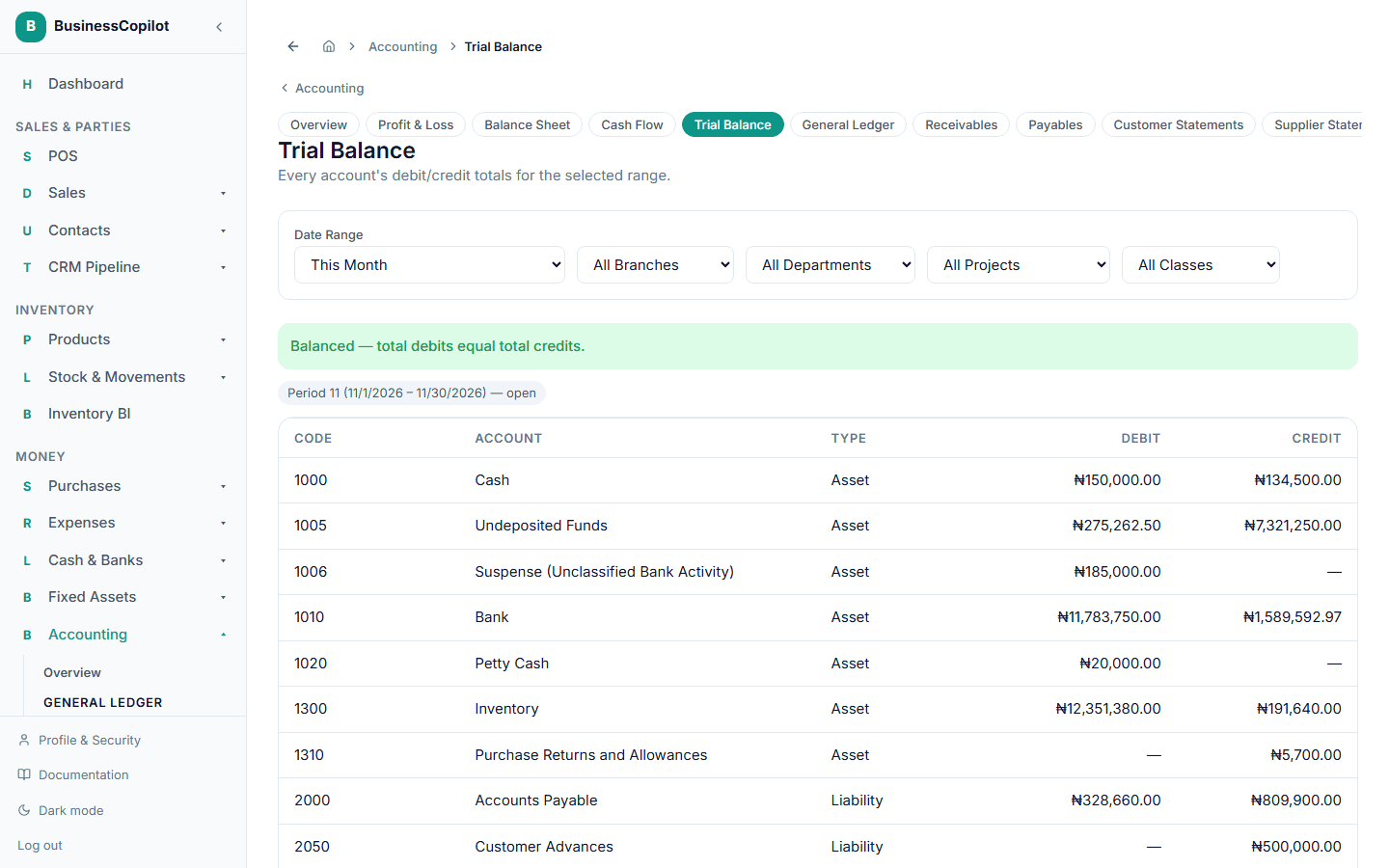
At the top, BusinessCopilot tells you plainly whether total debits equal total credits — Balanced or Out of balance. If you've applied a dimension filter, a filtered subset isn't required to balance even when the full ledger does, since you're only looking at part of the picture — in that case you'll also see a full-ledger self-check confirming the complete books are genuinely balanced underneath the filter.
Each period shown carries its own status — open or closed — so you can see at a glance whether you're looking at activity from a period that's still being worked on or one that's already been closed.