What happens if you exceed your seat or branch count
Adding more staff or branches than your plan includes never blocks you.
Every plan includes a set number of staff seats and locations — see Plans & feature limits for the numbers. Going over either is never blocked.
You can keep adding staff and branches
There's no limit check when you invite a team member or add a branch — you can add as many as your business actually needs, regardless of what your plan includes.
What it costs
BusinessCopilot periodically checks your seat and branch counts against your plan. If you're over, a notice appears on your Plan & Billing page:
"You're over your seat limit" (or location limit) — "₦X/mo extra — your workspace stays fully usable either way."
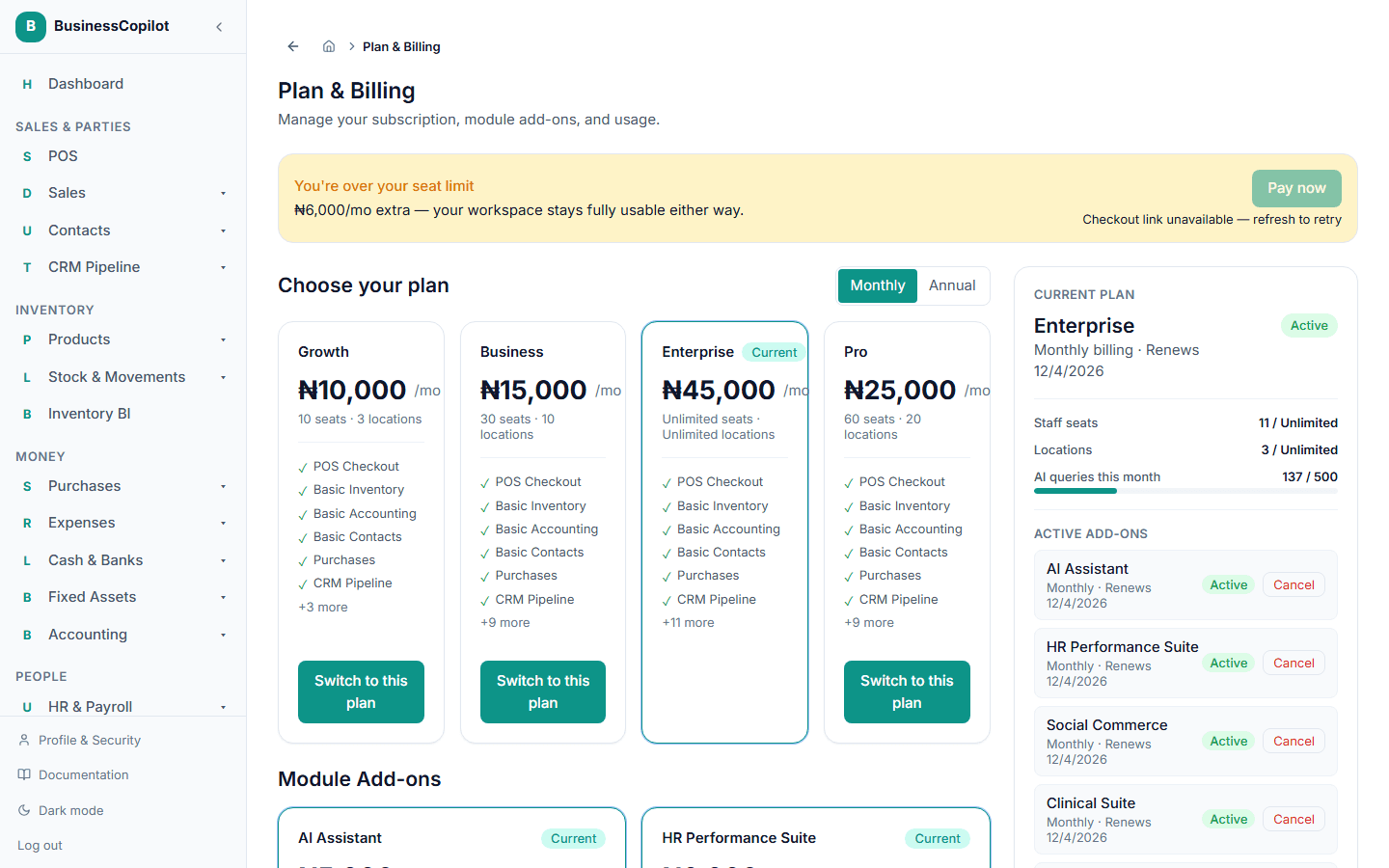
Select Pay now to pay for the extra seats or locations at checkout. Nothing stops working while this is unpaid — it's an extra charge on top of your plan, not a restriction. If you later drop back under your included count (for example, removing a branch), the notice goes away on its own.