Multi-currency and FX
How BusinessCopilot handles a foreign-currency supplier bill, from creation through payment and revaluation.
BusinessCopilot's multi-currency support is scoped specifically to supplier bills — there's no multi-currency support anywhere else in the product (sales, expenses, and everything else are Naira-only). Available on Web and Desktop; see the note on Expo at the end of this page.
Creating a foreign-currency bill
- Open a purchase order that has been sent to the supplier, and select Create Supplier Bill. (You can also do this after the goods arrive, if some of them are still unbilled.)
- Check This bill is in a foreign currency.
- Enter the Currency (e.g. "USD") and today's exchange rate — how many Naira one unit of that currency is worth right now.
- Enter each line's unit cost in that foreign currency, not Naira — the purchase order's own Naira cost is shown as a starting point only, since foreign pricing wasn't known when the order was placed.
- Save the bill. When the goods arrive later, receiving them does not bill them a second time.
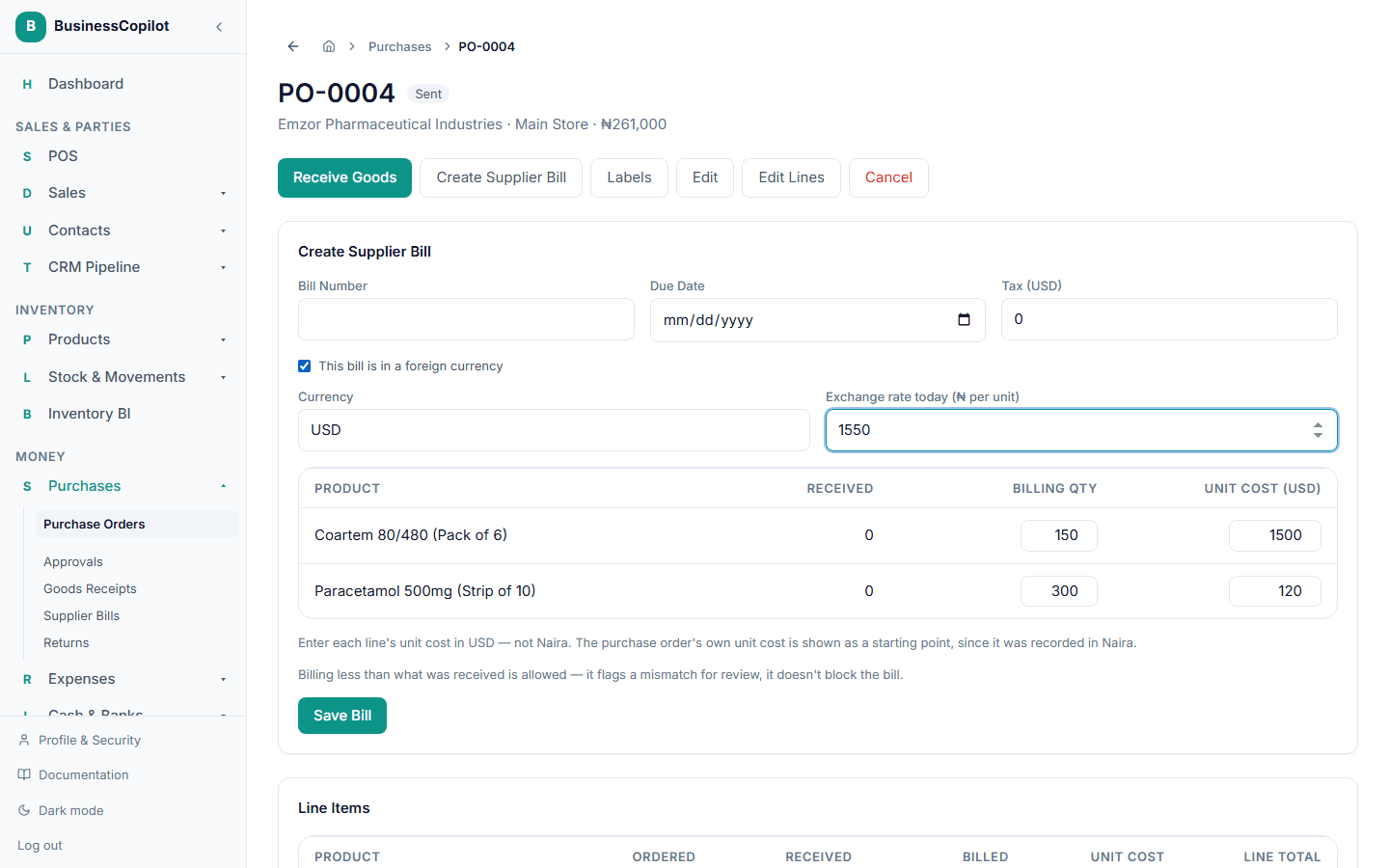
The bill's total, and everything derived from it (Payables aging, reconciliation), is tracked in Naira using the rate you entered — you'll see both the foreign-currency amount and its Naira equivalent wherever the bill appears.
Realized FX gain/loss, at payment
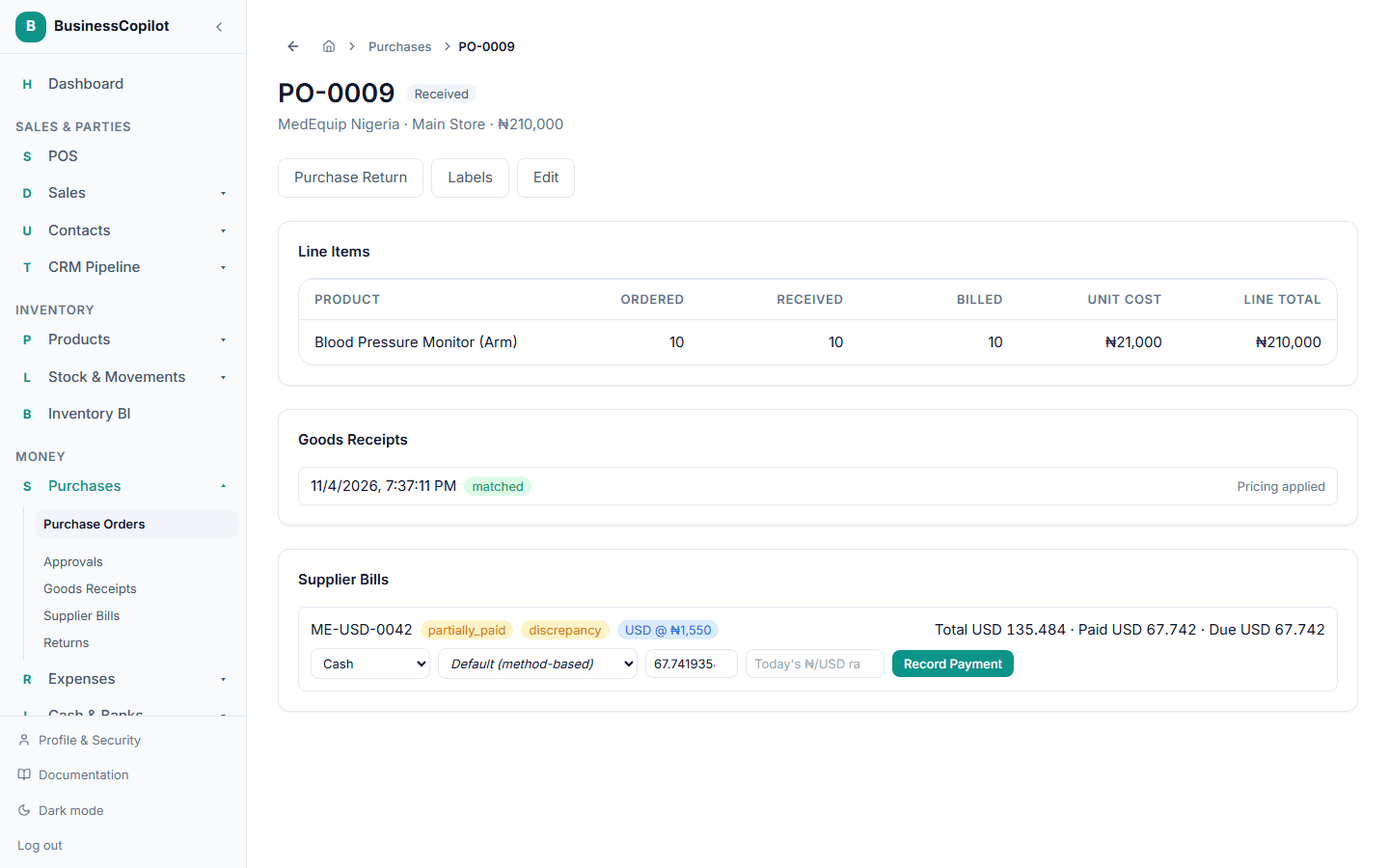
When you pay a foreign-currency bill, enter today's exchange rate alongside the payment amount — it only appears when the bill you're paying is foreign-currency. If that rate is different from the one the bill was created at, BusinessCopilot computes a realized FX gain or loss — the real cost or benefit of the exchange rate having moved between billing and payment — and posts it automatically as part of the payment's own entry, so your books reflect exactly what really happened, not an approximation.
Unrealized FX gain/loss (revaluation)
Separately, for any foreign-currency supplier bill still outstanding, you can post a period-end unrealized FX gain/loss — a mark-to-market adjustment reflecting today's exchange rate against what the bill was carrying, without it having actually been paid yet.
- Go to Accounting → Payables.
- Under FX Revaluation, enter the Currency (e.g. "USD") and today's Rate.
- Select Run Revaluation.
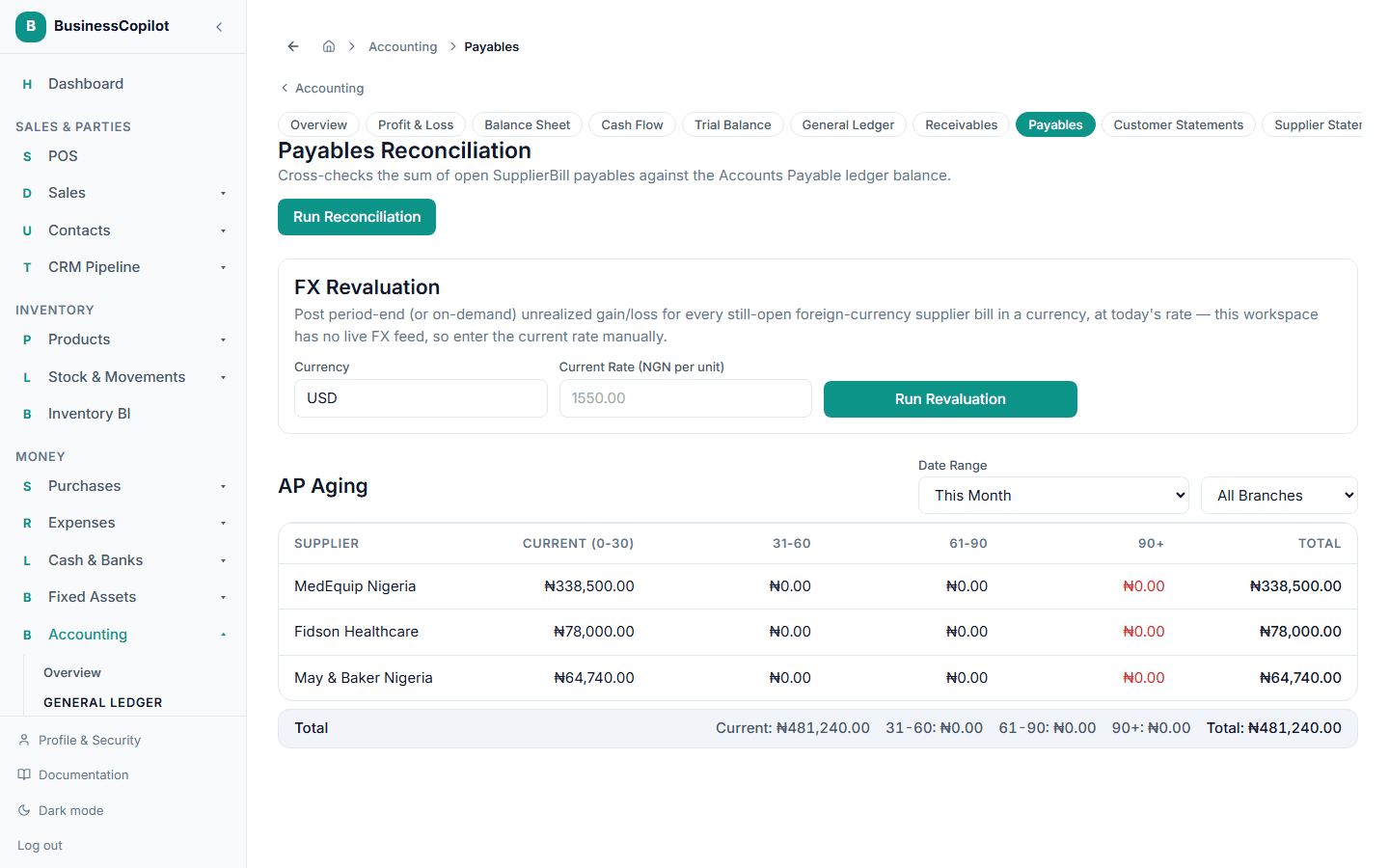
BusinessCopilot has no live exchange-rate feed — you supply today's rate yourself. This posts a real adjusting entry against every still-open foreign-currency bill in that currency, restating what you owe in Naira terms. Running it twice at the same rate is a safe no-op — nothing posts a second time for no real change.
On Expo
Creating and paying a foreign-currency bill is Web and Desktop only. Expo can receive goods against a purchase order and record a purchase return, but it does not create or pay supplier bills, so foreign-currency bills are not available there.