Managing cheques
Track post-dated cheques you've issued or received, and record when one clears or bounces.
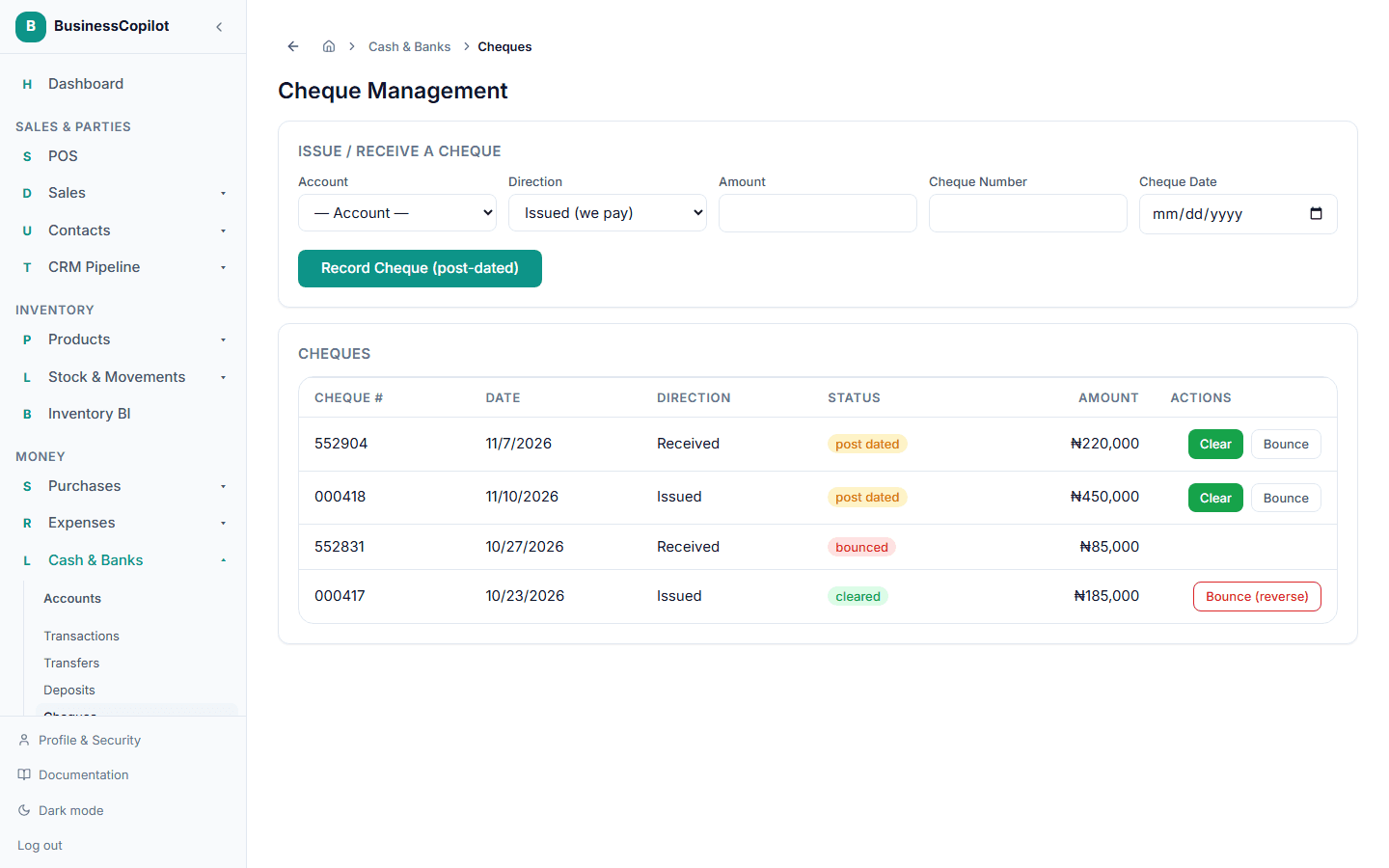
Go to Cash & Banks → Cheques to track cheques you've written or received that won't clear the bank right away.
Recording a cheque
- Choose the Account it's tied to.
- Choose the Direction — Issued (we pay) if you wrote it, or Received (we're paid) if someone gave it to you.
- Enter the Amount, Cheque Number, and Cheque Date.
- Select Record Cheque (post-dated).
A recorded cheque doesn't affect your account balance yet — it's just being tracked until it actually clears.
When a cheque clears
Select Clear on the cheque's row. This is the moment it actually affects your account balance.
When a cheque bounces
Select Bounce. What happens depends on where the cheque was in its life:
- If it hadn't cleared yet, bouncing it just marks it as bounced — nothing to reverse, since it never touched your balance.
- If it had already cleared, bouncing it reverses the balance change for real, so your account reflects what actually happened.