Medication Management
How to maintain a patient's active medication list, track adherence, and set up refill and adherence alerts in the Clinical Suite.
The Medications tab on a patient record is the patient's complete, up-to-date medication list — what they take, how they take it, whether they're taking it consistently, and when they need a refill. Every medication here connects to the rest of the Clinical Suite: interaction checks, drug therapy problems, and CareSync can all read from this list.
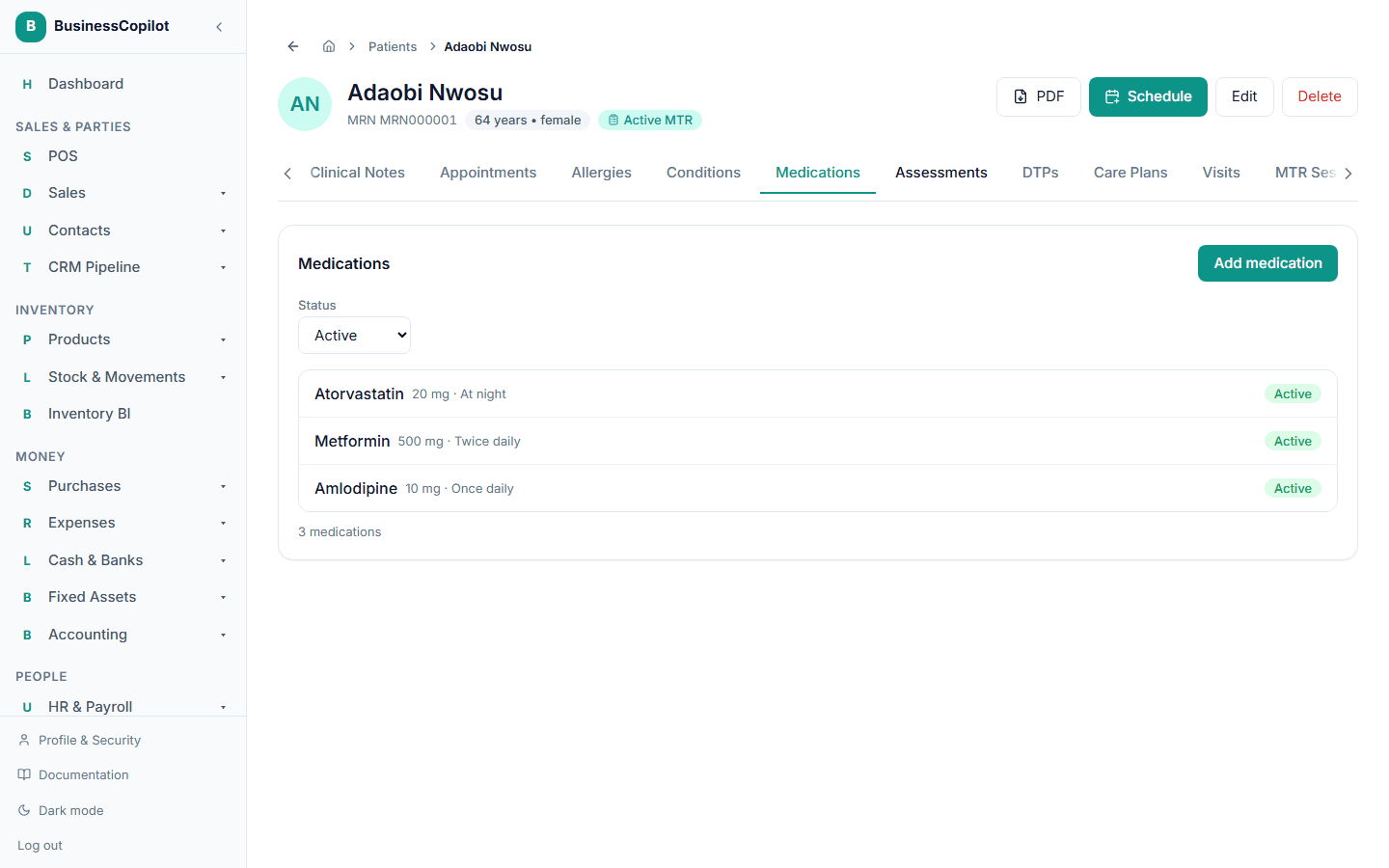
Finding a patient's medications
Open any patient record and select the Medications tab. You see all of that patient's active medications in a table, with a status badge (Active / Archived) and the date they were added.
The main Medications page (Clinical Suite → Medications) gives you a workspace-wide view — the total medications being tracked, average adherence across all patients, and any open interaction alerts.
Adding a medication
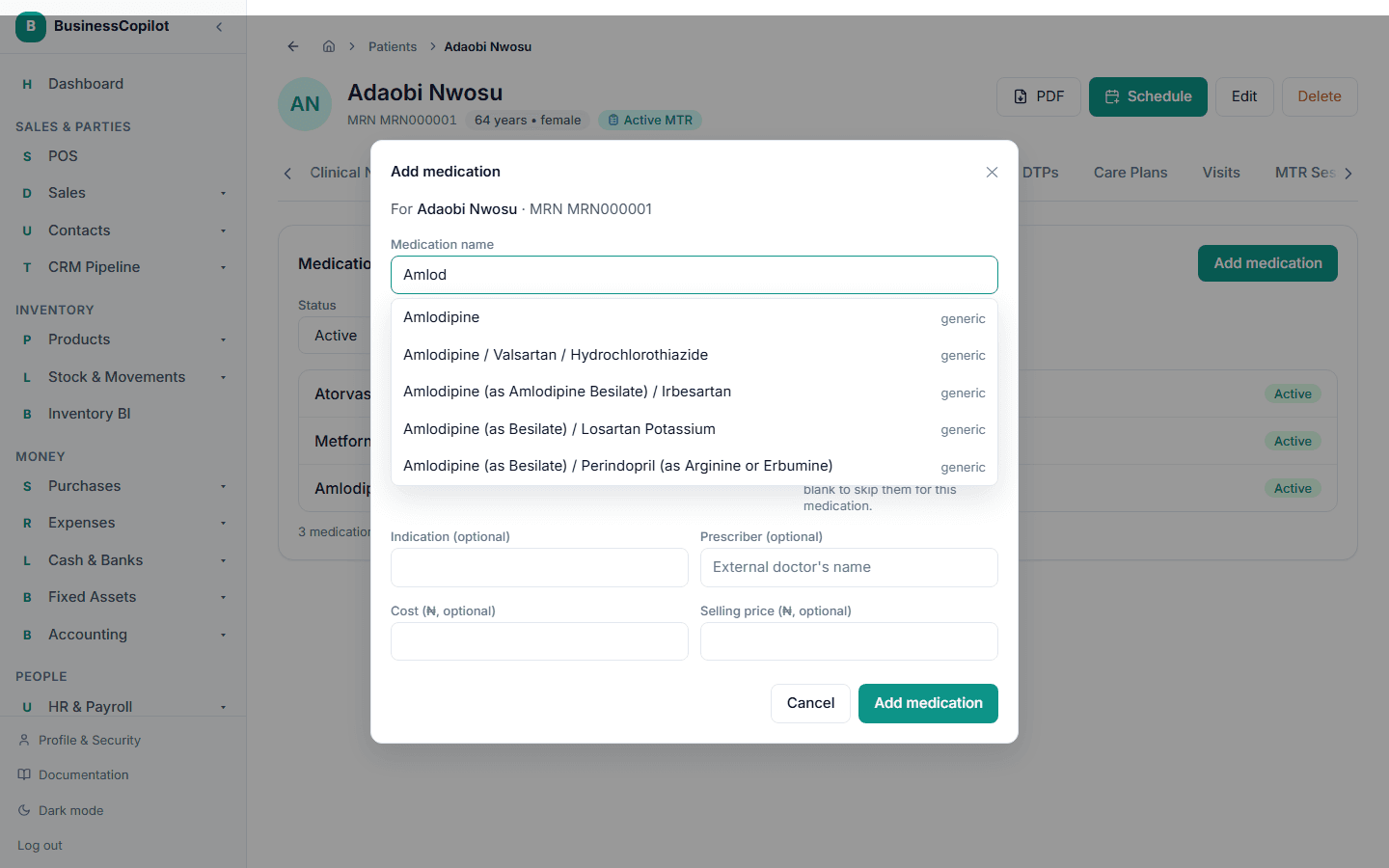
- On the patient's Medications tab, select Add medication.
- Start typing the drug name in the search field. The system searches MedSafe (the drug database) as you type — select the right drug from the autocomplete list.
- Fill in:
- Dosage — e.g. 500 mg
- Frequency — e.g. twice daily, three times daily
- Route — oral, topical, injectable, etc.
- Start date and (optional) end date or planned duration
- Indication — what condition this is for
- Prescriber — who prescribed it (free text)
- Days supply (optional) — if known, this enables refill alerts
- Select Save.
If the patient has any documented allergies and the drug you're adding is a potential cross-reactant, you'll see a warning. The system matches by drug class (e.g. all penicillins) rather than just the exact name — so amoxicillin will flag a documented penicillin allergy. This is done locally, without an external API call.
Editing or archiving a medication
Select any medication in the list to open its detail. Use Edit to change any field.
When a patient stops a medication, use Archive rather than delete. Archived medications are still visible (they record the full history) but are no longer counted as active. A deleted medication goes to the Recycle Bin.
Medication history
Each medication keeps a log of every edit — what changed, who changed it, and when. Open the medication detail and scroll to History.
Logging adherence
Adherence logging answers the question "did the patient take their medication today?" It's filled in by your staff during a visit or phone call, not auto-synced from a device.
- On the medication detail, select Log adherence.
- Choose the date (defaults to today), the status (taken, missed, late, partial), and optionally add a note.
- Save.
The patient's adherence rate (percentage of logged doses taken on time) appears on the Medications tab and on the Medications dashboard.
Refill and adherence alerts
When a medication has a Days Supply set:
- The system calculates when the supply runs out.
- A refill reminder is automatically queued in your Reminders to send list when the estimated run-out date is approaching.
- The patient receives a reminder by SMS and/or email (depending on their preferences and your workspace's SMS settings).
If adherence drops below an acceptable level across multiple logged doses, an alert is raised on the workspace alert feed so your team can follow up.
Interaction checks
From the medication detail, select Check interactions to run the patient's full active-medication list through MedSafe's interaction checker. Results appear immediately and are saved for pharmacist review. See Drug Interaction Checker for the full workflow.
Permissions
The Medications permission line controls access:
- View — see the medication list and adherence history.
- Create — add new medications.
- Edit — change dosage, frequency, status, and log adherence.
- Delete — remove a medication to the Recycle Bin.
Related
Drug Therapy Problems (DTPs)
What drug therapy problems are, how they are created during an MTR session, and how to track them on the patient's DTPs tab.
Drug Information Center
How to search drug monographs, look up safety information, create therapy plan templates, and get AI-generated medication counselling points in the Clinical Suite.