Patient Timeline
How the patient timeline widget on the Dashboard tab works — what events appear, how they are ordered, and how to navigate from the timeline to the full record.
The Patient Timeline on a patient's Dashboard tab gives you a chronological feed of the most recent clinical activity for that patient — across all modules. It is a quick orientation tool: before a consultation, you can see at a glance what happened the last few times this patient came in, without opening each module's tab individually.
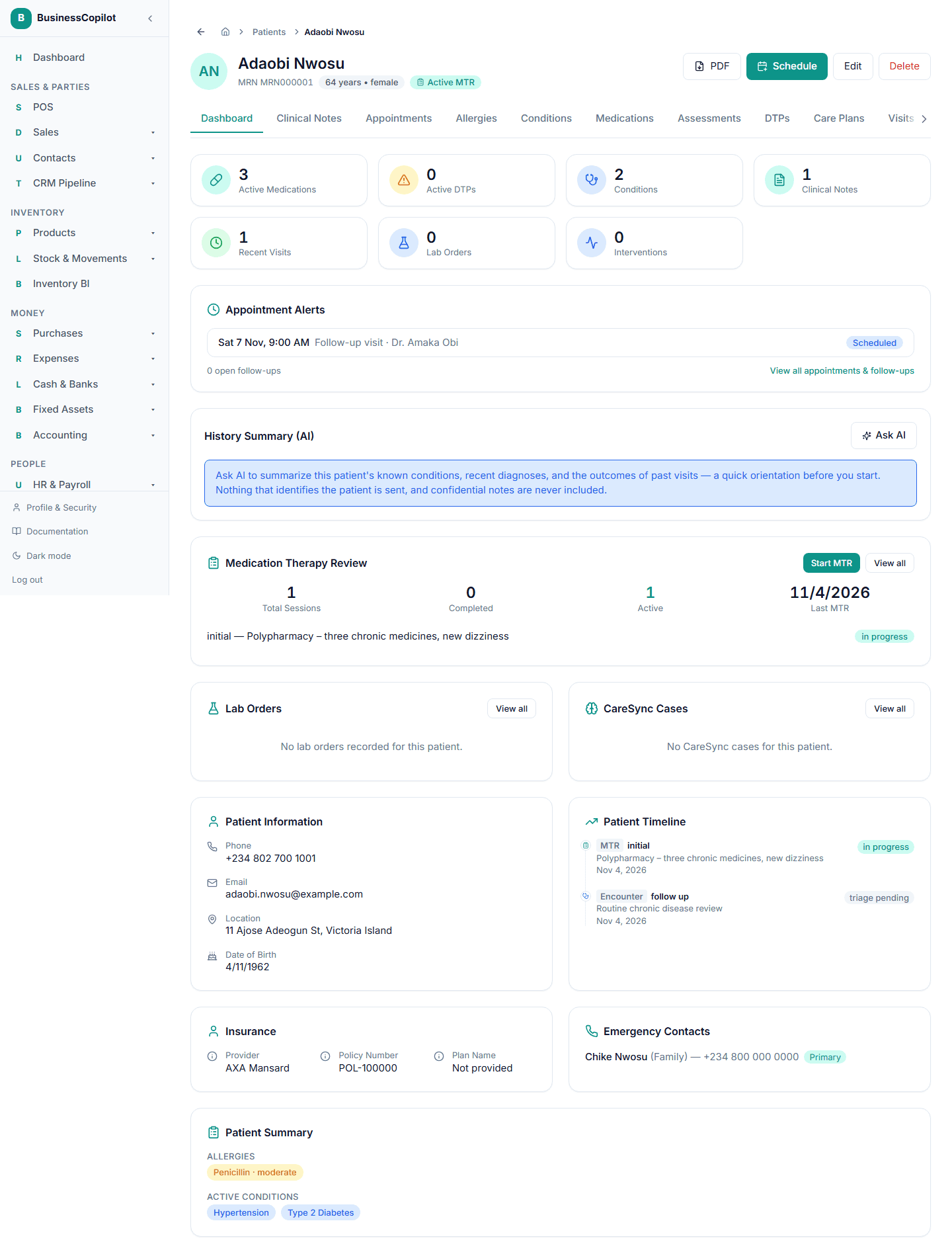
What appears in the timeline
The timeline merges events from across the Clinical Suite into one ordered feed:
| Module | Events shown |
|---|---|
| Appointments | Completed, cancelled, and no-show appointments |
| Clinical Notes | Notes (title + date; confidential notes are hidden if you don't have confidential-note access) |
| Clinical Encounters | Signed encounters (encounter type, triage level, outcome) |
| Chronic Disease Visits | Completed disease-management visits (conditions reviewed, overall control status) |
| MTR Sessions | Completed MTR sessions (review type, number of DTPs identified) |
| Lab Interpretations | Approved lab interpretations (reviewer decision) |
| CareSync Cases | Status changes on CareSync cases (opened, resolved, referred) |
The timeline is capped at the 12 most recent events across all modules. Events are sorted newest first.
Reading a timeline entry
Each entry shows:
- The module icon (so you can tell at a glance whether this was a note, an encounter, a lab result, etc.)
- The event type (e.g. "Clinical Note · Assessment · High priority", or "Encounter · Acute · Pharmacist decision: Refer")
- The date of the event
Select any entry to go directly to the full record in its own module.
How the 12-event cap works
The timeline fetches up to 5 events per module and then merges and sorts them, keeping the 12 most recent overall. This means:
- If a patient had 8 completed appointments last week, you'll see the 5 most recent, plus entries from other modules filling the remaining 7 slots.
- If a patient has very few events in any one module, the cap may be 12 total events across all modules regardless.
The timeline is a quick view, not a complete history. To see every record in a specific module, open that patient's tab for that module (e.g. the Appointments tab for all appointments, the Clinical Notes tab for all notes).
Where the timeline appears
The timeline appears in three places:
| Platform | Location |
|---|---|
| Web | Patient record → Dashboard tab → Patient Timeline card (lower section of the dashboard) |
| Desktop | Patient record → Dashboard tab → Patient Timeline card |
| Mobile | Patient record → Dashboard tab → Patient Timeline section (scrollable) |
Permissions
The timeline only shows events from modules you have permission to view. If you have clinical_notes.view but not clinical_lab.view, lab interpretations won't appear in your timeline view for that patient. Confidential notes are also hidden unless you have clinical_notes_confidential.view.