Adding or removing add-ons
Turn optional modules like the AI Assistant on or off, separate from your base plan.
Add-ons are optional extras billed on top of your base plan, each turned on or off independently — see Plans & feature limits for what's currently available and what each one costs.
Turning one on
- Go to Plan & Billing.
- Scroll to Module Add-ons.
- Select Activate add-on on the one you want.
- You're taken to a secure checkout to pay for it — full price, since it's a fresh subscription with nothing to prorate against.
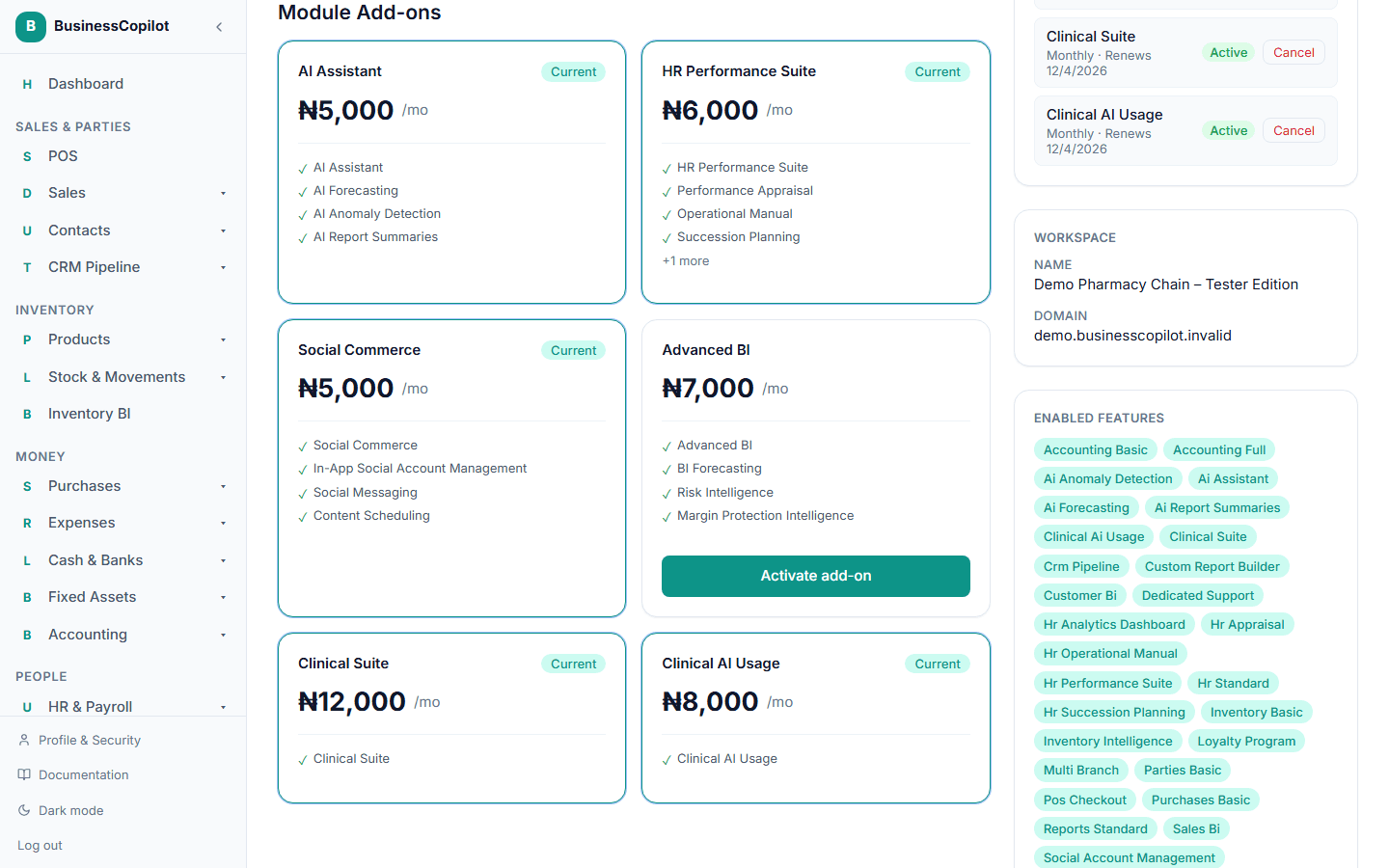
Once payment is confirmed, it appears under Active Add-ons on the Current Plan card and is available right away.
Turning one off
- Go to Plan & Billing.
- Find it under Active Add-ons.
- Select Cancel.
This takes effect immediately — there's no confirmation step, so make sure before you select it.