Selling and buying in two units
Give an item a primary and a secondary unit, such as a carton and a pack, and sell or buy in either.
With Units mode set to Option 2, an item can have two units. For example, a carton of malt drink that holds 20 packs.
- The primary unit is the one you count stock in (Carton).
- The secondary unit is the smaller one (Pack).
- The conversion says how many secondary units make one primary unit (1 Carton = 20 Packs).
You can use different units for different items. Malt drink can be in cartons and packs while tomatoes are in kilograms.
Set up an item
- Go to Products and open the item, then select Edit. For a new item, select Add Product.
- Choose the item's Unit. This is its primary unit.
- In Secondary unit (optional), choose the smaller unit.
- Enter how many of the secondary unit make one primary unit.
- Optionally, enter a sale price and a purchase price for the secondary unit.
- Save.
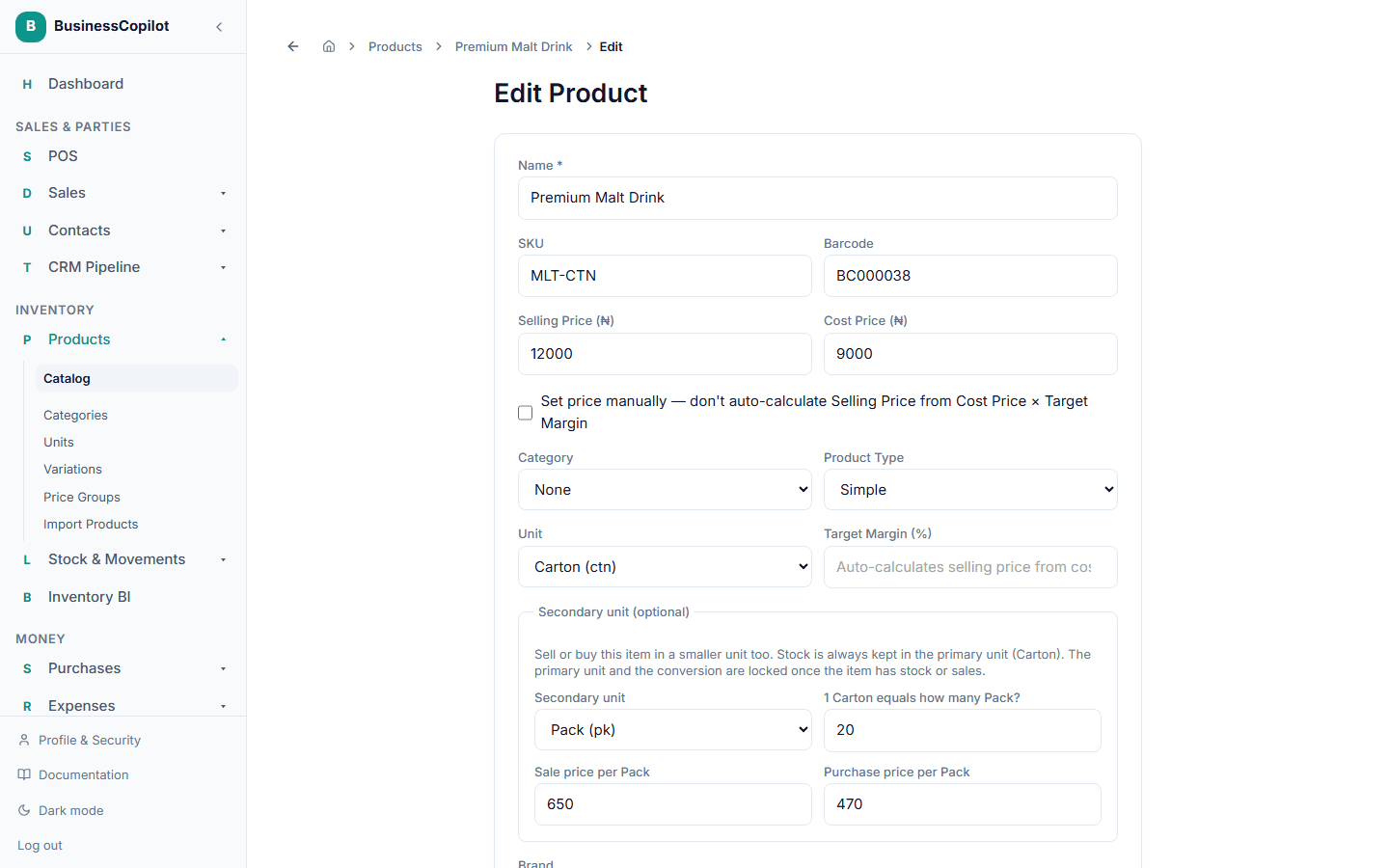
If you leave a secondary price blank, it is worked out for you: the primary price divided by the conversion. A carton at ₦12,000 with 20 packs gives ₦600 a pack. You can type your own price instead, for example ₦650 a pack, because smaller units often sell for a little more.
Cost and profit are always worked out on the primary unit, so your margins stay consistent whichever unit you sold.
What is locked once an item is in use
Once an item has any stock, sale or purchase:
- its primary unit is locked, and
- the conversion of a secondary unit you keep is locked.
This stops your stock count from silently meaning something different. You can still change the secondary unit's prices at any time. You can also remove the secondary unit, or add one to an item that has none, because stock is always kept in the primary unit.
If you entered the wrong conversion on an item that is already in use, remove the secondary unit and add it again with the right conversion. If the primary unit is wrong, adjust the item's stock to zero with a stock adjustment, then set the item up again.
How stock is shown
Stock is kept as one count in the primary unit. Where it helps, it is shown as cartons and packs together.
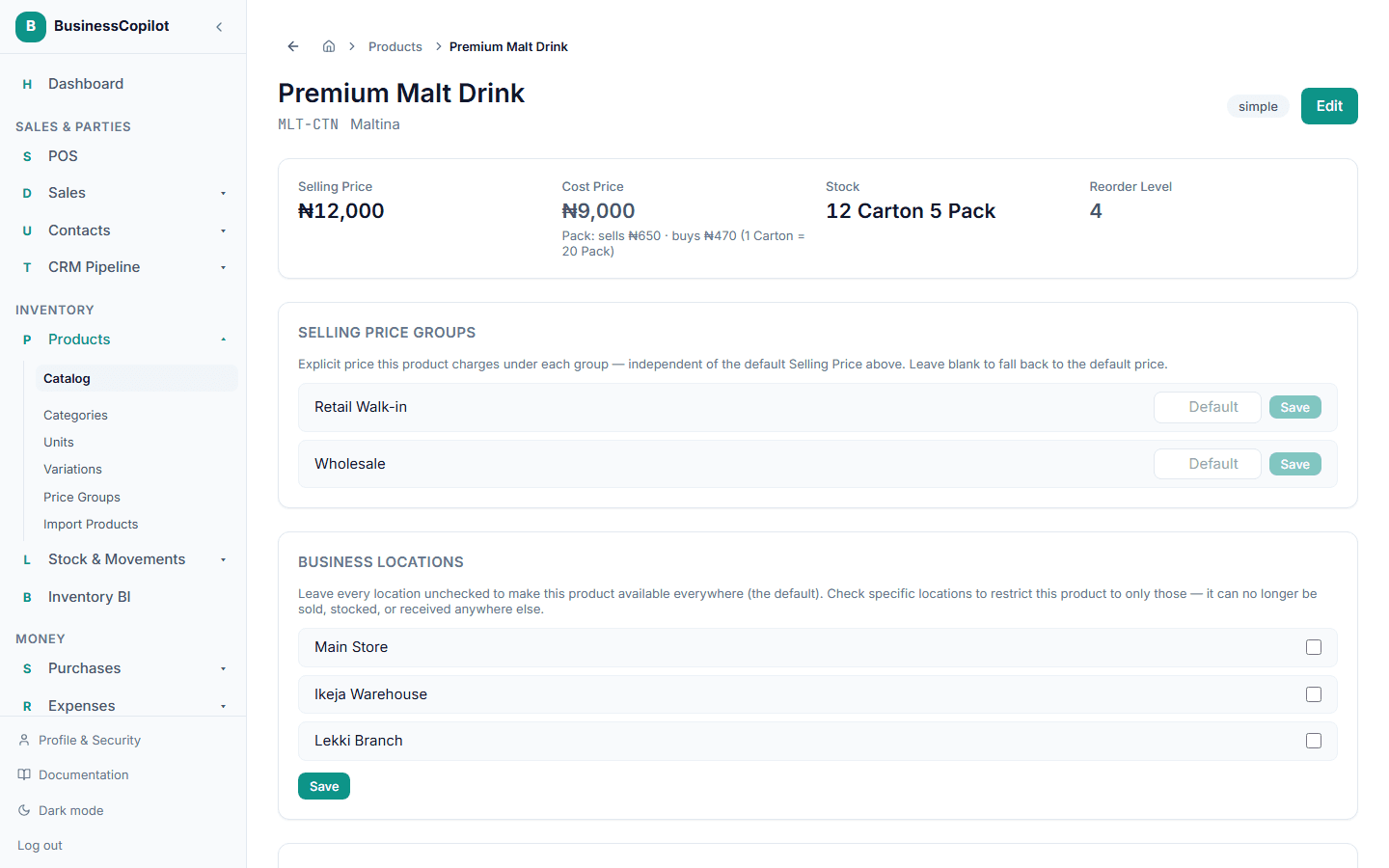
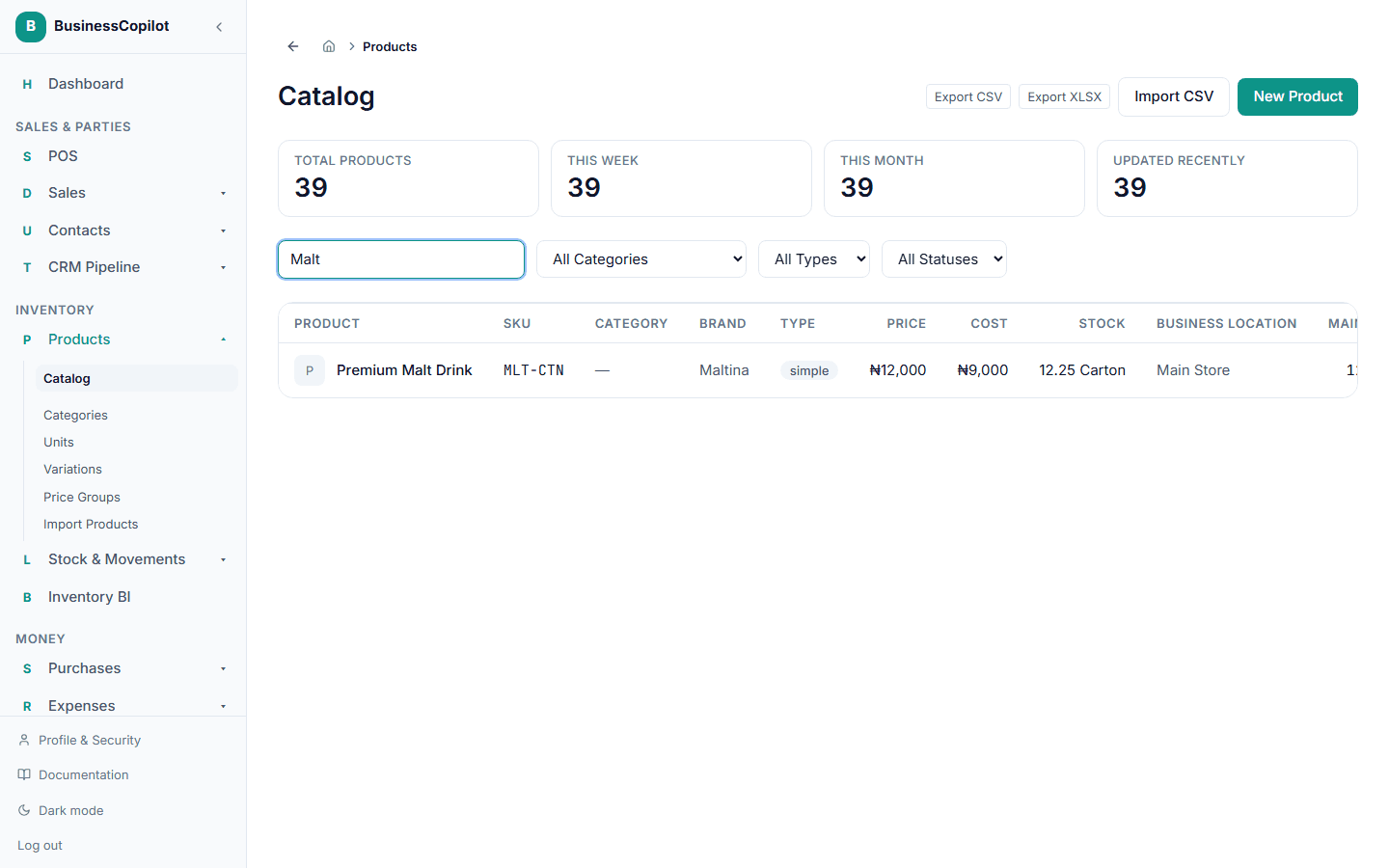
12.25 cartons shows as 12 Carton 5 Pack. The catalog list uses the same wording.
Sell in either unit
On the checkout screen, each cart line for an item with a secondary unit has a unit dropdown. Pick the unit the customer wants. The price follows the unit, and the line total is the quantity times that unit's price.
Selling 5 packs from a carton of 20 takes 0.25 carton out of stock. The receipt prints "5 Pack", exactly as it was sold.
Buy in either unit
On a purchase order, each line for an item with a secondary unit also has a unit dropdown. Choose the unit your supplier invoices in. The cost follows the unit.
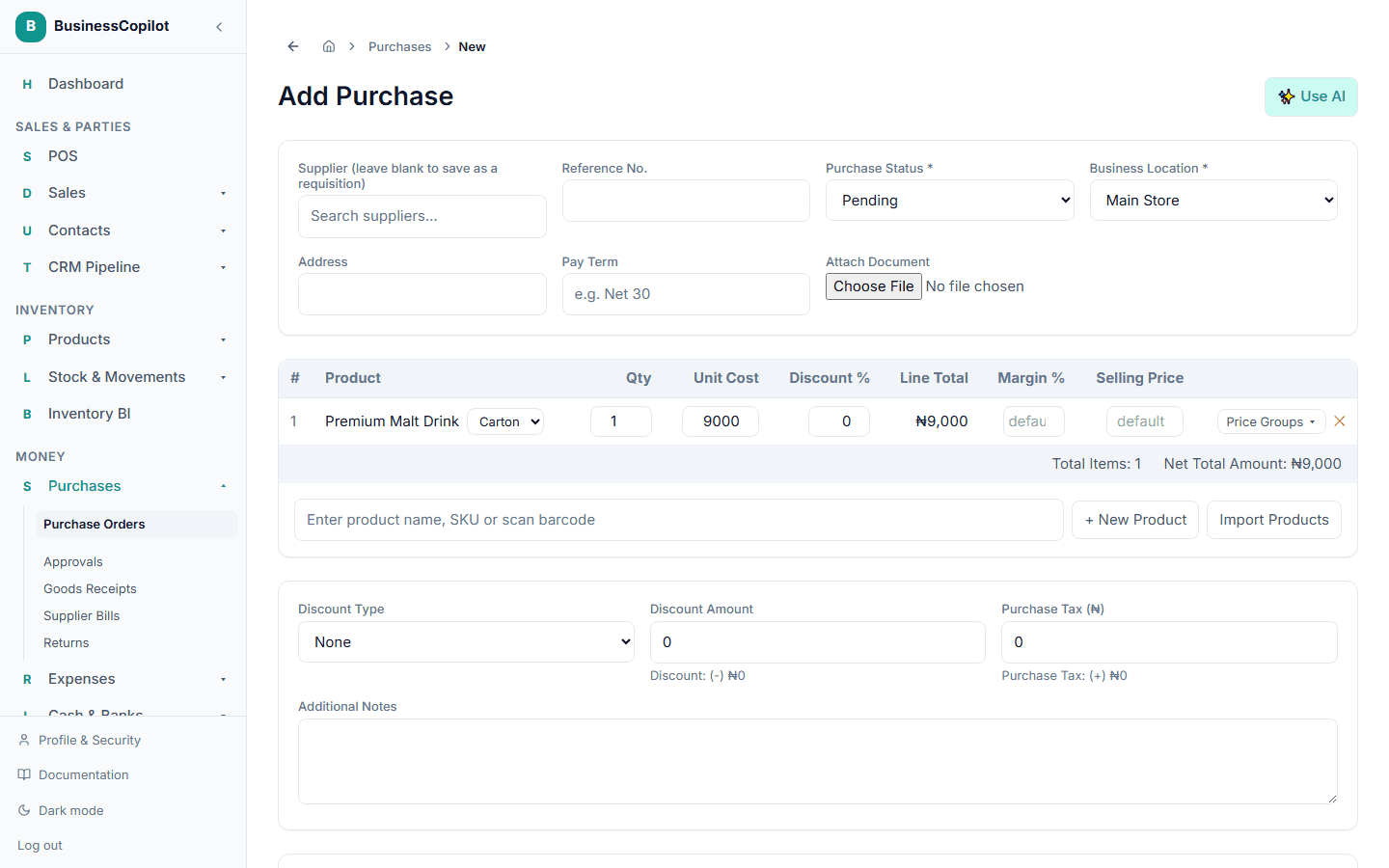
Receiving the goods adds the right amount to stock in the primary unit. Ordering 40 packs adds 2 cartons.
Purchase order screens show each line in the unit it was ordered in ("40 Pack"). When you receive goods, bill a supplier or record a return, you type the quantity in that same unit. The app converts it to the primary unit.
Price groups
A price group such as Wholesale can have a price for each unit. On the item's page, the group shows a second box for the secondary unit. For example, Wholesale can charge ₦11,000 a carton and ₦600 a pack.
If a group has no price for the secondary unit, the item's own price for that unit applies. The carton price is never used for a pack.
Returns
A sale return is entered in the same unit the item was sold in. Returning 2 of the 5 packs puts 2 packs, or 0.1 carton, back in stock. The same applies to a purchase return.
Refunds always add up to exactly what was charged. If you return a line in several parts, the last return refunds whatever is left, so rounding never leaves you a few kobo short.
Reports and exports
Wherever a report lists stock for an item that has a secondary unit, it shows the quantity as "12 Carton 5 Pack" instead of 12.25:
- the Inventory Valuation detail report
- the supplier Stock Report, on screen, as a PDF and in the CSV or Excel export (which gains a Current Stock (in units) column)
- the shortage report
- the stock movements list ("-5 Pack")
- the stock by location list on a product
- the product catalog export (a Stock (in units) column)
Items with only one unit keep showing the plain number.
Sales orders
Sales orders work the same way. Each order line for an item with a secondary unit has a unit dropdown, and the price follows the unit. The order, the picking queue and any discrepancy hold show the line in the unit it was ordered in ("10 Pack"). Pickers confirm or report quantities in that unit. When the order is released, the sale and its receipt print the same unit. In Option 1, orders stay whole numbers.