Understanding product pricing and cost
The difference between what a product costs you and what you sell it for.
Every product carries two numbers:
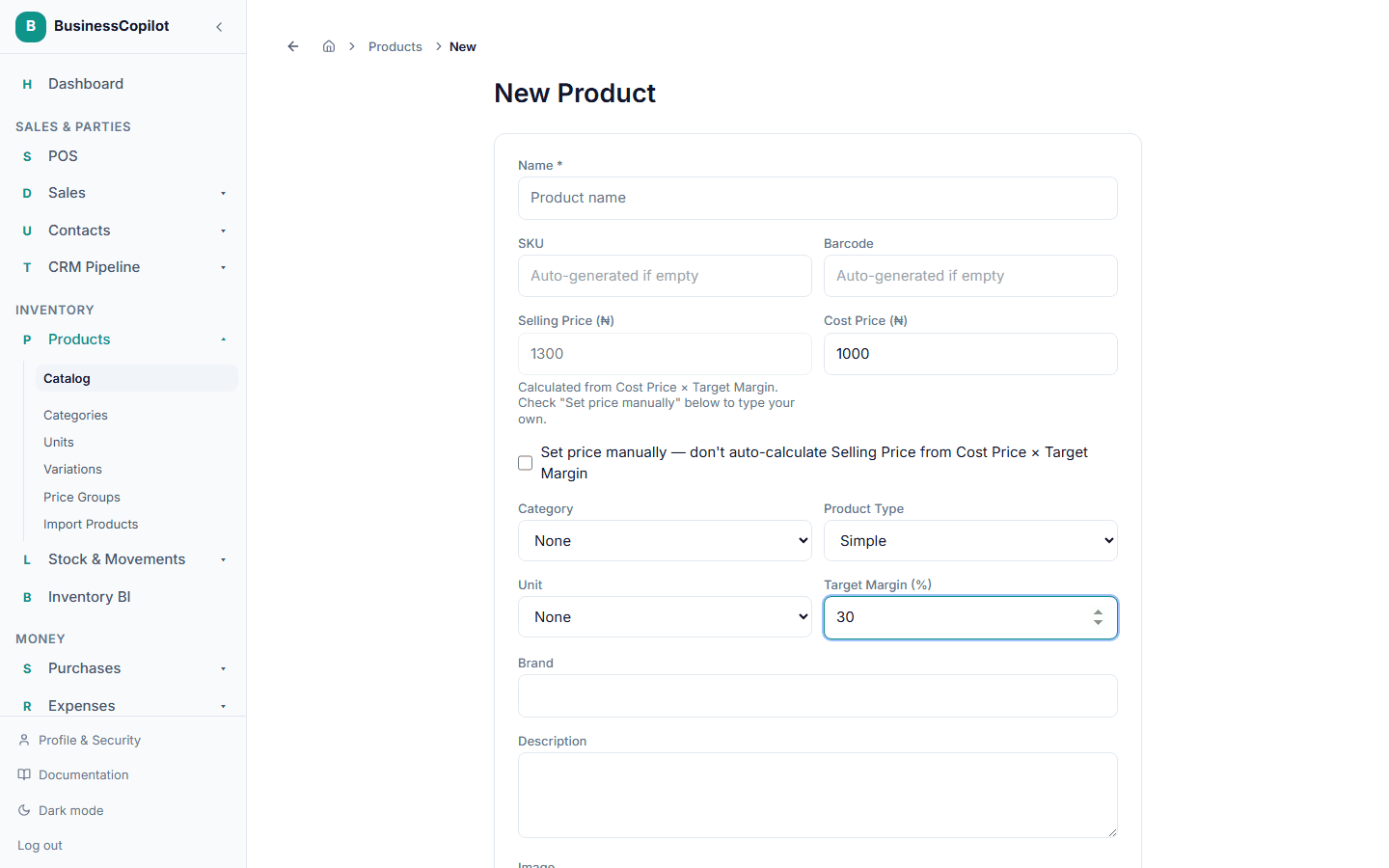
- Cost Price — what it costs you to have that product on the shelf.
- Selling Price — what a customer pays for it by default.
The difference between the two is your margin on that product. Both are set when you add the product, and can be edited any time from the product's page.
Cost updates when you buy
When you receive a purchase, the actual cost of what arrived — including shipping and other purchase charges, its landed cost — is recorded against that stock, so your reports reflect what you really paid, not just the product's listed cost price.
Selling different prices to different customers
Your Selling Price is the default every customer pays unless you've set up a price group — like a separate Wholesale price list — and select it at checkout.
Auto-calculating Selling Price from a target margin
Instead of typing a Selling Price yourself, you can set a Target Margin (%) on the product form — BusinessCopilot then works it out for you: Selling Price = Cost Price × (1 + Target Margin ÷ 100).
This pre-fills from your Default Profit Percent setting on every new product, so if you have a margin you use most of the time, you won't need to touch it at all.
When Target Margin has a value, the Selling Price field shows the calculated result and can't be typed into directly. If you want to set your own price instead — overriding the calculation for this one product — check "Set price manually" on the form. With that checked, your typed Selling Price is used exactly as entered, and Target Margin no longer affects it.