What the Clinical Suite is
The patient records and appointment tools built into BusinessCopilot — what's available today, who it's for, and how to find it.
The Clinical Suite is an optional add-on for pharmacies and clinics. It puts your patients, their appointments, their medications, their lab results, their clinical notes and every module of their care in the same place as your sales, stock and accounts — so you don't keep a second system just for patient care.
All fourteen modules are now fully available. This section documents everything that is live today.
What you can do today
Patients
- Keep a patient record for every person you serve — identity, contact details, insurance, allergies, known conditions, emergency contacts and reminder preferences.
- Log vital signs (blood pressure, heart rate, temperature, weight, height) and see the BMI worked out for you.
- Search and filter your patient list, and import or export patients as a spreadsheet.
- Give each patient an automatic MRN (medical record number) so no two patients ever share one.
- See every module's activity in one Patient Timeline on the patient dashboard.
Start with Adding a patient.
Appointments and follow-ups
- Set each provider's working hours, breaks and time off, so only real, bookable times are offered.
- Book, confirm, reschedule, cancel and complete appointments on a Month, Week, Day or Agenda calendar.
- Add your own kinds of appointment and follow-up next to the built-in ones.
- Repeat an appointment daily, weekly or monthly as a recurring series.
- Keep a waitlist of patients who want an earlier slot, and be told when one opens up.
- Track follow-up tasks with priorities, due dates and escalation.
- Patients receive automatic reminders by SMS and email — 24 h and 2 h before — plus a confirmation link.
- An Insights page shows no-show rates, utilisation, and suggested appointment times.
Start with Booking an appointment.
Clinical notes
- Write SOAP notes — Subjective, Objective, Assessment and Plan — with types, priorities, and tags.
- Attach lab results, photos and letters to a note (stored privately).
- Search and filter notes by type, priority, tag, author and date.
- Mark sensitive notes confidential for restricted-access roles only.
Start with Writing a clinical note.
Clinical Encounters (Triage & Assessment)
- Open a structured clinical encounter to work through a patient's presenting complaint.
- A built-in safety gate identifies red-flag symptoms and blocks the workflow until the escalation is documented.
- Log a pharmacist decision, sign the encounter as a SOAP note, and create a follow-up task — all in one workflow.
- AI-assisted Clinical Reasoning and Counselling Points are available at the assessment and sign steps.
Start with Starting a clinical encounter.
Clinical Interventions
- Track a drug therapy problem from identification through strategies, assignments and a recorded outcome.
- Status workflow: Identified → Planning → In progress → Implemented → Completed.
- Linked to MTR sessions, encounters and follow-up tasks.
Start with Clinical Interventions.
Medication Management
- Maintain each patient's active medication list — drug, dose, frequency, route, indication.
- Log adherence to track whether the patient is taking medications as directed.
- Set up automatic refill and adherence alerts.
Start with Medication Management.
Drug Information Center
- Search a full drug database (MedSafe, NAFDAC-aligned) for monographs, safety profiles, and dosing guidance.
- Run six patient-population safety checks: pregnancy, lactation, G6PD deficiency, paediatric use, elderly patients, narrow therapeutic index.
- Generate AI-driven counselling points from the monograph.
- Create workspace-wide therapy plan templates.
Start with Drug Information Center.
Drug Interaction Checker
- Check a patient's full medication list — or any custom drug list — against MedSafe's interaction database.
- Pharmacist review queue with an outcome workflow (Approved / Modified / Rejected / Monitoring).
- Optional AI second opinion on the full drug list.
- Background monitoring re-checks when medications change.
Start with Drug Interaction Checker.
Adverse Drug Reaction (ADR) Reporting
- Structured ADR capture with WHO-UMC causality assessment per suspected drug.
- NAFDAC-aligned seriousness criteria and submission tracking.
- PDF export and batch date-range export.
Start with ADR Reporting.
Medication Therapy Review (MTR)
- Six-step guided MTR workflow: patient selection → medication history → therapy assessment → plan development → interventions → follow-up.
- Log Drug Therapy Problems (DTPs) with category, severity and evidence level.
- Drug interaction check built into the assessment step.
- AI-generated session summary, PDF export.
Start with MTR Overview.
AI-Assisted Lab Interpretations
- Upload lab result images and PDFs (AI reads images directly via vision).
- AI returns a differential diagnosis, risk factors, recommended investigations, and a patient-friendly rewrite.
- Pharmacist review and approval workflow, with escalation for urgent findings.
Start with Lab Interpretations.
Chronic Disease Management
- Track patients through nine built-in chronic conditions (hypertension, diabetes, asthma, heart failure, COPD, CKD, dyslipidaemia, epilepsy, hypothyroidism) plus your own custom conditions.
- Structured visit wizard that logs vitals, per-condition readings, and flags uncontrolled conditions.
- Trend charts showing readings over time against clinical targets.
- Auto-detection of unregistered conditions from active medications.
Start with Chronic Disease Management.
CareSync: AI-Assisted Diagnostic Case Management
- Open a case for a complex diagnostic workup — intake, symptoms, AI differential diagnosis, investigation plan, lab results, and follow-up all in one case timeline.
- AI generates a ranked differential diagnosis with confidence levels and reasoning.
- Pharmacist reviews, promotes a diagnosis to the patient record, creates interventions, and schedules follow-up.
- Links to lab interpretations and CareSync analytics.
Start with CareSync Overview.
Clinical Support Tools (17 Calculators)
- 17 clinical calculators across renal/PK, dosing, risk scoring, dose adjustment, lab interpretation, and antibiotic stewardship.
- Results appear in real time as you type.
- Optionally link calculations to a patient and save to personal history.
- AI interpretation available for every result.
Start with Clinical Calculators.
Clinical AI
- AI features are available across Encounters, MTR, Lab Interpretations, CareSync, Drug Information Center, Calculators, and the patient Dashboard.
- Powered by a pooled daily token allowance (included with the Clinical AI Usage add-on) plus purchasable top-up tokens.
- Every AI call is de-identified — no patient names or identifiers are sent.
Start with Enabling Clinical AI and managing tokens.
Who it's for
Any workspace that has the Clinical Suite add-on turned on. Inside your workspace, what each person can do depends on their role — see Getting access to the Clinical Suite.
Where to find it
| Platform | How to open it |
|---|---|
| Web | In the left sidebar, choose Clinical Suite. Each module group (Patient Engagement, Clinical Notes, Encounters, Interventions, Medications, Drug Info, etc.) is a collapsible section in the sidebar. |
| Desktop app | The same Clinical Suite entry in the sidebar, with the same structure. |
| Mobile app | Open the Clinical Suite module. A strip of chips across the top lets you move between Patients, Calendar, Follow-ups, Reminders, Schedules, Encounters, Notes, Calculators, Interactions, ADR, MTR, Lab, Chronic Disease, CareSync, and more. |
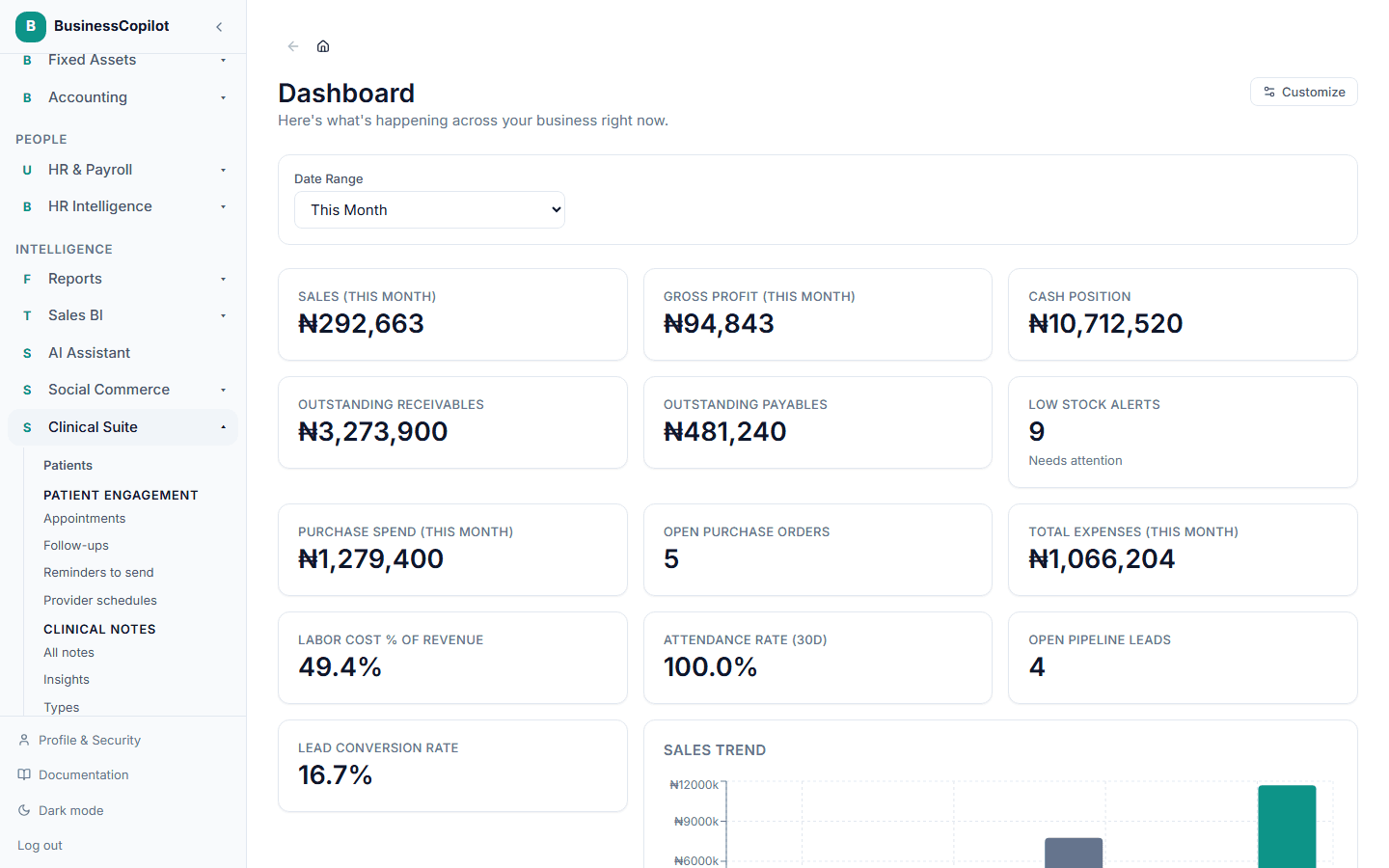
See The Clinical Suite on each platform for what differs between Web, Desktop and the mobile app.
It needs an internet connection
The Clinical Suite does not work offline. All fourteen modules require connectivity. This includes the Desktop app — clinical screens on Desktop are online-only.