Compound products
Sell several products together as one item, such as a gift hamper, and have each part come out of stock automatically.
A compound product is made of other products. A gift hamper, for example, might be 2 packs of paracetamol, 1 bottle of vitamin C and 1 bottle of hand sanitizer.
You sell the hamper as one item at one price. When it sells, each part comes out of its own stock.
A compound product has no stock of its own. What you can sell depends on its parts.
Create a compound product
- Go to Products → Add Product.
- Set Product type to Compound (sold as a set of other products).
- Enter the name and the selling price of the whole set. The price is set on the compound itself. It is not the total of its parts.
- Save, then open the product and select Edit.
- In Parts, search for a product and add it. Enter how many of it go into one compound.
- Repeat for each part, then select Save parts.
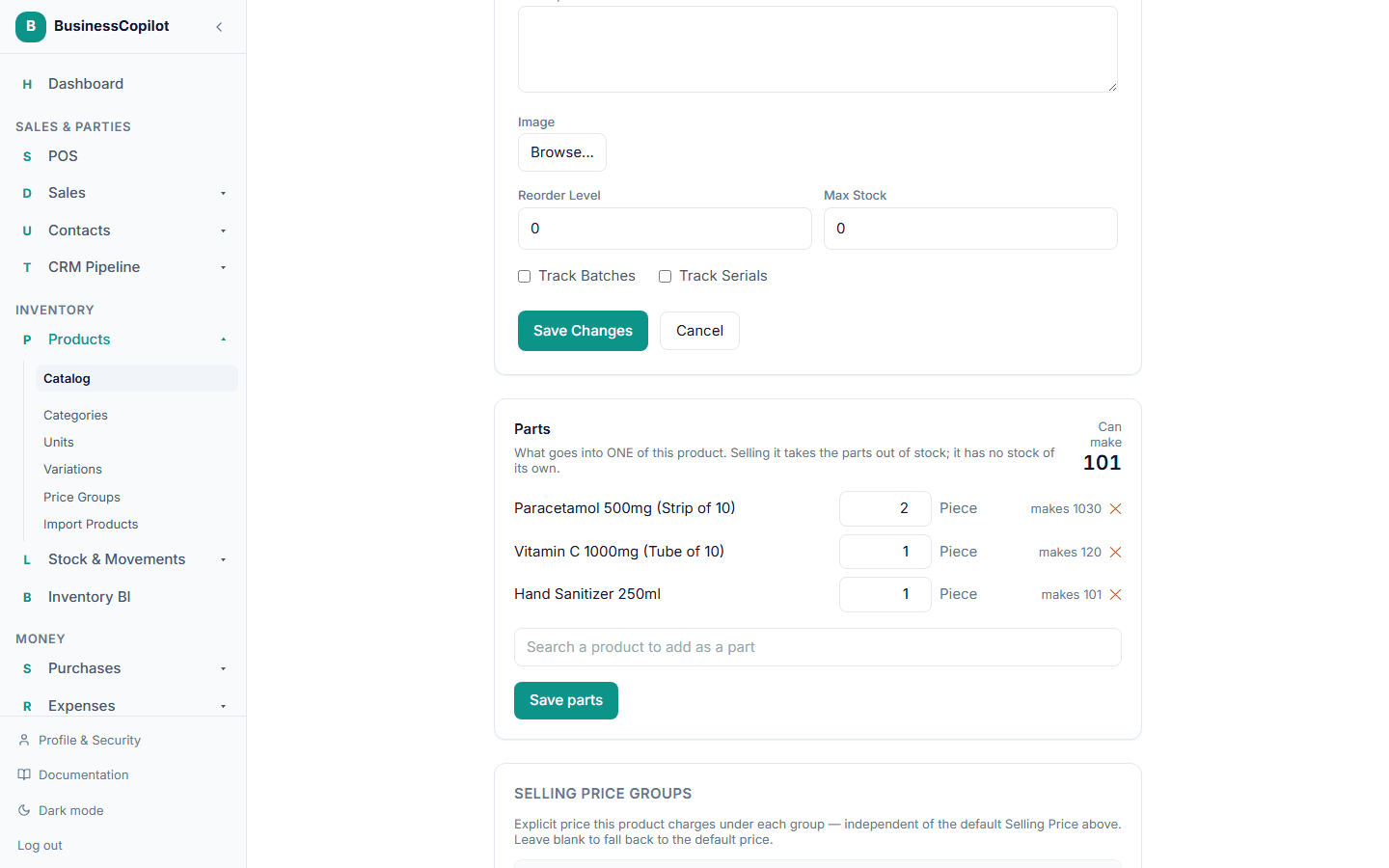
The Can make figure shows how many you could sell right now. The part you have least of decides it. If you have 3 bottles of vitamin C and each hamper uses 1, you can make 3 hampers, however much of the rest you hold.
Rules for parts
- A part cannot be another compound product.
- A product can appear only once in the list.
- A part can be a product with a secondary unit. In Option 2, enter its quantity in either unit. The app converts it for stock.
- Parts can still be sold on their own at any time.
Selling a compound product
On the checkout screen, a compound product shows can make N where other products show their stock.
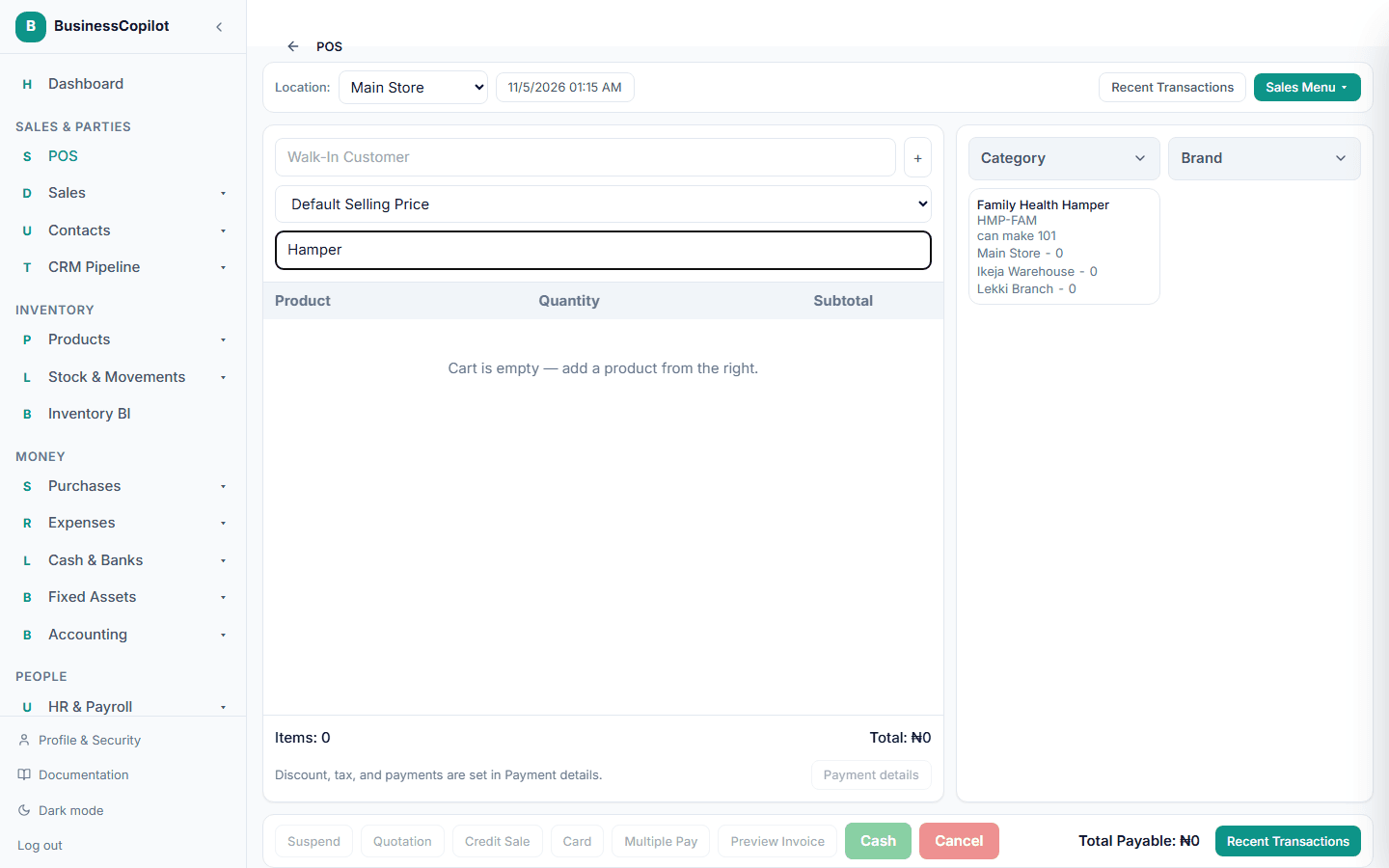
Add it to the cart like any other product. When the sale completes:
- each part's stock goes down by its quantity times the number sold
- the hamper's cost is the total of its parts' costs at that moment, so your profit reports stay correct
If any part is short, the sale is refused and the message names the part that is short. Nothing is taken from stock. Restock the part and try again.
The Owner can allow selling below stock in Settings → Sell. When that is on, a compound product sells even if a part is short, and the part's stock goes negative, exactly as selling any other short item does.
Returns
Returning a compound product puts its parts back in stock. Returning 1 of 2 hampers sold puts back one hamper's worth of each part.
Things to know
- You cannot buy, count or adjust a compound product directly. Buy and count its parts instead.
- A compound product is not counted as low stock, because it has none of its own.
- The desktop app needs a connection to sell a compound product. Offline, it tells you to reconnect.
- Changing the parts list affects only future sales. Past sales keep the cost they were recorded with.
Related
Selling and buying in two units
Give an item a primary and a secondary unit, such as a carton and a pack, and sell or buy in either.
Importing products from a CSV file
Add many products at once from a spreadsheet — which columns are required, how prices can be written, and how to check your file before anything is created.