Treasury Reconciliation
Cross-checking your real Cash & Banks balances against what the ledger believes they should be.
Treasury Reconciliation is one of the six subledger-to-GL checks — this one specifically compares the real balance on every Cash and Bank account (and Undeposited Funds) against what the Chart of Accounts believes those same balances should be.
This is different from reconciling a bank statement, which matches your records against what your bank actually shows. Treasury Reconciliation instead checks that BusinessCopilot's own two internal records of your money — the account balances you see on the Cash & Banks page, and the corresponding ledger accounts — genuinely agree with each other.
Running it
- Go to Accounting → Treasury Reconciliation.
- Select Run Reconciliation.
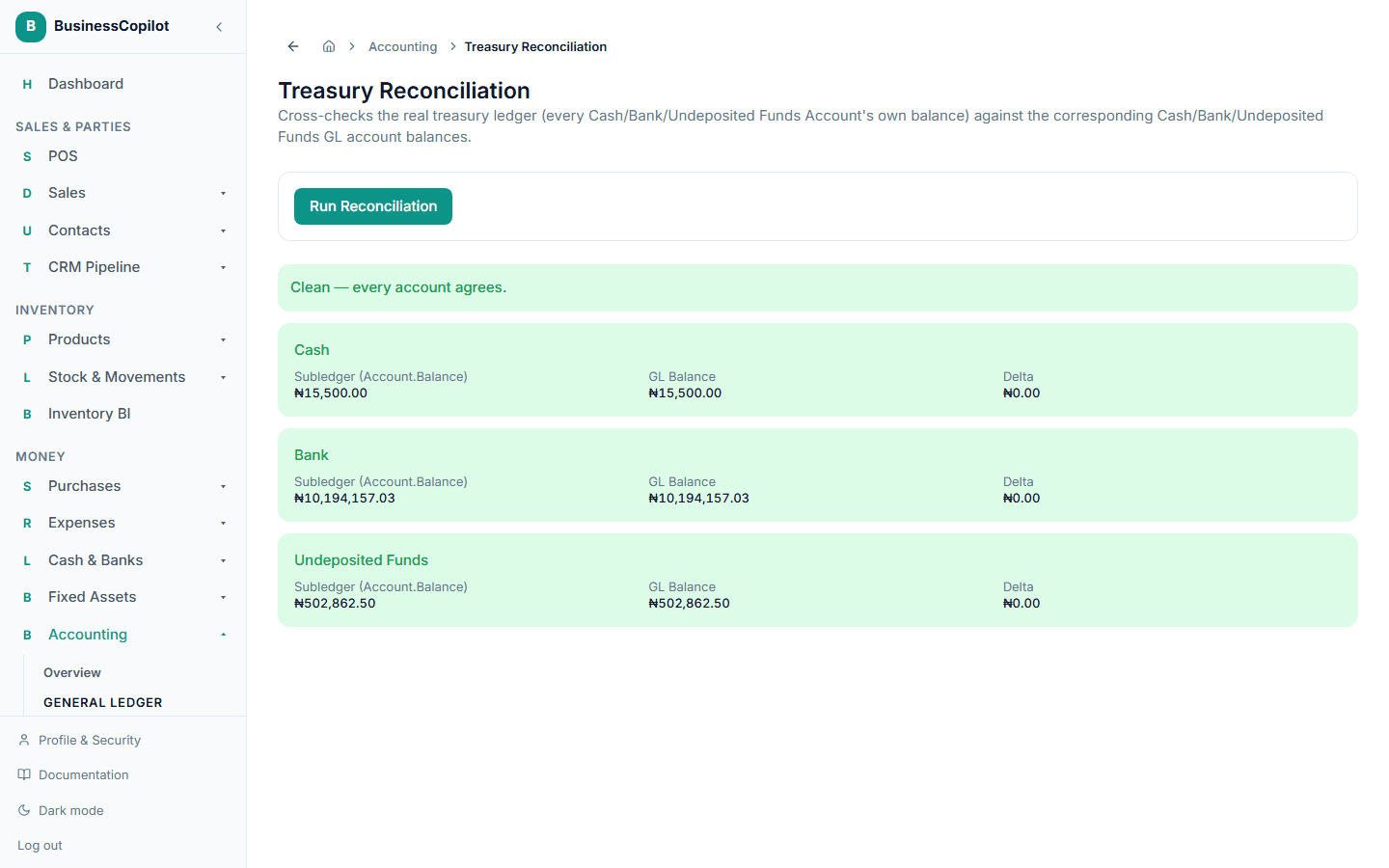
Unlike a period report, this isn't scoped to a date range — it's a running, all-time balance check. You'll see one line each for Cash, Bank, and Undeposited Funds, each either Clean or flagged as an Accounting Integrity Exception.
A real limitation, confirmed by direct testing: recording a bank deposit or an inter-account transfer correctly updates your real account balances and transaction history, but doesn't currently post a matching entry to the Bank ledger account — so the Bank line here will show an Accounting Integrity Exception after either action, even though nothing is actually wrong with your accounts. Cash and Undeposited Funds are not affected by this and reconcile correctly. Treat a Bank exception here as expected today, not as a sign your deposit or transfer needs fixing.